Javascript and render blocking - solution


HI Guys and Gals
just have to share this with you because I know that so many of us have the java script render blocking problem -
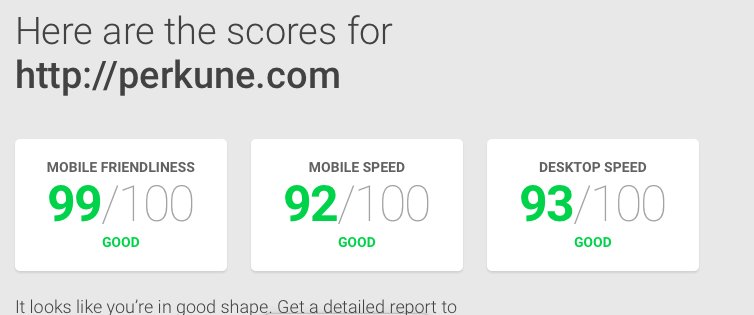
I am still thinking how to fix this and came up with a small solution but first tested my site and got this see below -
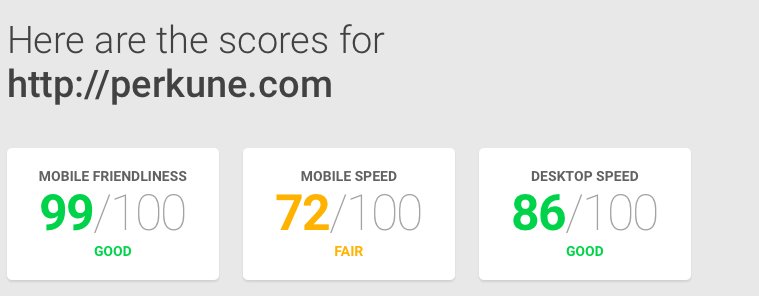
Ok that is not so bad but the mobile speed sucks - right!
so I did some playing around and added a plugin called -
Async JS and CSS settings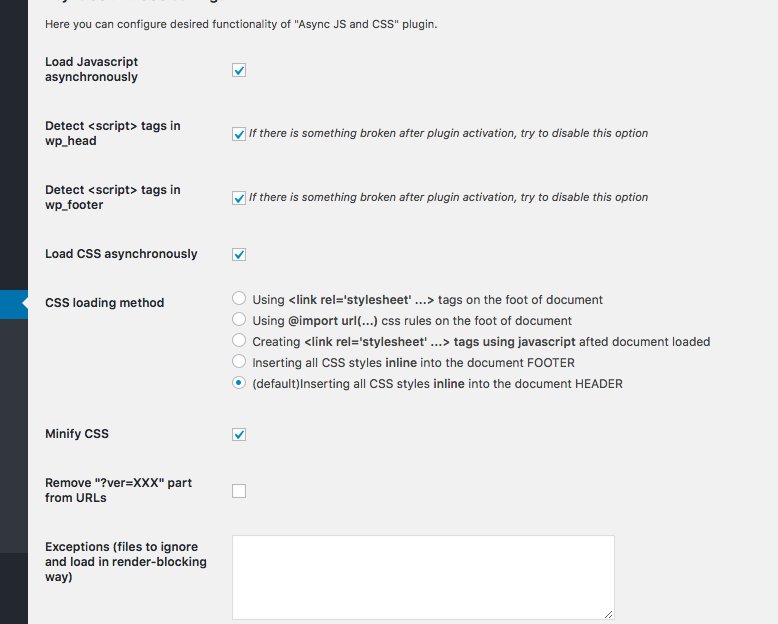
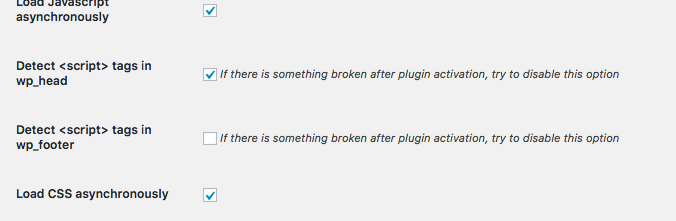
I set it up as you can see above and then ran the speed tests and it was nearly the same as before -
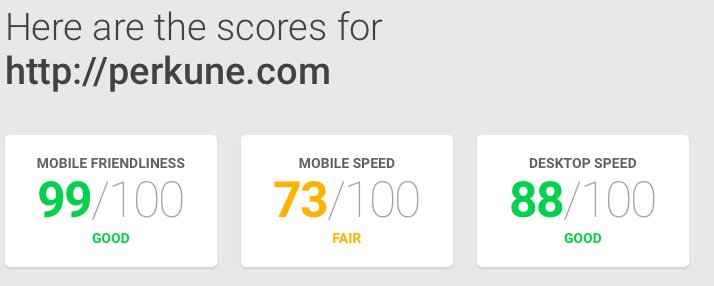
But I wanted MORE as we always do so after playing around a bit I changed the settings as shown below -
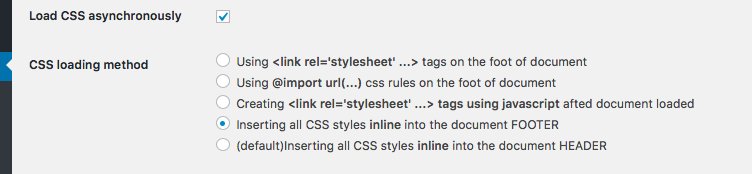
So now the CSS will be in the footer!
And as you can see the results and This is what we want!!!!
BUT - small problem I found that the page had a shift when moving between pages so I did some more playing and unchecked this option - dectect script tags in the footer - see below
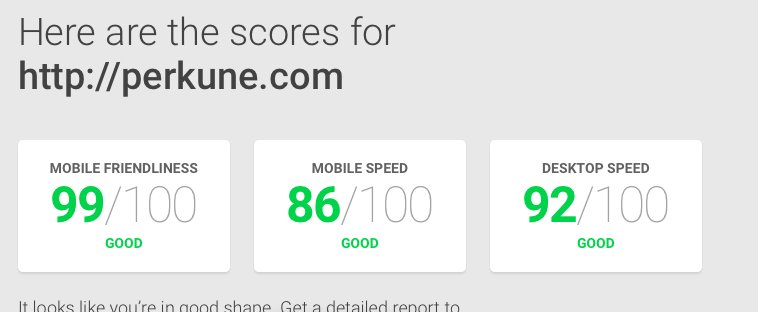
so now went back and checked and all working great and then did a speed test and again and I am very pleased see below -
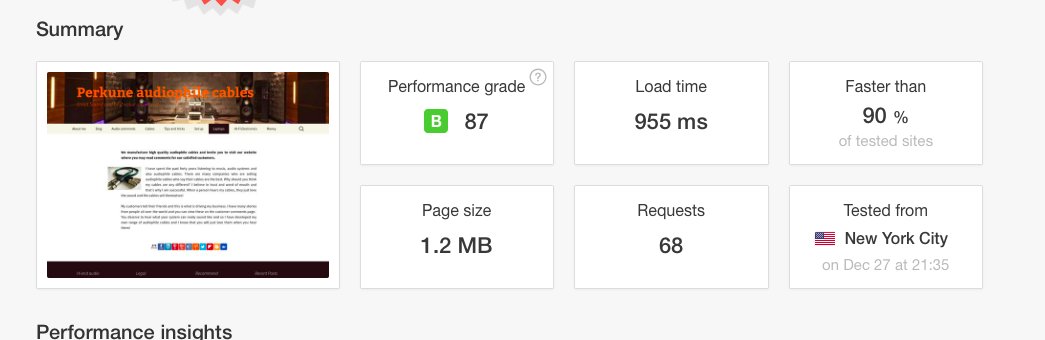
Then went to website speed test and what a great result load time less than a second see below
There you are my friends problem solved!
Join FREE & Launch Your Business!
Exclusive Bonus - Offer Ends at Midnight Today
00
Hours
:
00
Minutes
:
00
Seconds
2,000 AI Credits Worth $10 USD
Build a Logo + Website That Attracts Customers
400 Credits
Discover Hot Niches with AI Market Research
100 Credits
Create SEO Content That Ranks & Converts
800 Credits
Find Affiliate Offers Up to $500/Sale
10 Credits
Access a Community of 2.9M+ Members
Recent Comments
47


When I try to add the new Async JS and CSS settings plugin to my Wordpress site this plugin doesn't show up! Why is this and do I have to upload it from another source? Is my problem the fact that my site is on a non Genesis theme of Twenty Sixteen?

Thanks I have now been able to add the plugin. However after activating it and testing my site's speed loading performance before and after Paul's suggested settings changes I discovered that my site's loading speed was worse, so I have deactivated pending further information. Maybe there is a conflict with one of my other plugins.
Of course there is, there is no way to have these things working the same way on different sites.


Yes I think many of the things in the training are out of date and not really been update for a long time Mike

Thank you for the insight.
Can you please mention which tool and plugin you used to check the website score so that I can analyze my blog as well.
Yes the ones that I use is pingdom.com for speed and then google tool https://testmysite.thinkwithgoogle.com

Great post.. thank you.. I'll check this out..
There are quite a few good posts on here actually... how do you save the one's you want to refer back to? Is the best way to bookmark the page in our browser?
.Thanks Paul..

Great tip- I'm going to check this out. I would suggest people use great caution when using it though. As you mentioned, it can change things and even mess up your site.

Great tool and training Paul, I will bookmark this and give it a try.
I assume this is a plugin that has to be running all the time?
Thanks,


See more comments
Join FREE & Launch Your Business!
Exclusive Bonus - Offer Ends at Midnight Today
00
Hours
:
00
Minutes
:
00
Seconds
2,000 AI Credits Worth $10 USD
Build a Logo + Website That Attracts Customers
400 Credits
Discover Hot Niches with AI Market Research
100 Credits
Create SEO Content That Ranks & Converts
800 Credits
Find Affiliate Offers Up to $500/Sale
10 Credits
Access a Community of 2.9M+ Members
Paul, I would like to try it, but do not find it. Where is the plugin?