Benefits of Google Docs


Published on February 10, 2016
Published on Wealthy Affiliate — a platform for building real online businesses with modern training and AI.
Benefits of Google Docs
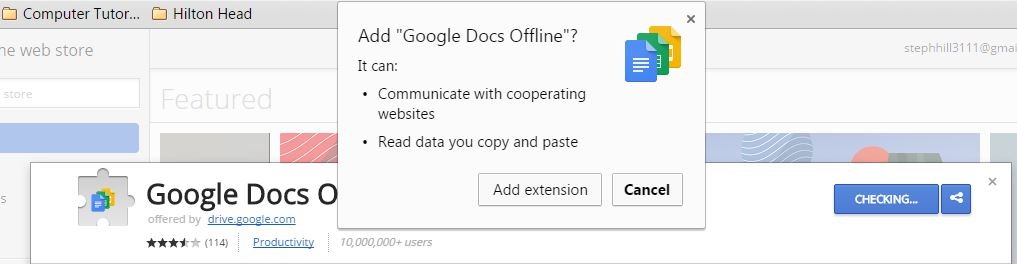
It was in last week's webinar by Jay that I learned some of the benefits of using Google Docs and so I have applied his recommendations and started migrating some of my documents into Google Docs, although I have run into some glitches. I have installed the required extensions and I still get messages saying I need to install such-and-such extension. Even though the following extension is already installed, the screen shot below shows Google is still asking me to install an extension that is already existing within my toolbar. I am being patient though and working through some the glitches.
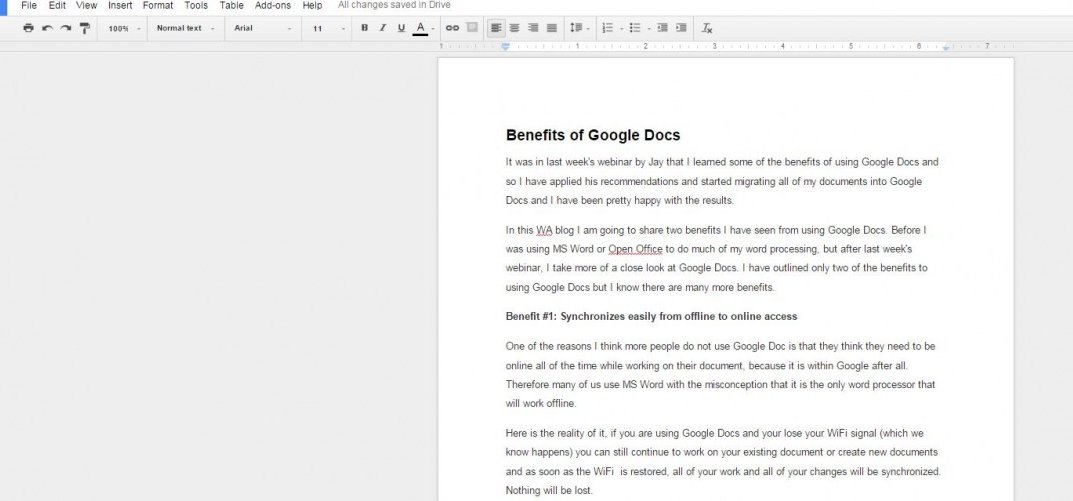
All in all, I am starting to use Google Docs now as seen from the screen shot below. I partially used it to write this blog :
In this WA blog I am going to share two benefits I have seen from using Google Docs. Before I was using MS Word or Open Office to do much of my word processing and I still have to for somethings until the extension is resolved, but after last week's webinar, I have taken a closer look at Google Docs, because I am a believer in applying what Jay teaches us in the webinars.
Ready to put this into action?
Start your free journey today — no credit card required.
I have outlined only two of the benefits to using Google Docs but I know there are many more benefits. such as the add-ons which I have not explored.
Benefit #1: Synchronizes easily from offline to online access
One of the reasons I think more people do not use Google Doc is that they think they need to be online all of the time while working on their document, because it is within Google after all. Therefore many of us use MS Word with the misconception that it is the only word processor that will work offline.
Here is the reality of it, if you are using Google Docs and your lose your WiFi signal (which we know happens) you can still continue to work on your existing document or create new documents and as soon as the WiFi is restored, all of your work and all of your changes will be synchronized. Nothing will be lost.
Benefit #2: The Built In Research Tool
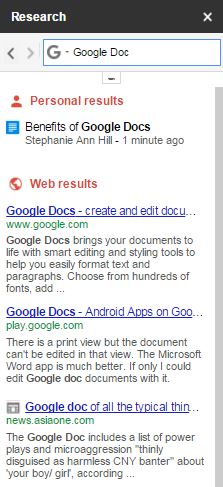
Another great benefit to Google Docs is the built-in research tool. From the sidebar, you can easily access the Internet to research anything. It is Google after all, so yes, you can access it's search engine from within your Google Docs. In addition, you can filter your search results to images, quotes or scholarly articles.
SHORT-CUT: You can select a word within your Google Doc and right-click and then select "Research" to locate information on the web for that word. The sidebar opens up as shown here:
I hope you have found this WA blog to be useful. If you have good or bad experiences with Google Docs, please share them so we can all learn from each other's experiences.
Share this insight
This conversation is happening inside the community.
Join free to continue it.The Internet Changed. Now It Is Time to Build Differently.
If this article resonated, the next step is learning how to apply it. Inside Wealthy Affiliate, we break this down into practical steps you can use to build a real online business.
No credit card. Instant access.