What Does Bad Gateway Mean? And How to Fix It -


Published on February 2, 2017
Published on Wealthy Affiliate — a platform for building real online businesses with modern training and AI.
It happened to my site yesterday. Suddenly it was down and there were only two words in the browser window:
Bad Gateway
So what does Bad Gateway mean? And how to fix it?
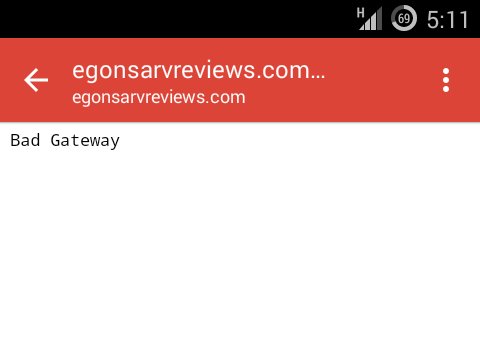
First, different web servers describe the Bad Gateway error differently. Here are some most common names:
- Bad Gateway
- Error 502
- 502 Bad Gateway
- 502 Proxy Error
- HTTP 502
- Temporary Error (502)
- Bad Gateway: The proxy server received an invalid response from an upstream server
- 502 Service Temporarily Overloaded
- etc.
Bad Gateway is, in fact, an Error 502 and is also known as an HTTP status code error. It means that there is a communication problem between two servers. One of them got an invalid response from another.
This in turn means that it is not a problem with your computer but rather a server which it is trying to communicate.
Ready to put this into action?
Start your free journey today — no credit card required.
I quickly understood it while trying to open my website in different browsers (I wanted to figure out where the real problem was.)
I opened my website in 2 different mobile browsers (one of them I had never used before) and 2 different desktop browsers. All four gave me the same Bad Gateway error.
If the error were caused by a browser, the website should have run well in other browsers. But this was not the case.
Then I submitted a customer service ticket to check the problem from the server side.
However, after about an hour my site was up and running again (without intervention of the customer service). Therefore, my conclusion is, this time the servers could solve their communication problems by themselves.
How To Fix Bad Gateway
There are some recommendations to help you fix the error 502 from your side (sometimes it helps):
- Try reloading your website again (refresh button, or even better - use Ctrl-F5 (hard refresh).
- Delete your browser's cookies
- Clear your browser's cache.
- Open your website in a new browser
- Restart your computer
- Restart your network equipment (router, switch, etc.)
As I told before, most probably the problem is not in your computer. It is a networking problem and out of your control. Therefore, if the steps above do not solve the problem, then...
7. Submit a customer service ticket (give them detailed description of what you already did to solve it. This helps them find the anomaly faster.)
Also, Error 502 is temporary so (like in my case) the servers could solve it by themselves.
Hope it helps :)
Egon
Share this insight
This conversation is happening inside the community.
Join free to continue it.The Internet Changed. Now It Is Time to Build Differently.
If this article resonated, the next step is learning how to apply it. Inside Wealthy Affiliate, we break this down into practical steps you can use to build a real online business.
No credit card. Instant access.