Your Logo Opinion Needed


Kyle just announced on his latest Beer With Kyle a new bonus we have here, where we can now create Logo's using the new tool given here in DesignPop Studio.
If you haven't read it yet, here is the link below.
Now after watching the BWK I gave it a go and found it so quick and easy to create logo's certainly saves time compared to going to Canva or other places.
The trouble is I played around and created some for both my sites and now I'm not fully sure which logo to use, so I need your thoughts, views and opinion on which you feel is best for each site I have this for.
For my affiliate marketing site, the images are below then I will show the ones for my other site on life management
I started with the prompts that designpop already has with a basic logo then went to customise it to add a person rather than just to upward lines as shown below plus a couple more choices I got it to create.
So for this site can you let me know which you feel looks the best to use starting with the ones I created from the first one to the last for this site.
This is the origin one it gave me then I customised it to add a person instead follow by some others which I feel are better but which one to choose.
 The last one of these was just using the Logo image rather than the logo plus text in the first three.
So can you let me know which of these looks the best to use?
After that I created some for my other site and went crazy adding more so I would like your opinion in the same way which you like the most to use for this site.
Images are below. All original images sized are as per design Pop I just made them smaller for easier view
Also this site basically talks about spiritually, Health & Wellness, Parenthood and a few others areas that is why you can see on some images of people, heart, or the Yin and Yang within the tree etc
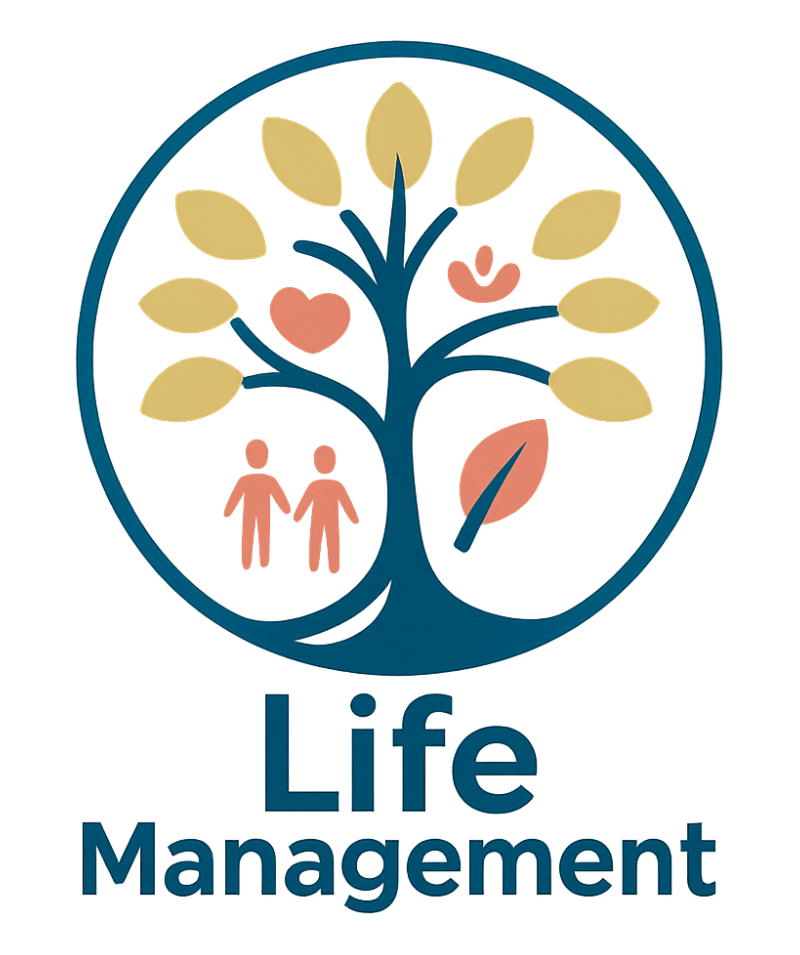 For the above Life Management images some I played around with the colors as well.
So once more love your thoughts, views, opinions on which you like the most
Thank you all
As Always
Join FREE & Launch Your Business!
Exclusive Bonus - Offer Ends at Midnight Today
00
Hours
:
00
Minutes
:
00
Seconds
2,000 AI Credits Worth $10 USD
Build a Logo + Website That Attracts Customers
400 Credits
Discover Hot Niches with AI Market Research
100 Credits
Create SEO Content That Ranks & Converts
800 Credits
Find Affiliate Offers Up to $500/Sale
10 Credits
Access a Community of 2.9M+ Members
Recent Comments
99


Looks like you've been having fun with our new tool!
Affiliate Marketing: I think #3 is the most complete. I don't like the broken arrows - and why two arrows? I wonder - in the more complex designs...
Coaching: I think #3 is the best. I like #4 too, but #3 has a lot going for it - a tree that suggests cupped hands, a heart or two people, with possibly a third on the way (the green dot in the heart) to cover the parenthood side, and then the many leaves that suggest a flourishing life. Nice.

Thanks David didn't get too deep with it most of it was done as is for the first one. Yes the arrow came as is but the one with the one arrow seems better than the two much more simply.
As for the life management did customise it a bit for the last couple of images plus tried another colour coding. The site relates to spirituality, health and wellness and parenthood as the main categories all relating to Managing life. hence the colors, cupped hands, people and the tree of growth
but it was a lot of fun and as you know one can easily get carried away with it but worth it in the end. Can't wait for the second half to come in.
Andre

Good Morning Andre.
Of the first group, I prefer number 3, not too many colors.
At the end of the day, what is the important part of our life. I think it is the relationships. That is why I like the couple with the heart. The color green is good as it represents growth. The one with Yin and Yang comes second.
Greetings from the south of Spain,
Taetske
Good morning to you Taetske and afternoon from me.
Firstly great to hear from you and hope all is well in the south of Spain.
Yes we need to consider the relationship of the site the affiliate one I am not so fussed with but the life management that needs more thought hence the couple, the green for growth and as you said the Yin and Yang which all represent my site and it's categories.
i might also need to play around with the colors and see what combination I can get. perhaps I might even try AI give it these logs for an added opinion first get some added ideas better prompts then try again here.
This way it will save some credits even though I have enough to experiment with.
Sending you well wishes for life overall
Andre :)
Thank you, Andre,
All is well here, but Spain has suffered bad heatwaves and also awful fires., some lasting 3 weeks.
Hasta Pronto,
Taetske

Hello Andre.
The following are just my thoughts - I am no design expert!
Since you say it's quick and easy and you seemed to enjoy doing it, I would actually try creating a new affiliate marketing one. I don't know how difficult it is to get it to do exactly what you want, but this is what I would want to do if it was mine:
I would use the fourth logo with the circle but include the dark blue text from the third - perhaps getting rid of the green arrow. And I'd make the circle colour the same as the 'Affiliate Marketing' text colour.
I really like the last logo for the Life Management site. Again - I don't know how easy it is to get the same again with just tiny tweaks. If you can get exactly the same, you could play around with different colours. I think a dark purple - like the one in the second logo - might be nice, but then you might need to change the other colours too.
But all these are just me 'thinking aloud'.
Isabella
Thanks Isabella it is worth playing around as I have plenty of credits to use anyway. Might try to do ones you suggest soon.
When you choose the colour pattern it gives you what it creates so will need to test it out and see in the prompts when customising if it will give me the colors I want.
Appreciated your response hoping you are having a great weekend so far.
Andre
Yes, I believe you can use your AI credits. I think once the image one is available, I will probably use a good part of my credits on images.
Thanks - it's only Saturday morning, 8 am here.
Isabella
Yep you use your AI credits for that either 400 for a basic one or 800 for a more detailed. For some it may be a lot but worth using or trying out and yes know it's morning you it's 5 pm sat here.
You can easily get yourself immersed with the logo's being so quick to do and of course the more detail you give just like you would for any AI prompts the better the results may be. So just a matter of playing around with it.
Enjoy your day

SO many choices @Andre!
#3 - simple ; clear messaging.
Then #5 - for simplicity; #6 is more visibly about life management - but I like simple logos...
Have a great weekend!
MarkA
Thanks Mark when you are talking about #3 is that for the affiliate one or the life management?
I also like #6 for life management so far.
Appreciate your thoughts and views
Andre
Apologies for the confusion - #3 for affiliate and the second comment was for the Life Management logo . Too brief I was 🙃
Thanks for the clarity Mark appreciated. Seems like people are liking the third one for the affiliate has only one arrow going up which I guess is simple yet still effective.
As for the second choice, the last one seems the most popular so far.
Appreciate you coming back enjoy the rest of your day.
Andre
See more comments
Join FREE & Launch Your Business!
Exclusive Bonus - Offer Ends at Midnight Today
00
Hours
:
00
Minutes
:
00
Seconds
2,000 AI Credits Worth $10 USD
Build a Logo + Website That Attracts Customers
400 Credits
Discover Hot Niches with AI Market Research
100 Credits
Create SEO Content That Ranks & Converts
800 Credits
Find Affiliate Offers Up to $500/Sale
10 Credits
Access a Community of 2.9M+ Members
Hi Andre,
You have so many opinions here that I don't think you need any more. What I will say, though, is that I can see quite a bit of pixelization going on around the edges of almost all the logos, even at regular size. If you enlarge them it becomes even more obvious. As you likely know, the recommended format for a logo is SVG and if DesgnPop Studio cannot give you that format then you might want to consider finding some other way of converting your chosen logos to SVGs.
Philip
The image size given within the Design Pop are 1024 x 1024 which is th e only size available.
As for whether they need to be SVG's is up to Kyle and Carson to decide I can't change that here.
The images you see here have only been reduced for the sake of this blog but I am more than happy with what it produced, as are others here and elsewhere who have tried it.
But thank you for your thoughts
Andre