Increase Your Website Speed with this StepbyStep illustration!




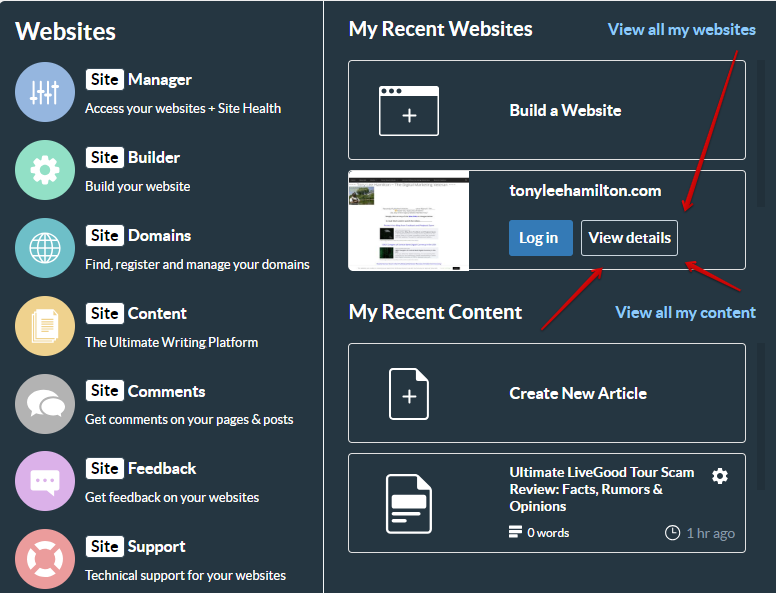
1st step is to click on "Websites" at the top of your Wealthy Affiliate page then click on "View details"
See Screenshots provided below & also ask any questions that You have about any of these instructions that You need clarification on.......
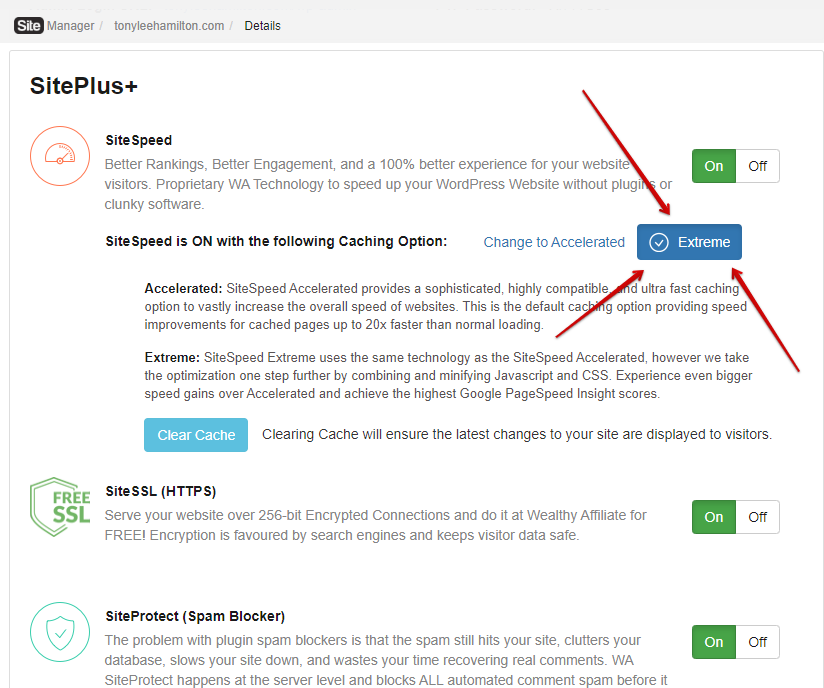
After You click on "View details" you'll go to your Website details page.....
Scroll down and make sure that You have the "Extreme" Speed tab selected and not just the "Accelerated" tab.... the "Extreme" tab will be Blue if it's correct and the "Accelerated" tab will say "Change to Accelerated"
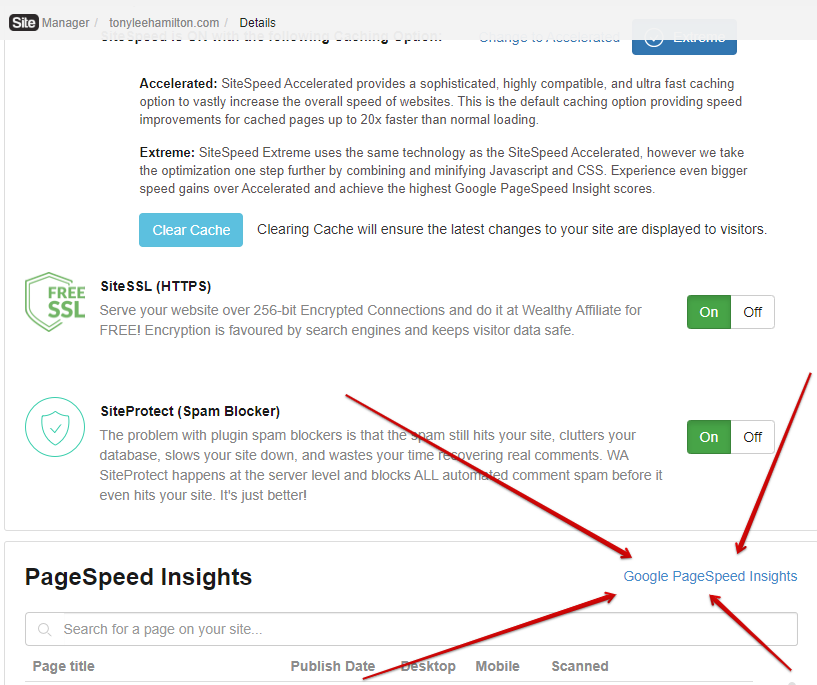
Next, click on the "Clear Cache" tab and I would advise You to click the "Clear Cache" tab every time that You make any changes to your website including when You create a Page, Post, Menu item, Widget, add a Plugin etc......
After clearing your Cache, scroll further down and click on "Google PageSpeed Insights"
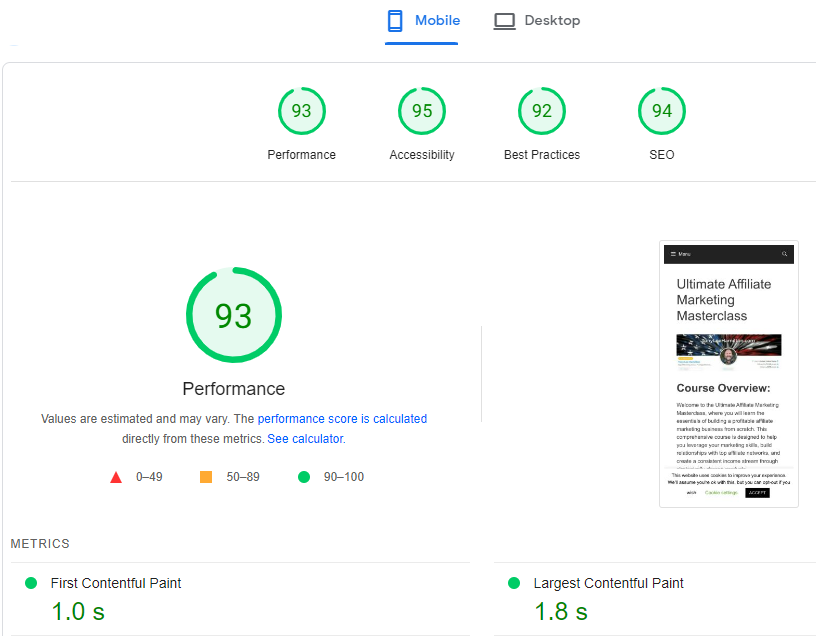
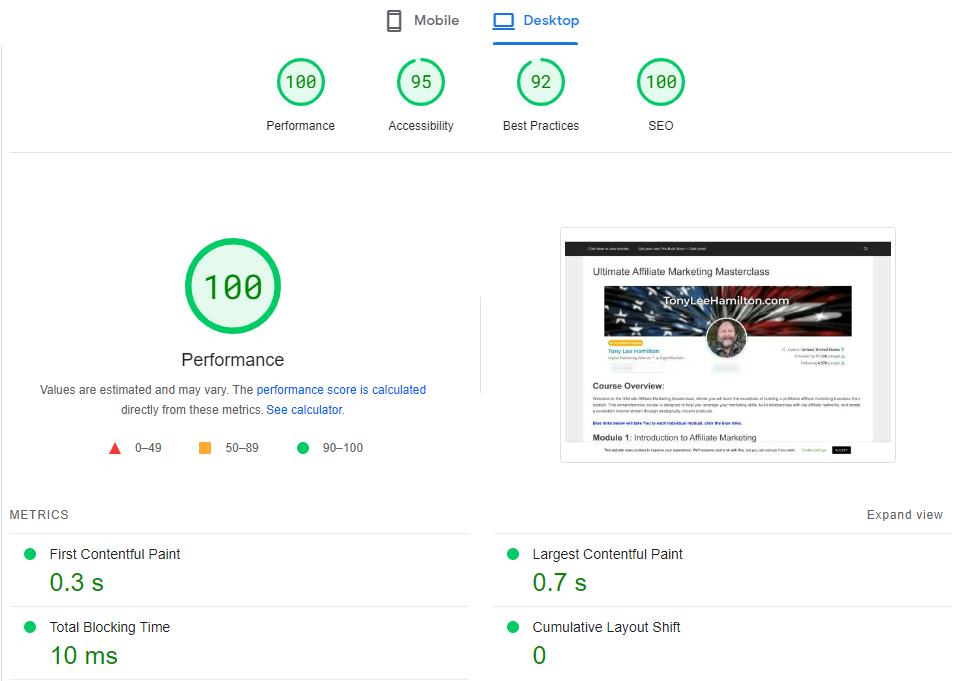
It'll take a few minutes and you'll see your speed at both Mobile and Laptops..... toggle between the 2 of them.,,,,
Not only will You see your results, you'll also see what can be done to have better results!
1 HUGE Recommendation is to add the "Autoptimize" Plugin.....
See the screenshot below to see the few Plugins that I personally use......
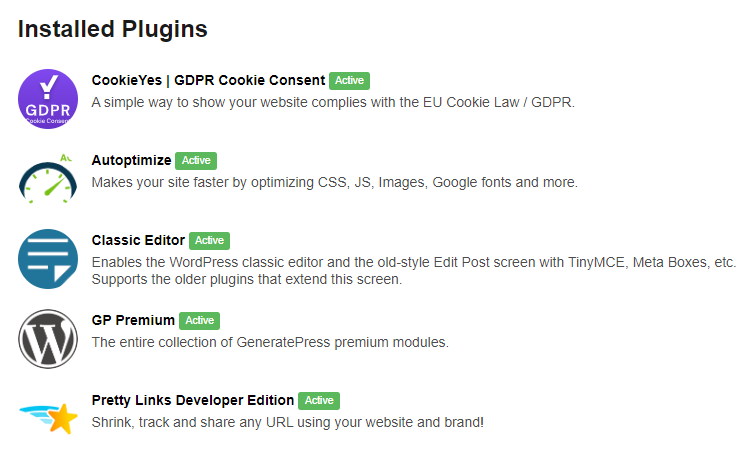
What Plugins do You have installed on your site(s)?
How's your site speed?
SEO rankings will skyrocket with just a few improvements to your sites performance & speed creating a better user experience!
Check it now and then check it later & come back here to let us know how yours has improved!
Join FREE & Launch Your Business!
Exclusive Bonus - Offer Ends at Midnight Today
00
Hours
:
00
Minutes
:
00
Seconds
2,000 AI Credits Worth $10 USD
Build a Logo + Website That Attracts Customers
400 Credits
Discover Hot Niches with AI Market Research
100 Credits
Create SEO Content That Ranks & Converts
800 Credits
Find Affiliate Offers Up to $500/Sale
10 Credits
Access a Community of 2.9M+ Members
Recent Comments
10


Which is best for Google Fonts under the "Extra" tab in the settings of the Autoptimize plugin?


Excellent highly detailed and useful blog Tony…I am bookmarking this and will do this soon!
-Mike

See more comments
Join FREE & Launch Your Business!
Exclusive Bonus - Offer Ends at Midnight Today
00
Hours
:
00
Minutes
:
00
Seconds
2,000 AI Credits Worth $10 USD
Build a Logo + Website That Attracts Customers
400 Credits
Discover Hot Niches with AI Market Research
100 Credits
Create SEO Content That Ranks & Converts
800 Credits
Find Affiliate Offers Up to $500/Sale
10 Credits
Access a Community of 2.9M+ Members
I'll have to look at mine, Tony, but this is some excellent info, my veteran friend!
Jeff