Submitting A Site Map To Google Analytics


Today I have reached a point in the training where one of my tasks is to take a much needed break from all the knowledge I've been squeezing into this brain of mine.
Can Anyone Say OVERLOAD?
Well...I did take a break--sort of....
I decided to check out my stats on Google Analytics, and as I was walking around in there, I came across a tab called "Sitemap". I clicked on it, and discovered Google didn't find a sitemap for my website. Of course they didn't; I hadn't yet created one.
I could feel the wheels churning in my brain--"must create sitemap...how to create sitemap...need another plug-in...this is gonna be a long drawn out process...overload...."
But then I discovered something wonderful about the All-In-One SEO! I could have my sitemap created in a matter of seconds and all it would take is a few clicks. I'll show you how easy it was.
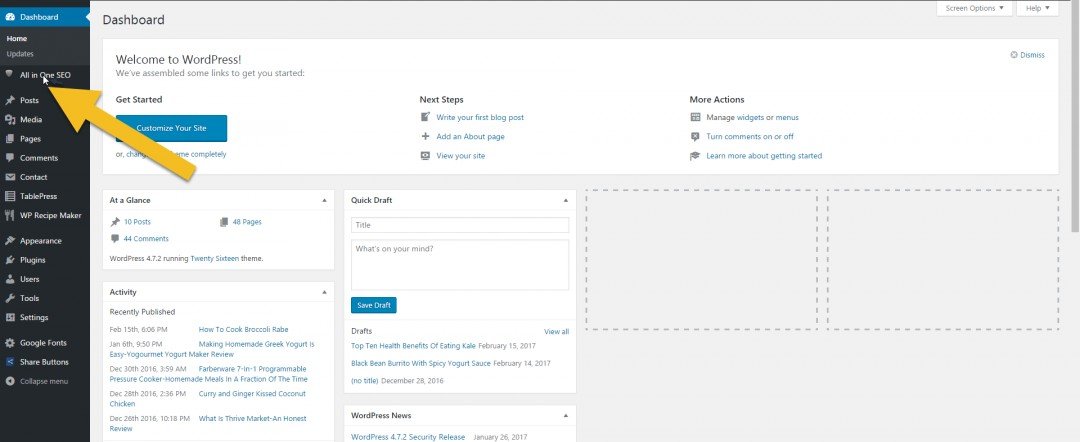
Go to your Word Press Dashboard and click on All In One SEO.
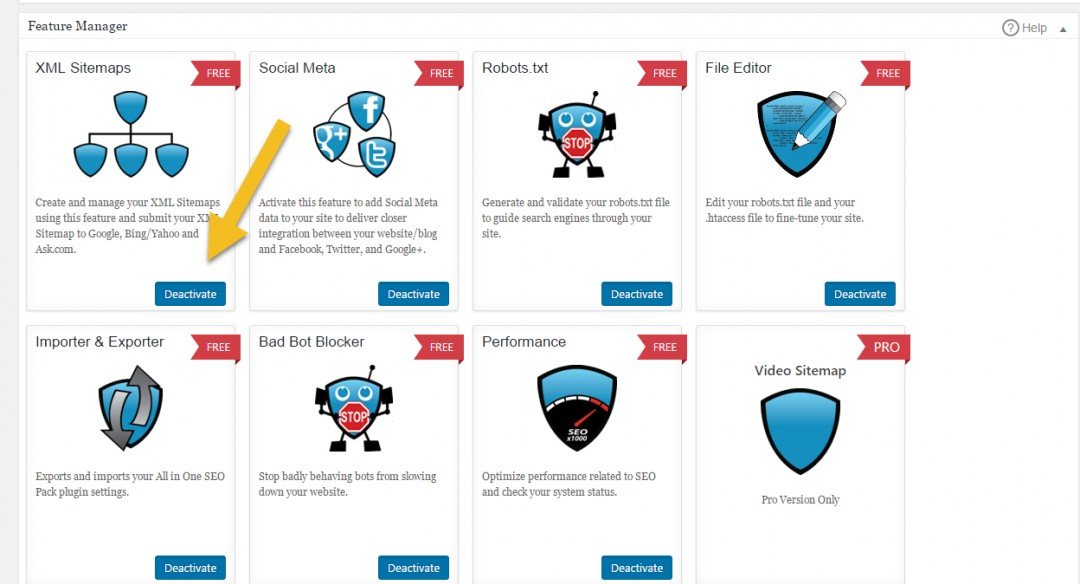
Open the SEO Feature Manager and activate XML Sitemaps--it free!
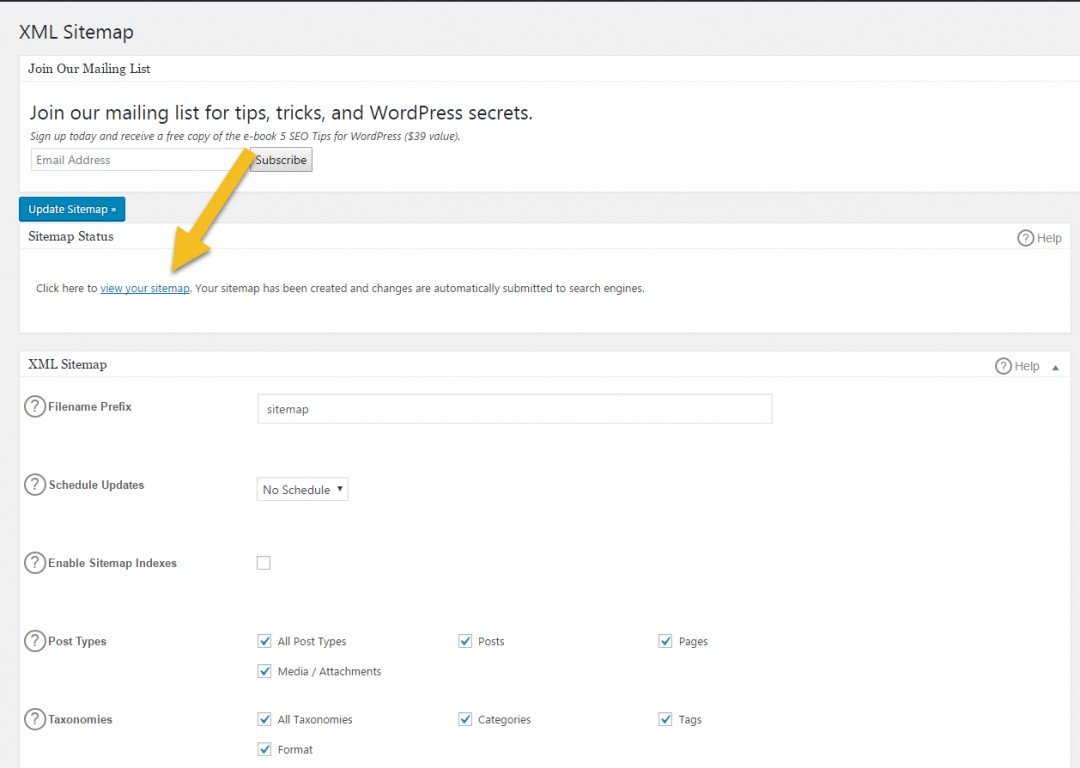
Click on XML Sitemap on your side menu to open your sitemap.

Click on View Your Sitemap.
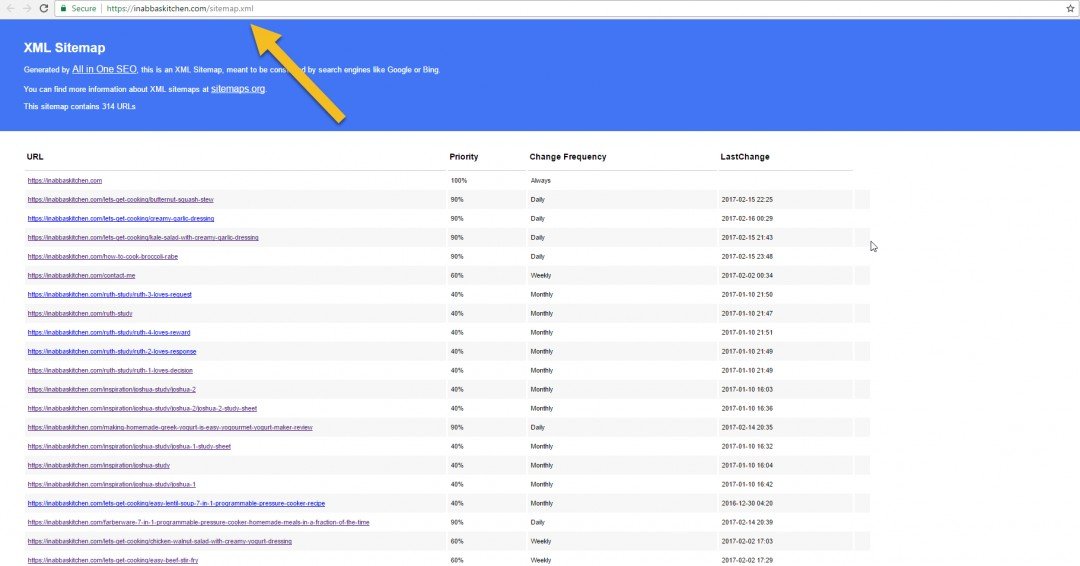
Now it's time to submit your sitemap to Google. Copy your XML Sitemap URL .
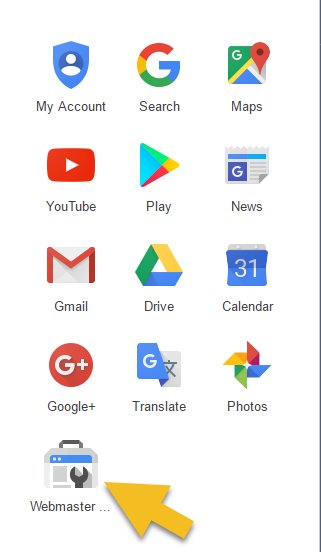
Open Your Webmaster Tools.
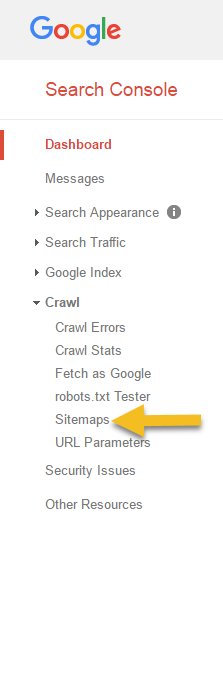
Click on your website. In your Search Console, under "Crawl", select "Sitemaps."
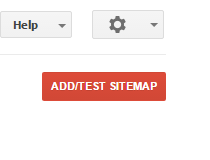
Click on the red button that says, "Add/Test Sitemap."
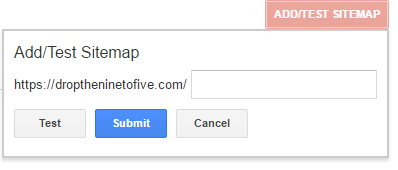
Paste your sitemap URL in the box and submit. Google already has your website URL; all you need to do is paste /sitemap.xml.
It's quick. It's easy. It's painless. I even had time to sip a hot cup of tea before beginning research on my next article.
If you want to read more information about setting up your sitemap with your All In One SEO, click on this link. https://semperplugins.com/documentation/xml-sitema...
Just in case you are wondering, the link isn't an affiliate link, and I don't get credit for sharing it. You can find the same link in your own All In One SEO; I wanted to be nice and post it here for you.
I hope you have found this helpful.
Here's to learning together,
Kathy
Join FREE & Launch Your Business!
Exclusive Bonus - Offer Ends at Midnight Today
00
Hours
:
00
Minutes
:
00
Seconds
2,000 AI Credits Worth $10 USD
Build a Logo + Website That Attracts Customers
400 Credits
Discover Hot Niches with AI Market Research
100 Credits
Create SEO Content That Ranks & Converts
800 Credits
Find Affiliate Offers Up to $500/Sale
10 Credits
Access a Community of 2.9M+ Members
Recent Comments
36


Well that was a crack ! I was following all your instructions and realised I had no Web tool like yours, so decided to look in Google analytics anyways ,and found I was there already .haha..my brain is definitely getting old , I had forgotten I had done it differently in the lessons and just hadn't spent time looking at it.I'm ahead of myself !
I think I need a holiday!!
There's hope for me yet,
Sinead.


Jeepers I'll have to check mine now.Thanks for the great lesson.Enjoy your coffee break.

I loved this 'seo' We get so busy as marketers curating our content we forget to check-up on our seo time to time. I know this post will one day be the difference between being on page 10 of Google searches to page One for someone it reminded.
As a matter of fact, it's reminding me to go to Google Webmaster right now and check my new site. Thanks for the post Kathy! :)

See more comments
Join FREE & Launch Your Business!
Exclusive Bonus - Offer Ends at Midnight Today
00
Hours
:
00
Minutes
:
00
Seconds
2,000 AI Credits Worth $10 USD
Build a Logo + Website That Attracts Customers
400 Credits
Discover Hot Niches with AI Market Research
100 Credits
Create SEO Content That Ranks & Converts
800 Credits
Find Affiliate Offers Up to $500/Sale
10 Credits
Access a Community of 2.9M+ Members
Help! I love this but realize I need to verify my website first and don't know how to upload my html link.
Thanks!
Hi Katie,
Here is a training by Marion Black that you might find helpful. How to Verify Your Website With Google, Yahoo & Bing Using FTP Kathy
Here is another link you might find helpful.
https://en.support.wordpress.com/webmaster-tools/
Thank you so much for your quick responses! I have tried both ways and followed the tutorials and it still is saying that they are unable to verify my property! Frustrating, but I guess I'll have to keep playing with it.
Have you tried Googling Google Analytics? I didn't use a plug-in for Google Analytics; I did it directly from there. Google gave me a code to paste in my header.
https://analytics.google.com
It was pretty easy for me to follow. The Google Analytics Start Up Page looks like this.
Okay, I'm trying this, got my tracking ID - not sure where to copy the link for each page that I want to track on my site
Here is a YouTube Video that might help with this.
https://youtu.be/piTlOuGM6jM
Okay, I think it finally worked! Thank you SO much for all your help. I appreciate it!!
You are quite welcome!