Making the Most of Your Word Credits

blog cover image
12
11
139 followers

Used all the word credits, refresh tomorrow(Featured image: A blogger creates content at lightning speed with the help of an AI Author. DALL-E)


Hey WA!

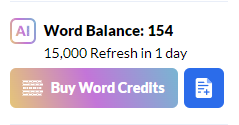
Just a quick tip here for some of the new members I have seen asking questions - unused word credits do not roll over in to the next month.

I have seen a few people wondering what to do with their word credits if they are busy doing the training here or don't have the time to polish the articles for publishing.

You will naturally use some as you are working through your training but if you are coming to your renewal date and still have plenty left over - it's a great idea to just batch create as many articles as you can from your Hubs! The posts will then live within your drafts and you will be free to go back and polish them off when you get the time.

Also, make sure to make use of the optional details section within the Article Designer - it's incredibly powerful and really makes a difference to the output, making sure you get all the details you require in to your post.

I wish you all SUCCESS :)


Danny

12
11

Join FREE & Launch Your Business!

Exclusive Bonus - Offer Ends at Midnight Today

00

Hours

:

00

Minutes

:

00

Seconds

2,000 AI Credits Worth $10 USD

Build a Logo + Website That Attracts Customers

400 Credits

Discover Hot Niches with AI Market Research

100 Credits

Create SEO Content That Ranks & Converts

800 Credits

Find Affiliate Offers Up to $500/Sale

10 Credits

Access a Community of 2.9M+ Members

By continuing, you agree to our Terms of Service and Privacy Policy
No credit card required

Recent Comments

11

Exactly what I do every month Danny!

After purchasing a few thousand more word credits this month, my balance stands at 1 left!!!

But... I still need to wait until the 26th until they are topped up again... guess I need to buy a few more!!!

👍🍻🍻

That’s what I’m doing this month!

Helpful information Danny!

Cheers,.
Maria🌹

Thank you for sharing, Danny.

Would you provide an example of how you are using the optional details section? Or is there training for that specific feature set?

-Matt

2

Hey Matt!

Eric did a great lesson on this last month, you can find it here: Hope that helps, thanks for reading :)

Danny

1

Thank you, Danny. No problem.
I hope you have an excellent weekend!
Matt

Hey Danny,

Great tip! I also found that even when only say 300-400 credits are left over, you can still use them for 3 or 4 new outlines. Then use the next batch of credits for the article itself.

2

Absolutely, Ben!

Waste not, want not :)

Thanks for reading!

Danny.

1

See more comments

Join FREE & Launch Your Business!

Exclusive Bonus - Offer Ends at Midnight Today

00

Hours

:

00

Minutes

:

00

Seconds

2,000 AI Credits Worth $10 USD

Build a Logo + Website That Attracts Customers

400 Credits

Discover Hot Niches with AI Market Research

100 Credits

Create SEO Content That Ranks & Converts

800 Credits

Find Affiliate Offers Up to $500/Sale

10 Credits

Access a Community of 2.9M+ Members

By continuing, you agree to our Terms of Service and Privacy Policy
No credit card required

2.9M+

Members

190+

Countries Served

20+

Years Online

50K+

Success Stories

The world's most successful affiliate marketing training platform. Join 2.9M+ entrepreneurs building their online business with expert training, tools, and support.

© 2005-2025 Wealthy Affiliate
All rights reserved worldwide.

🔒 Trusted by Millions Worldwide

Since 2005, Wealthy Affiliate has been the go-to platform for entrepreneurs looking to build successful online businesses. With industry-leading security, 99.9% uptime, and a proven track record of success, you're in safe hands.