Transferring your Domain from NameCheap to Wealthy Affiliate Nov 2015


Published on November 23, 2015
Published on Wealthy Affiliate — a platform for building real online businesses with modern training and AI.
I saw that there are some people having trouble with this and I thought I'd try and help you out.
Below are step-by-step instructions on how to transfer your domain from NameCheap to Wealthy Affiliate.
Please let me know how it goes!
Ready to put this into action?
Start your free journey today — no credit card required.
- Go to NameCheap and sign in to your account.
- Choose "Domain List" on the far right of your menu at the top, under "Account".
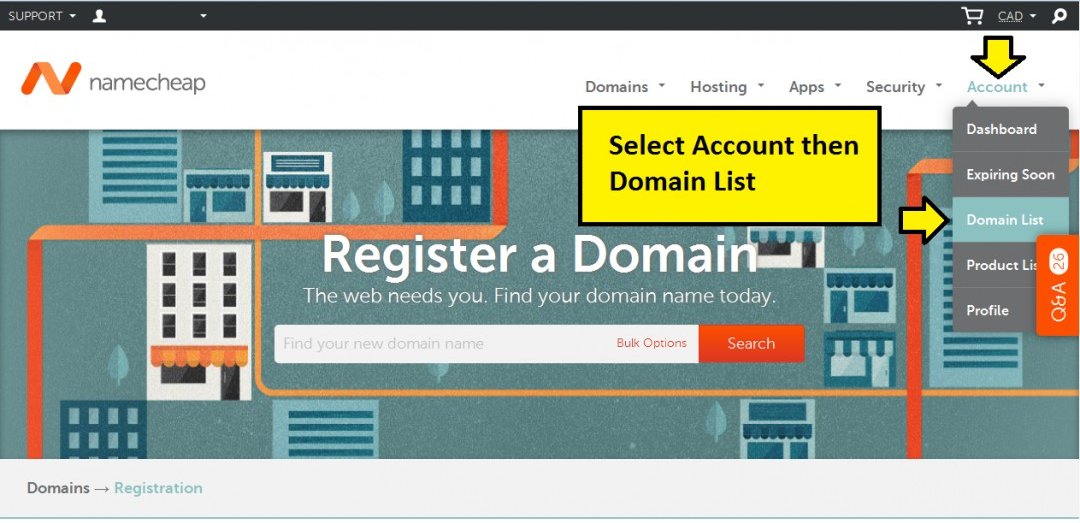
- Click "Manage" to the right of the domain you want to edit.
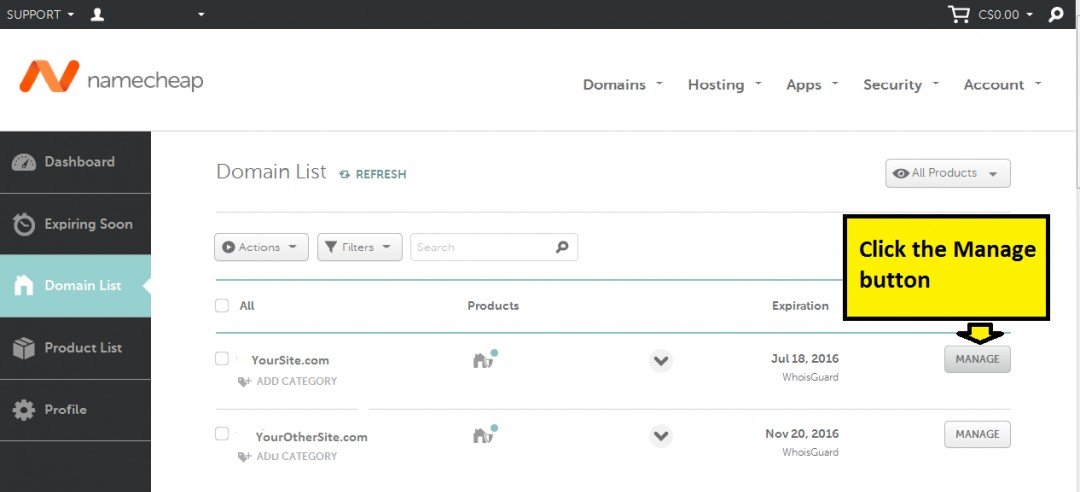
- Scroll down to Name Servers, choose Custom, and insert the following:
ns1.mywahosting.com
ns2.mywahosting.com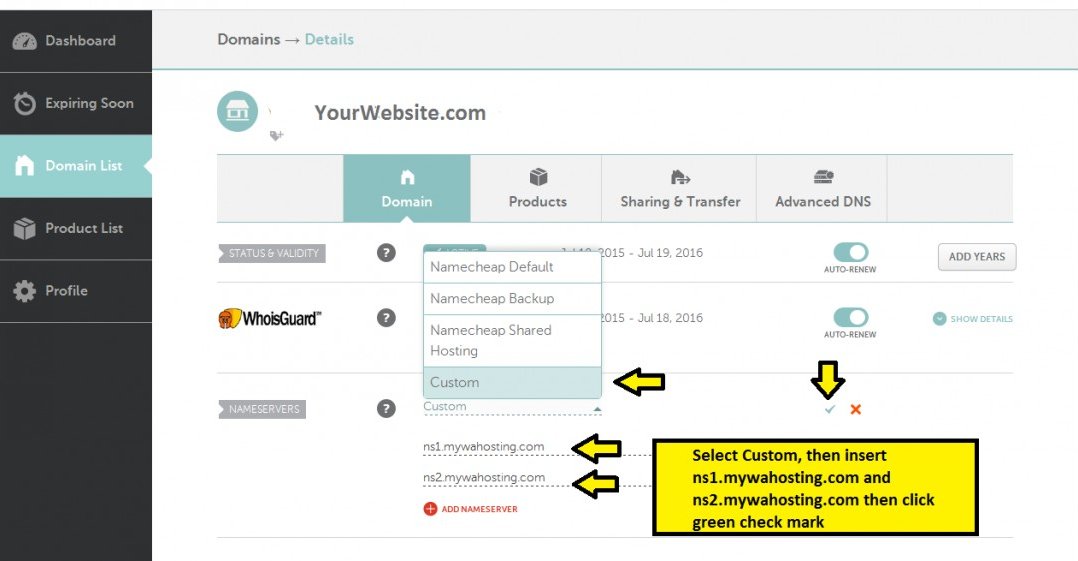
- You're done!
Kind Regards,
Michael
Share this insight
This conversation is happening inside the community.
Join free to continue it.The Internet Changed. Now It Is Time to Build Differently.
If this article resonated, the next step is learning how to apply it. Inside Wealthy Affiliate, we break this down into practical steps you can use to build a real online business.
No credit card. Instant access.