Tips On Writing A Blog Post


Published on October 12, 2019
Published on Wealthy Affiliate — a platform for building real online businesses with modern training and AI.


Tips on Writing A Blog Post
For many of us here at Wealthy Affiliate starting out it was impossible to think we could write a good blog post.
Especially for me considering I had graduated over 40 years ago. Yes, I am in the senior generation looking to supplement my retirement income.
But that is not all, this has been something I had wanted to accomplish earlier in life. Only problem was I found all those "shiny objects" wasting time and money.
Other than selecting a niche this is probably the second thing most members have trouble investing their time into - writing posts for their website.
Simply put you can embrace the task or dread it, for me I prefer to embrace it. "Why?" you may ask.
Because writing a blog post gives you as the author the freedom to express your opinion on numerous topics to the whole world.
 .
.
Once published, indexed, and ranked on the major search engines you have the ability to change people's lives.
Not just that but in your own way leave behind a legacy for your family with what you have written.
My Tips For Writing A Post
Your niche has been selected along with the theme, domain name, and title for your website now it needs tons of content (posts). "Content is King!"
First, you need to find the very best keywords that fits what you want to write a post about. Using Jaaxy will enable you to find all the alternatives to the most popular keyword.
Remember the better your keyword the better your chances of ranking #1 on the major search engines. I will take first place over others who might select a keyword that is more popular.
Have traffic (Over 0) with a low QSR (Competing websites under 50) and a high SEO score (Larger the score to 100 the better) use these to your advantage always.
After this I go to Google and place the keyword into the search box. Depending on how many websites come up you might want to check with quotation marks around the keyword search.
I always check both ways. What I am looking for is the exact keyword I am planning to use for my post. Is it in the title? What about the URL? Meta Description?
Depending on the websites I am competing with will determine if this keyword is going to rank well or not along with my content.
Ready to put this into action?
Start your free journey today — no credit card required.
Next, I go to the website(s) of my competition seeing what they have included in their post. I take the time to read at least two getting a good idea if I can rank higher than them.
How can I determine this? I will make sure my post has keyword as the title, keyword in the URL, and the Meta Description without missing any of these.
After that I will check the word count of my competition along with their content thoroughly sort of like a fact checker.
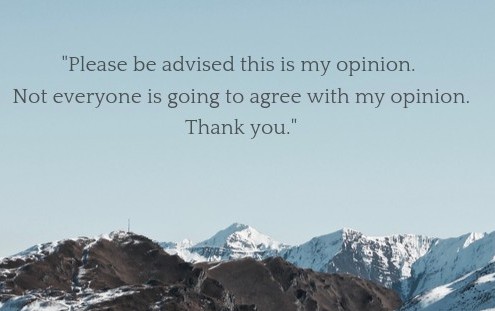
Make sure you have all your facts right before drawing a conclusion about any products or services and always let your readers know this is your opinion about said product or service.
Clearly Google is the strictest English teacher in the world. Using proper English with correct spelling and punctuation is a must and will help with ranking over other websites.
Never copy from your competition always use your own words and thoughts when creating your post.
When writing your post engage your audience ask questions that they might be thinking just as you were carrying on a conversation with them. Give them the answers.
Make them feel like they are a part of what you are writing your post about and you have written it just for them.
Think of it this way we communicate daily with people in our lives, writing a post should be no different. Communicate with your audience as if they were sitting right beside you.
Explain things thoroughly but do not get technical with them that is not what they are after especially if you go over their head with language they do not understand.
Images for a Post
Using images is encouraged it breaks up the content of your article, but make sure these are relevant to what you are writing about.
Do not overload your website with images or banners. I have made it a habit to use only one image per heading, unless more are needed to bring clarity to the content I am writing.
Creating your own "Call To Action" is one of the images that can be used in the content of your post. Why create your own? Individuality stands out creating your own brand.

Just like your Logo for your website creating your own "Call To Action" banner or button shows individuality instead of using what others have created or use.
Placing advertisements all over a website only takes your reader away from your content.
Think of it this way putting advertisements on your site can cause readers to become either irritated or they will click away from your website to the advertiser's website.
You can lose higher commission payouts over making a few cents by that reader clicking away from your content and the point you are trying to make.
That is a call you will need to decide eventually down the road to advertise for others or keep the reader on your content and possibly earn a higher commission because they stayed.
In Conclusion
Two other vital things that must be included on each post are the internal link and external link from an authority website such as Wikipedia.
Not sure if this will help some of you but was worth giving you my thoughts on how I do my own posts for my websites.
Ranking is hard enough so anything I could do to possibly help any of the members is something that I have always tried to do.
Thank you for taking the time to read my "Tips on Writing a Blog Post".
Please show some love and give me a like below,
Susan
(Marley2016)
Share this insight
This conversation is happening inside the community.
Join free to continue it.The Internet Changed. Now It Is Time to Build Differently.
If this article resonated, the next step is learning how to apply it. Inside Wealthy Affiliate, we break this down into practical steps you can use to build a real online business.
No credit card. Instant access.