Captcha scam alert - how to avoid captcha scams


Published on August 10, 2026
Published on Wealthy Affiliate — a platform for building real online businesses with modern training and AI.

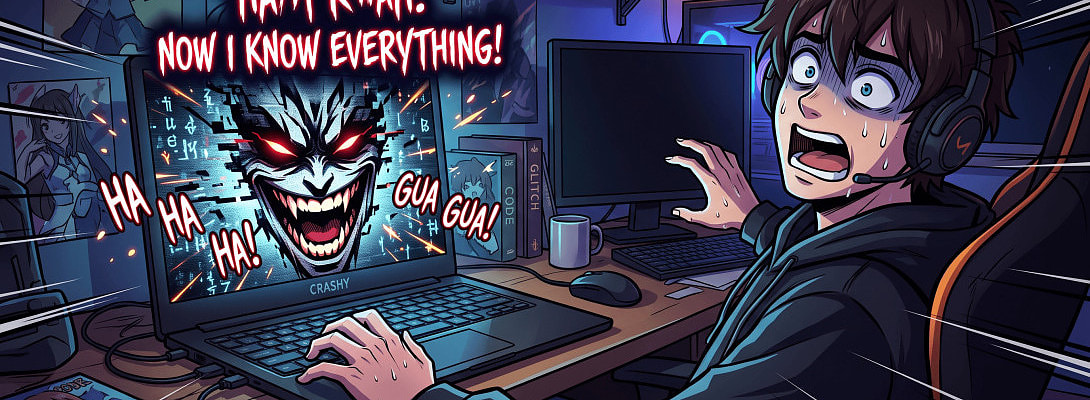
I’ve clicked the “I’m not a robot” box more times than I can count. It’s become such a routine part of browsing that I barely think about it, until I learned how scammers are turning that familiar checkmark into a direct path for malware.
A new wave of fake CAPTCHA scams is making the rounds, and they look convincing enough to fool almost anyone. The page appears normal, the checkbox feels standard, and then the instructions change. Instead of selecting traffic lights or typing a few letters, you’re told to press a sequence of keys, like Windows key + R, then Ctrl + V, then Enter.
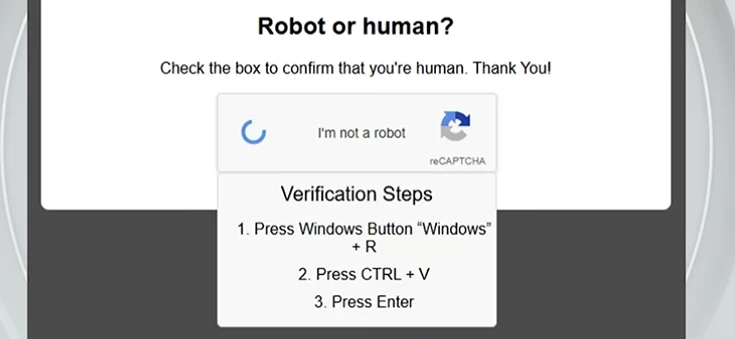
Those keystrokes can paste a malicious command that installs spyware or an “info stealer” on your computer. Once it’s running, the malware quietly records keystrokes and grabs logins, passwords, banking details, and email credentials. Here are the clearest red flags that the CAPTCHA in front of you is a scam:
Ready to put this into action?
Start your free journey today — no credit card required.
- It asks you to open the Windows Run dialog or any system command window
- It tells you to paste text or a code into a command box
- It instructs you to run commands on your device
- It prompts you to download files or install software
- It requests special permissions or access beyond a simple verification
- The CAPTCHA appears unexpectedly on a site that doesn’t normally require one
- The website address looks slightly off or suspicious
- The instructions feel overly complicated for a basic “prove you’re human” check
A real CAPTCHA is simple by design. It only asks you to confirm you’re a person—usually by checking a box, identifying objects in images, or solving a short puzzle. That’s it. It never needs you to open programs, paste anything into a system dialog, download files, or install software.
If a CAPTCHA starts giving you keyboard shortcuts or download instructions, close the page immediately. Don’t follow the steps, don’t “just try it,” and don’t assume it’s a glitch. Those few seconds of hesitation can stop malware from ever touching your device.
I’ve started treating every CAPTCHA with a little more skepticism now. The legitimate ones are still useful, but the fakes are getting better at blending in. Staying alert is the best defense—because once the malware is on your machine, cleaning up the damage is a lot harder than simply walking away from a shady prompt.
YOU HAVE BEEN WARNED!
Share this insight
This conversation is happening inside the community.
Join free to continue it.The Internet Changed. Now It Is Time to Build Differently.
If this article resonated, the next step is learning how to apply it. Inside Wealthy Affiliate, we break this down into practical steps you can use to build a real online business.
No credit card. Instant access.