Guide to adding WA affiliate link in side bar and have it opening in a new window.


Having recently started on WA, I created my first dotcom website and was very proud.
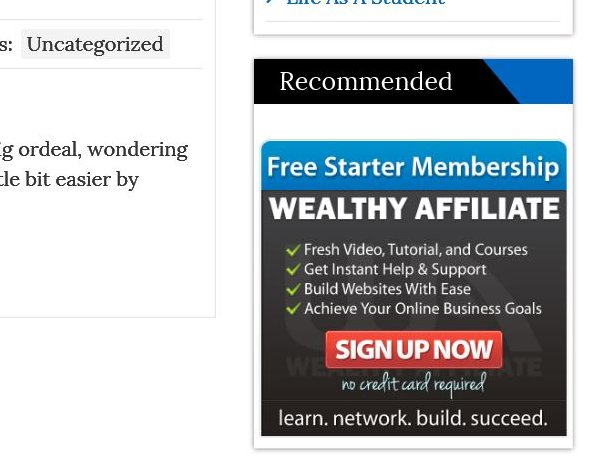
I decided that I wanted to promote WA on the site. I didn’t want to put it into a post so that it kept disappearing and thought that the best place for it was in the side bar. I did a bit of research on WA and found out how to add it to the side bar and was happy.
Until I went to my website and clicked on it and it just re-directed to the WA on the same page as my website. I have done a little reading on building websites so I knew that there must be a way of adding some code to have the WA site open in a new page (target=”_blank”).
Another search on WA showed me a piece of code to add. Great I thought, my problem is sorted, but a trip to my website showed that the issue was still there. So I had a play with the positioning of the code. Back and forth to my website and eventually cracked it.
So here, step by step is how to add a WA affiliate link to your sidebar and have it opening in a new window.
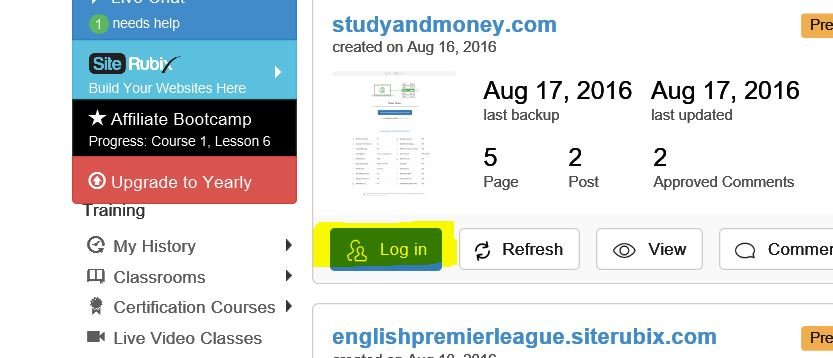
Step 1: Log into your website through siterubix’
Step 2: On the dashboard side menu, click on ‘Appearance’
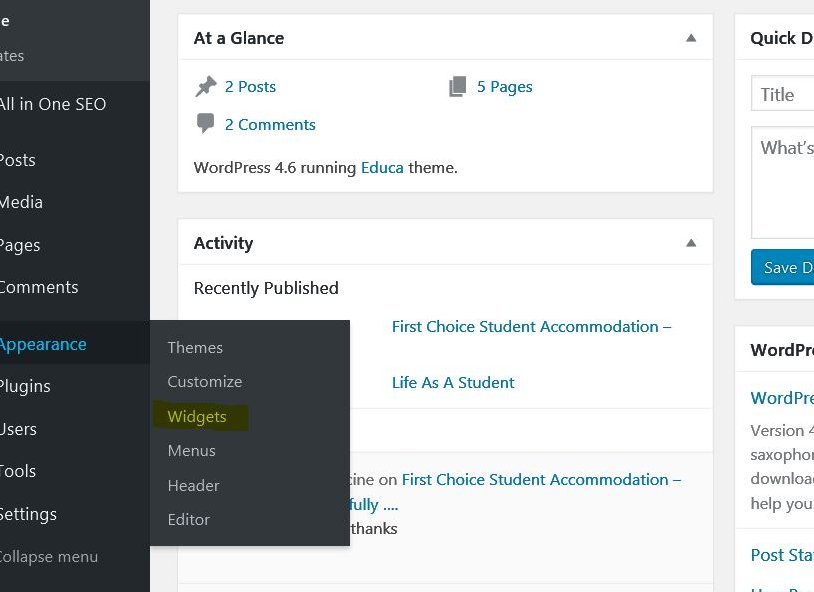
Step 3: Click in ‘Widgets’ and the following appears.
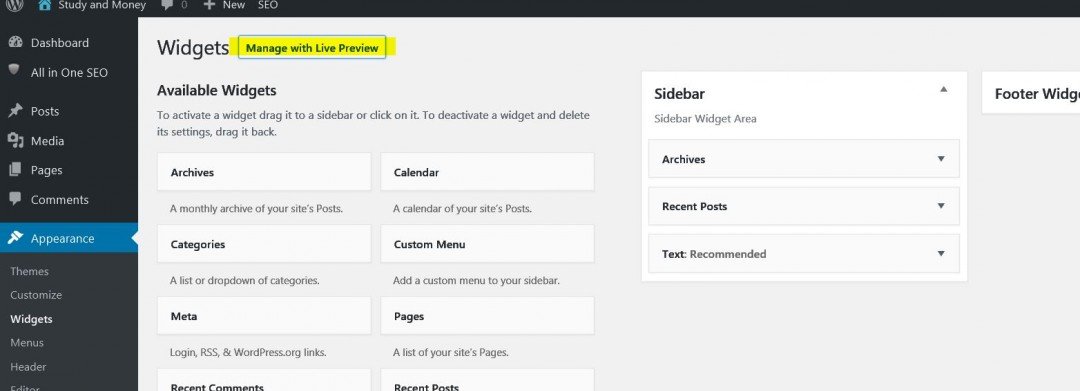
Step 4: When you click on one of the widget boxes, there is a choice to add to the side bar or footer.
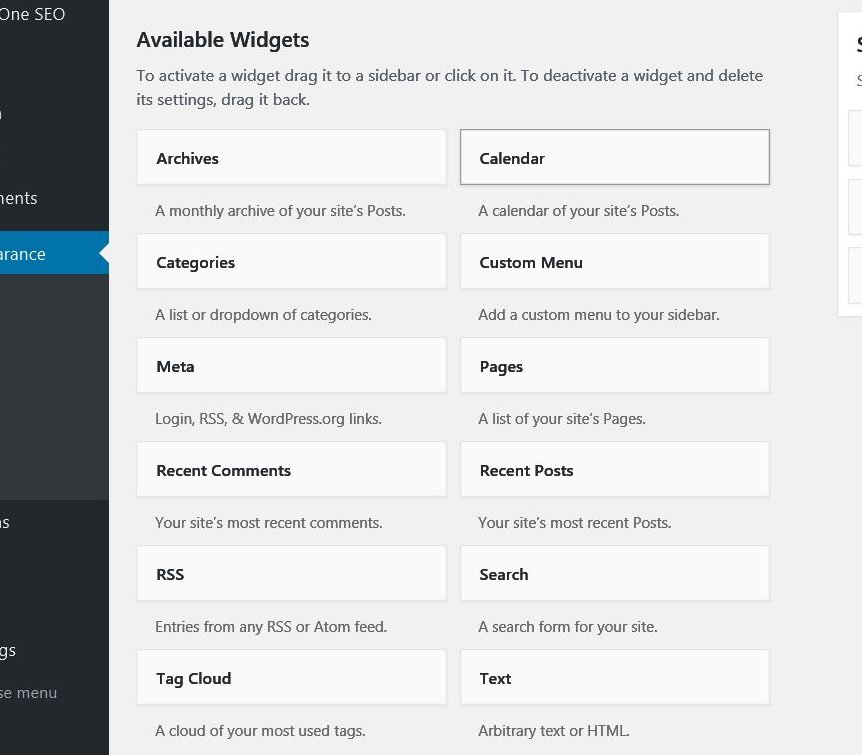
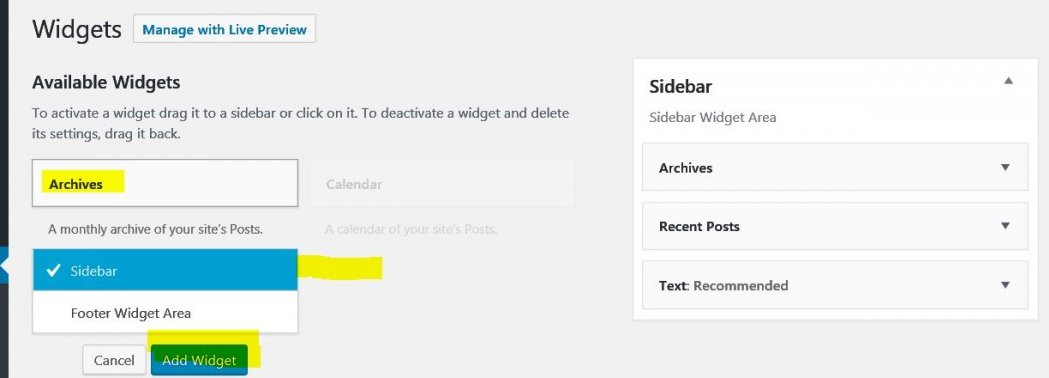
If you already have widgets in the side bar as part of the theme set up, you will need to click on the ‘Add Widget’ button to ensure that they stay. As shown on the right of the above picture (Archives, Recent Posts) or in my case I didn’t do this and they disappeared from my site.
Step 5: Click on the text box, choose sidebar or footer and click ‘Add Widget’
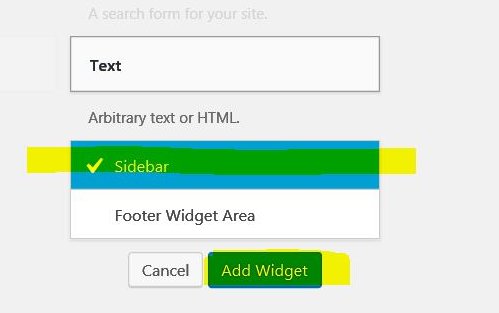
Step 6: The box below will open.
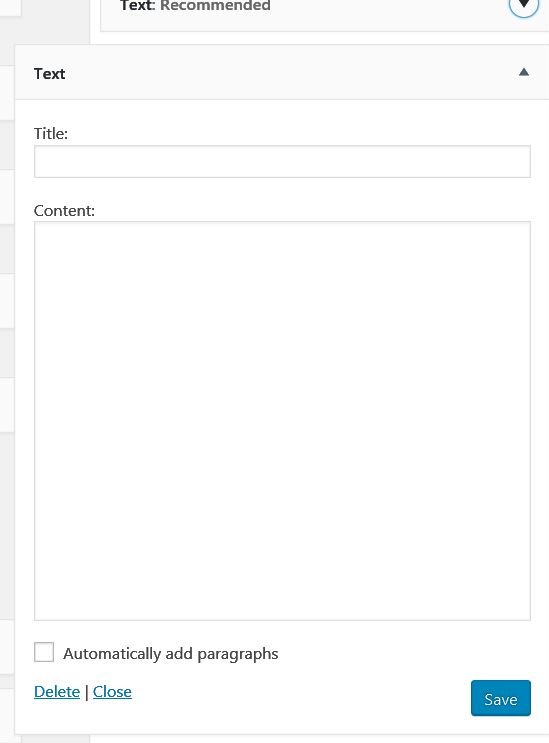
Step 7: Copy the link text from your Chosen WA banner and paste it into the ‘Content’ box
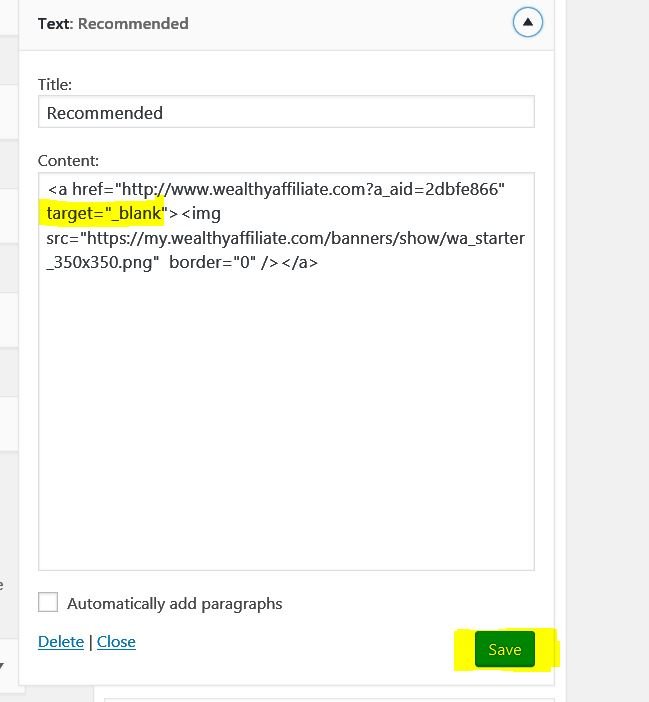
You will see that there is a line of code starting with <a href=“http:// ……. (which is your personal WA link.
This line ends with > and it is just before this that you need to place the following text
target=”_blank”
You should now have the link on your site that opens a new window.
Hope you found this helpful
Paul
Join FREE & Launch Your Business!
Exclusive Bonus - Offer Ends at Midnight Today
00
Hours
:
00
Minutes
:
00
Seconds
2,000 AI Credits Worth $10 USD
Build a Logo + Website That Attracts Customers
400 Credits
Discover Hot Niches with AI Market Research
100 Credits
Create SEO Content That Ranks & Converts
800 Credits
Find Affiliate Offers Up to $500/Sale
10 Credits
Access a Community of 2.9M+ Members
Recent Comments
4


See more comments
Join FREE & Launch Your Business!
Exclusive Bonus - Offer Ends at Midnight Today
00
Hours
:
00
Minutes
:
00
Seconds
2,000 AI Credits Worth $10 USD
Build a Logo + Website That Attracts Customers
400 Credits
Discover Hot Niches with AI Market Research
100 Credits
Create SEO Content That Ranks & Converts
800 Credits
Find Affiliate Offers Up to $500/Sale
10 Credits
Access a Community of 2.9M+ Members
Hi Paul, Thank you. This was very helpful. I am now following you .Cheers John
Thanks John, following you back - good luck