Welcome Back Jaaxy


Published on October 7, 2025
Published on Wealthy Affiliate — a platform for building real online businesses with modern training and AI.


Hi All
Jaaxy Back with a Vengence in a postive way that is.
Well since Google injured Jaaxy keyword research a while ago, it has now finally recovered thanks to Drs. Kyle, Carson, and the team.
It needed time to rest and recover from it’s shock to the system, but like all great tools we have here, it is better than before, which you will see below.
Lots of changes, lots of old stuff no longer in the picture and still as always with major updates, there will be a few bugs here and but Kyle is already aware of that.
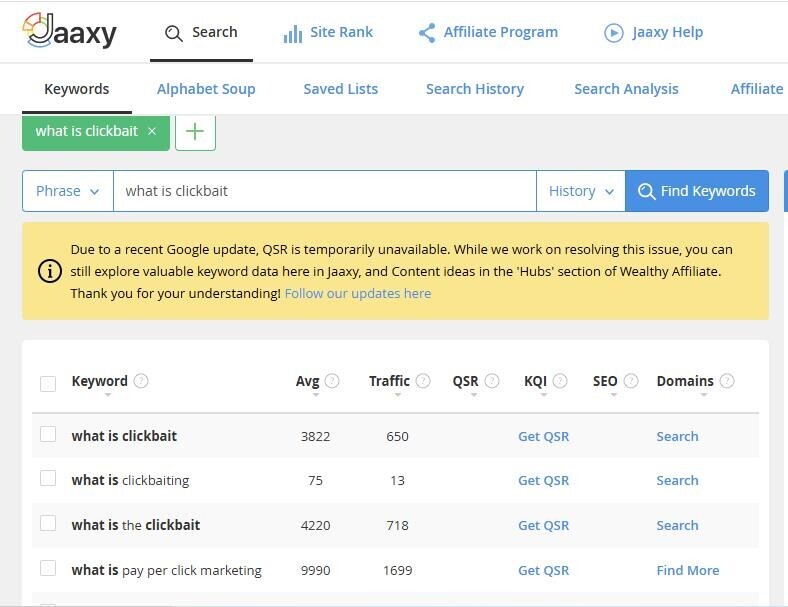
First, let’s look at what it look like before and now.
Also notice it is not Jaaxy but now called Jaaxy Research or when you go to Jaaxy itself, the full name now is Jaaxy – AI Powered Research.
Just a small change, but a significant and notable one.
First the old look
Now the new look
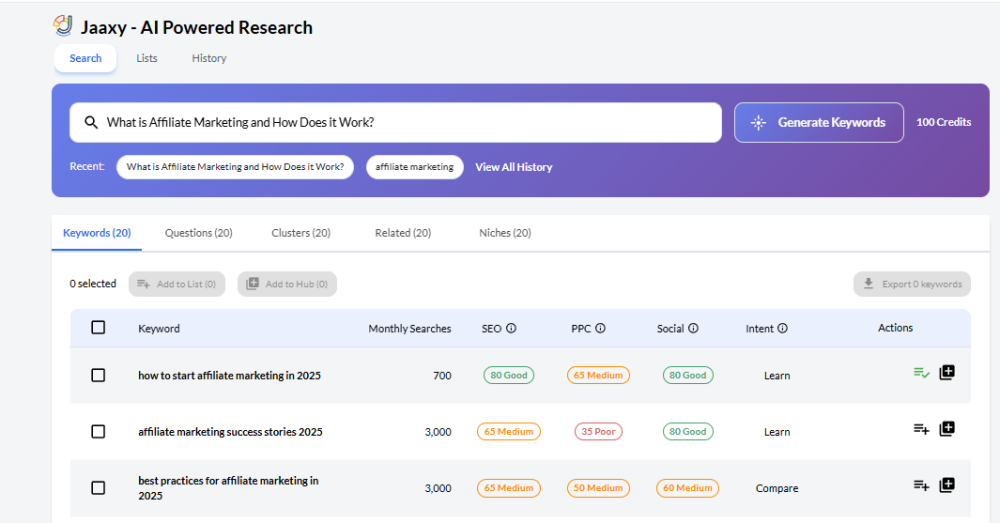
As you can see it is more than just a minor change but a full facelift with more benefits you could ask for.
Ok now let’s take a peek into what it can do for you
When you click on Jaaxy research on the left side tab dashboard you may see this
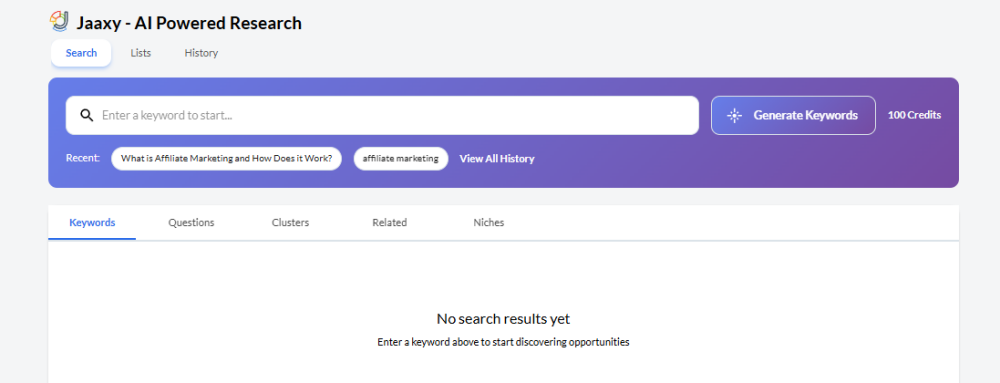
I am not sure for those that have any keyword lists before it may show up but when Jaaxy started to have issues with the QSR etc I saved all my keyword list to my excel spreadsheet and deleted the list in Jaaxy just in case.
Perhaps that’s why there are no search results for a keyword list below for me but you may see them if you still keep the keyword list there.
One of the first things you will notice when you type In a keyword to search is that on the right it will state generate keywords and also next to that 100 credits.

Yes as we move more into the AI world, Credits will be used for your keyword research in this case 100 credits per search. As we are now in the Ai Powered World
I asked Carson about this and this is what he stated below
"Yes, you get a lot more keywords than you did with Jaaxy too. You get 20 keywords x5 Tabs.
Keywords
Questions
Clusters
Related
Niches
100 keywords vs 30 in the old Jaaxy
You also get 10 keywords as you type."
So you get more bang for your buck in this case your Free AI credits you always get each month on your renewal date. So heaps available to use and benefit from
Anyway you will also notice three options at the top, which is Search, list, history.
I know WA may change it and add more at another time but only if it offers value and many of the old features didn’t like the Alphabet soup method and search analysis for example didn’t offer much value anymore.
That is why there are not there plus the rest.
However as Kyle mentioned to me when I asked him about these changes and some parts no longer there, he stated below
“There will be more integrations into this platform as we move forward now and as it is fully integrated into the WA environment as well.”
With what is not there here is Kyle’s response
“There was some useful data within it, but a lot that wasn't. We move forward and build our tools that are ready for the future, and phase out the tools/platforms of the past.
As you type, we are pulling real-time data within the keyword search tool.
You will notice that when you type in a search.
Much of the "OLD" Jaaxy was no longer useful, and/or available.”
Regarding using the Alphabet soup:
"Alphabet soup was low quality data. So we phased it out."
Ready to put this into action?
Start your free journey today — no credit card required.
With the search analysis we had Kyle respond
“Search Analysis wasn't a useful function either, we are going to introduce any functions we will are useful in 2026 and beyond.
Comparing meta descriptions isn't a useful operation, and scraping Google in the way that you used to be able to is no longer a possibility.”
Business Hubs and Content Research
Now when you go to your business hubs then content research
Depending on your brand and what you have previously created the long-tail keywords are still there as before but when you go to Jaaxy now it will give you the option to search and with that the use of 100 AL credits.
For example when I went to content research from one of my hubs one such long tail keyword I had.
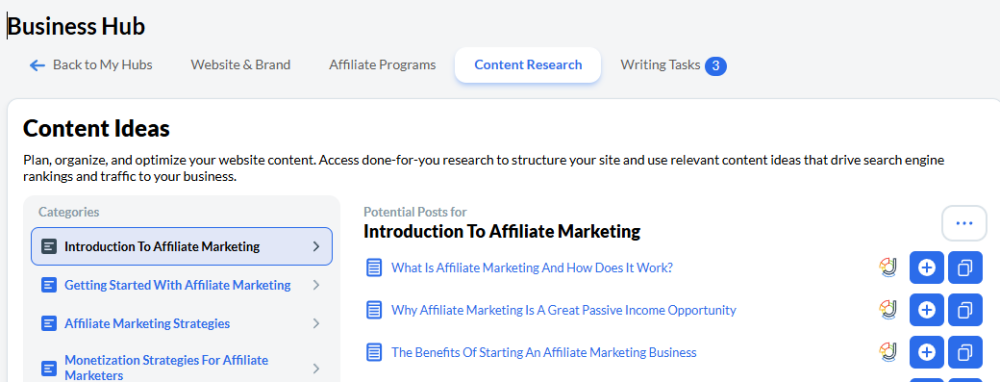
This was an old keyword I had but wanted to check it out and test with the new Jaaxy version.
So I clicked the Jaxxy symbol and it opened Jaxxy with the following results.
Here is the response which I had to use 100 AI credits but worth it.
Understand what each section means
Previously in the old system for example with QSR and the other you would click the small question mark next to that term and it would explain what it means.
Now that hasn’t changes so rather than me explaining each one just when you check out Jaaxy click the question mark and you will see what that part means,
As you can see below you have below the keyword search you have three separate tabs as shown below.

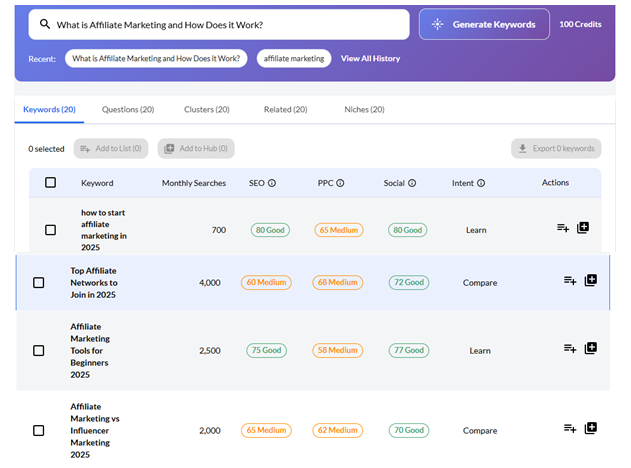
The first with the keywords and other tabs on that line gives you 20 choices for your typed in keyword.
The second tab allows you to add you’re your list or hub directs once you keyword has been ticked.
The third option shows you the monthly searches etc with a small question mark on the other areas from SEO onward
Click the question mark to see what each one means.
examples
This way you can see what it will look like for you before you check it out yourself so at least that way you save 100 credits
Here are some examples for you to see based on the keyword I selected to test it out for each section Note that for the niches that will be checked out with Kyle and Carson to give a better result where possible.
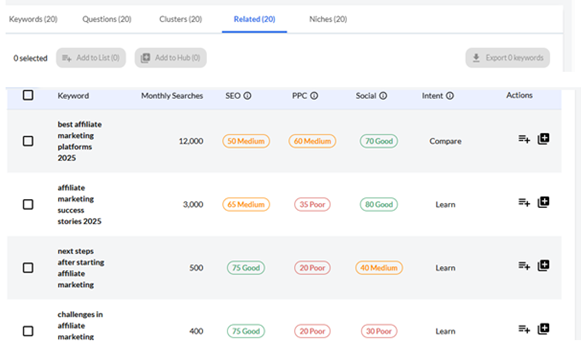
As you can see, you still get your keyword you asked but instead of getting 10 keywords as before you now get 20 keywords plus 20 more for each section as you can see in the top tabs like questions, Clusters, related and niches.
Note as I said there still are some bugs which I already gave Kyle so they will be looking into that and he notices some himself when he tested some as well.
For the Keyword section:
Keywords Sample
20 keywords were given instead of the old 10 previously in the old version.
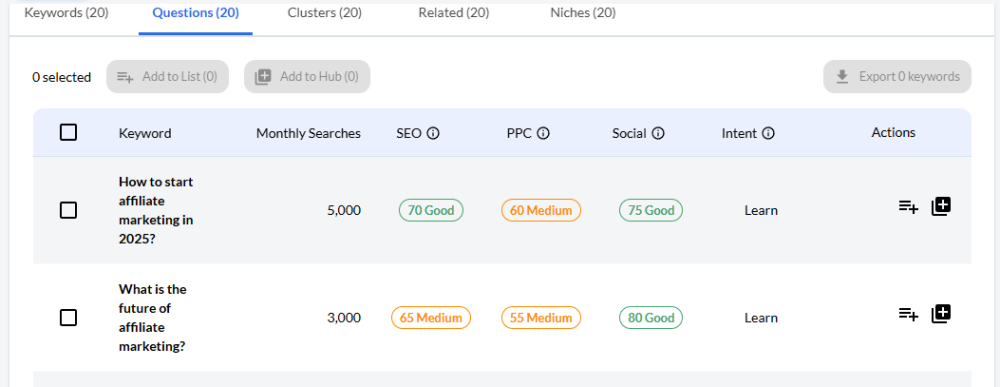
Questions Sample
Same here with Questions another 20 options given
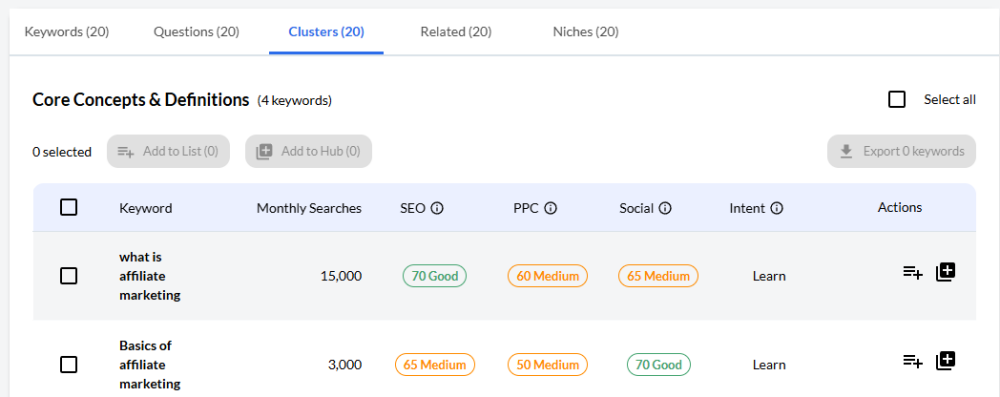
Clusters
In this case it only gave me 4 keywords. but as you continue to scroll down you will get a total of 5 clusters each with 4 keyword giving you a total of 20 yet again. Here I am only showed two of the first cluster given.
Related 20 given here
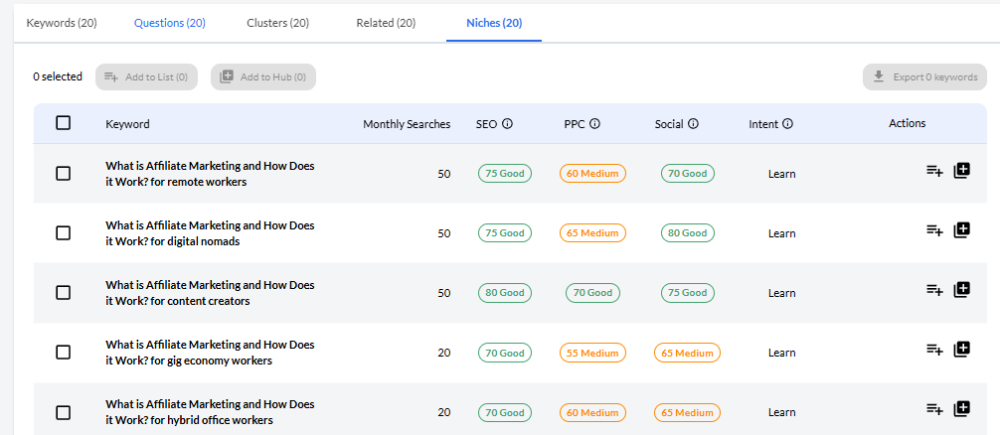
Niches Sample
20 were given here but just used 5 from the 20 given.
Added features
Next to that tab showing keyword and more you will see two additional ones on the far right that hasn’t been there before
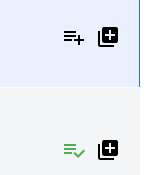
The first one represents your keyword list.
You will notice I have a plus sign and the second one has a tick.
The plus sign lets you know your keyword has not been saved to your keyword list, while the tick represents you already have a particular keyword included in your keyword list
The second part with the plus sign represents that you can also add that keyword to your hubs for further content creation, like you already have in your content research section.
This enables you to add it directly and continue to create content either yourself or with the use of WA’s AI assistant.
Cool feature to have in Jaaxy
So there you have some of the bits and pieces in the new Jaaxy- Ai Powered Research Tool we have here.
I know Kyle will give more details I think tomorrow depending on the time zone and most likely in a video format for you to check out further.
At least this way reading this sorry it may seem long (but worth it) when you watch Kyle vlog you will already have some insights and this will help understand it more with Kyle’s explanation.
So for now
Update
Kyle has just created a video on the new Jaaxy here is the link below
https://my.wealthyaffiliate.com/kyle/blog/the-all-new-jaaxy-ai-research-platform-has-arrived
As Always

Share this insight
This conversation is happening inside the community.
Join free to continue it.The Internet Changed. Now It Is Time to Build Differently.
If this article resonated, the next step is learning how to apply it. Inside Wealthy Affiliate, we break this down into practical steps you can use to build a real online business.
No credit card. Instant access.