Deleting a Wordpress Theme


Published on September 5, 2015
Published on Wealthy Affiliate — a platform for building real online businesses with modern training and AI.
If you were wanting to know how to delete a wordpress theme that you decided not to use or for whatever reason. Here is how you do it.
Go to Themes on you Wordpress Dashboard
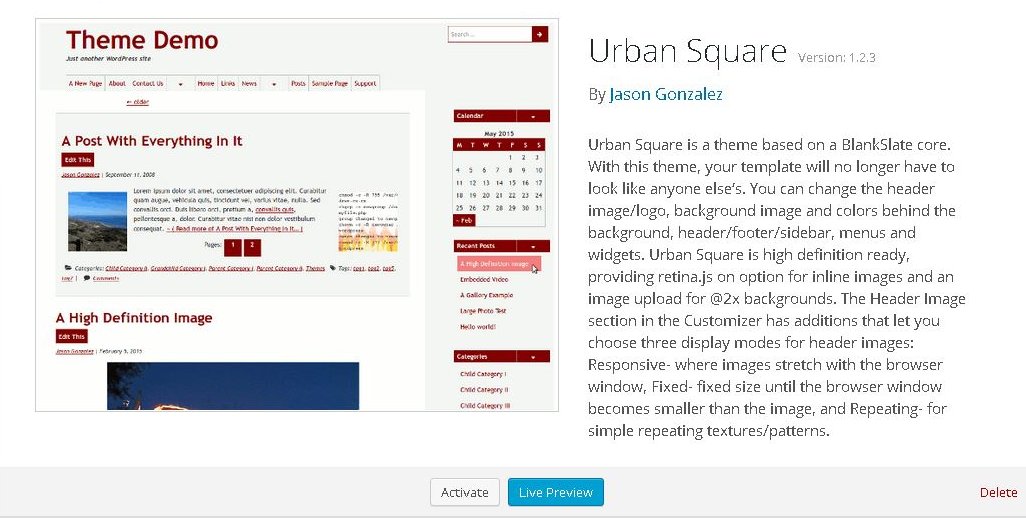
Select the theme you want to delete like you wanted to see a preview.
Ready to put this into action?
Start your free journey today — no credit card required.
In the bottom right hand corner you will see the delete tab. Click it.
That's all. Your page will refresh and you will see the theme gone.
Share this insight
This conversation is happening inside the community.
Join free to continue it.The Internet Changed. Now It Is Time to Build Differently.
If this article resonated, the next step is learning how to apply it. Inside Wealthy Affiliate, we break this down into practical steps you can use to build a real online business.
No credit card. Instant access.