How to Center a Banner in HTML Without Forgetting to “Close the Door”


Published on June 24, 2026
Published on Wealthy Affiliate — a platform for building real online businesses with modern training and AI.


Someone I’m helping asked me how to center a banner using HTML, so I figured I’d turn the answer into a quick post.
Sure, you could ask GPT to do it for you. I’d rather show you the quick fix so you actually learn it and can do it yourself next time.
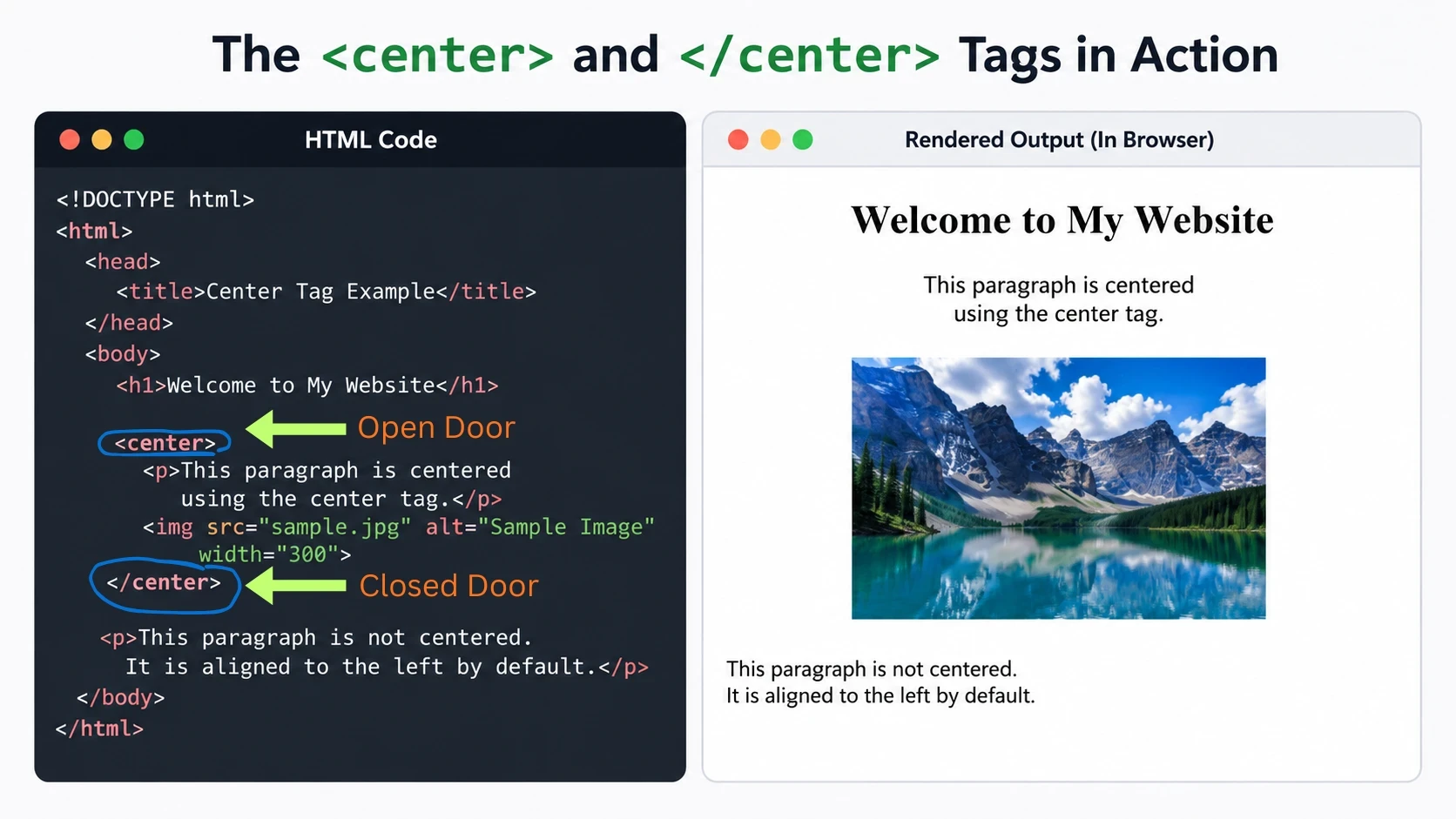
There is a very quick solution to this by using <center> (the main code) </center>, this is old school HTML.
Here is how I trained myself to remember. The first "<center>" opens the door and the second </center> with "/" closes the door. If you forget to close the door, everything below that banner will be centered. So remember to close the door behind you.
Ready to put this into action?
Start your free journey today — no credit card required.
If you do not understand what I am talking about. There is a video that explains this. I will link it below when I find it.
There is a new way to do it as well. I may as well show you it. Use <div style="text-align: center;">
You will need to close the door here as well using </div> at the end of the code you want centered or everything below it will be centered as well.
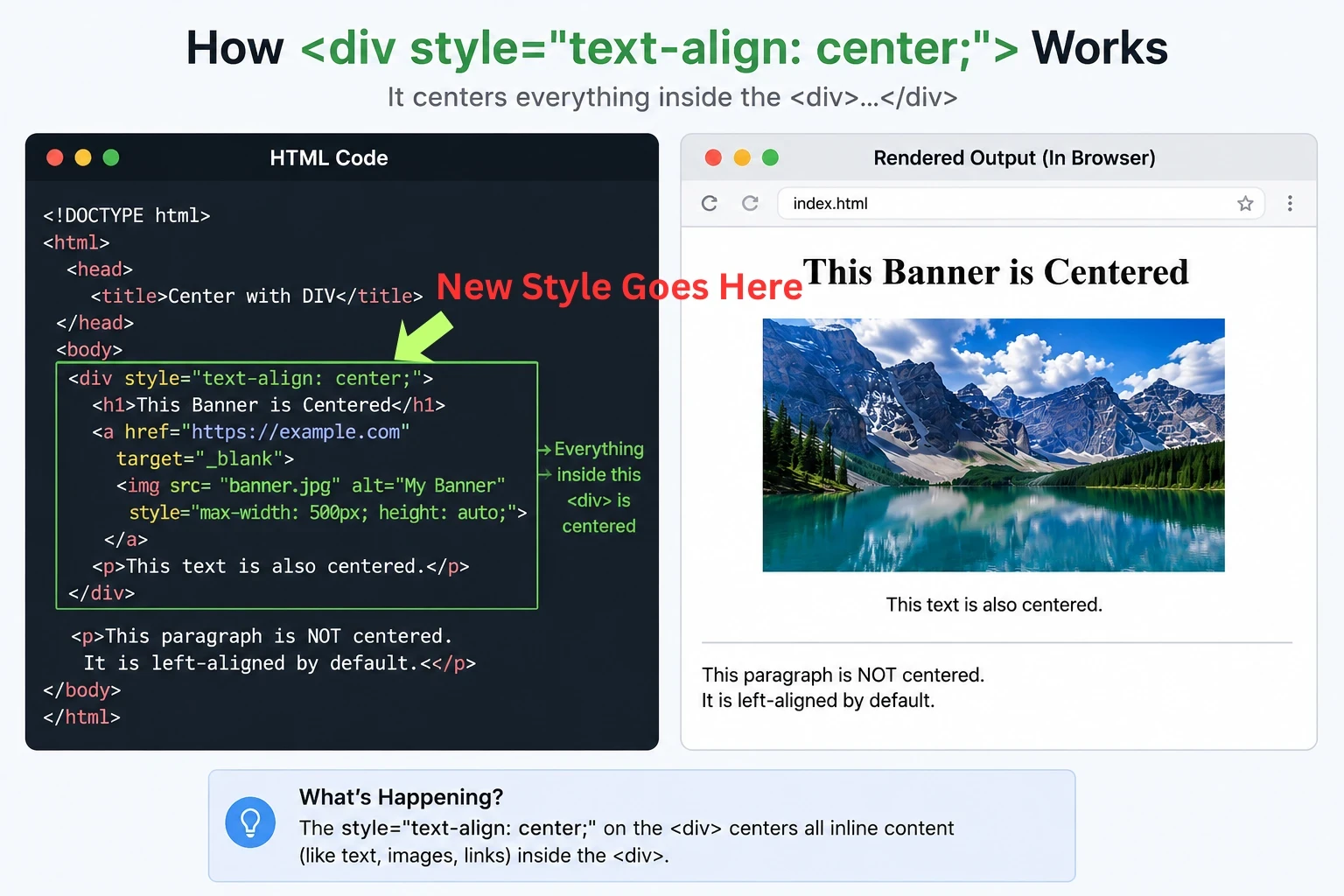
<center> is the old-school quick fix. The <div style="text-align: center;"> method is the newer CSS-based way to do the same thing. Either will work.
And.... I found it. EricCantu showed it as a bonus in a WordPress Wisdom when he went over opening a URL in another tab. You may as well learn to that as well if you watch the short video. Be sure to follow him, He drops these little tidbits all of the time and could possibly have taught me how to do it. I do not recall exactly where I learned, I have been doing so long. Anyway, the Title and Link is below. Good Luck.
How to Open Up Your WA Banner in a New Window (and Center It)
Share this insight
This conversation is happening inside the community.
Join free to continue it.The Internet Changed. Now It Is Time to Build Differently.
If this article resonated, the next step is learning how to apply it. Inside Wealthy Affiliate, we break this down into practical steps you can use to build a real online business.
No credit card. Instant access.