How to display site picture when social sharing!


<strong>For those of you that have added social sharing to your website and are having difficulties getting your site's picture to display instead of the grey silhouette; this is one way of solving the problem.</strong>
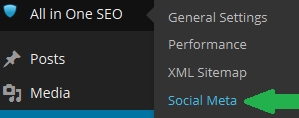
First of all, you will need to adjust some settings in the 'All in One SEO' plugin. To do this go to 'Social Meta' in your 'All in One SEO' plugin:
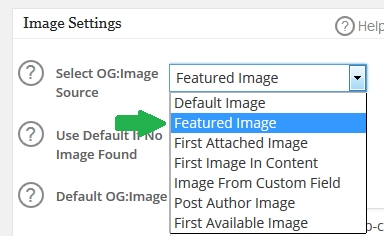
Next, scroll down a bit and you will find a drop down menu under 'Image Settings'. Select 'Featured Image'.
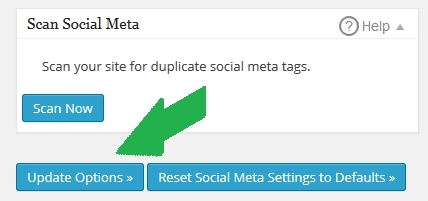
Then, under 'Scan Social Meta', click 'Update Options >>'.
<strong>Awesome, you're all done in the SEO settings! Now, you need to add a featured image to your page(s).</strong>
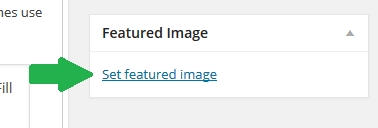
Go to the page you are having problems with and scroll down a bit. On the right hand side under 'Featured Image' select 'Set featured image'.
This will pop up your 'Media Library', you may also chose to upload a new file by clicking the 'Upload Files' tab in the top left corner. In this example, I will be choosing an existing photo from my 'Media Library', like so:
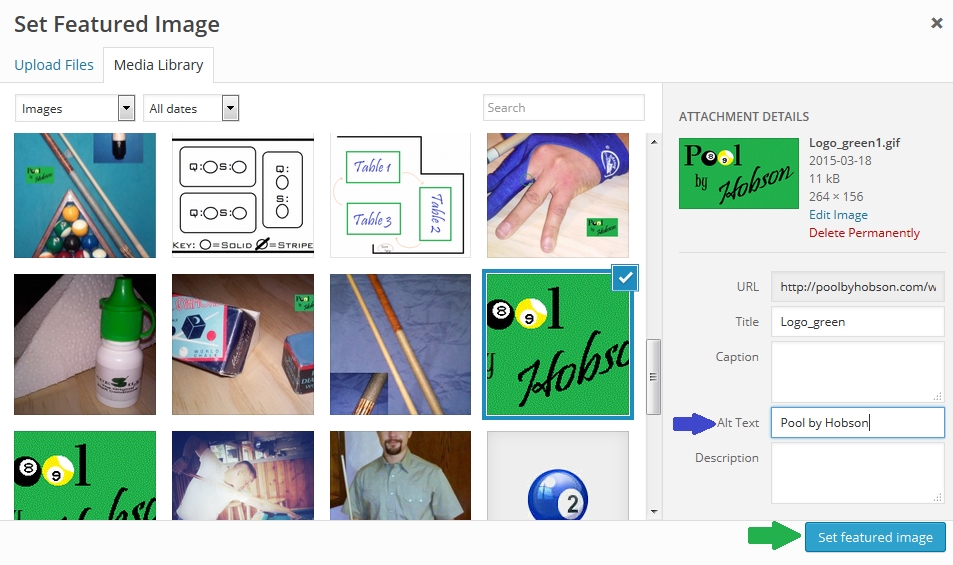
I also recommend taking the time to insert 'Alt Text' information (blue arrow) if you haven't already. :)
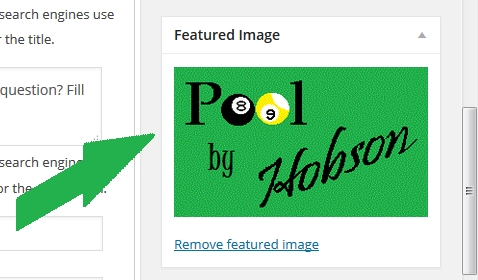
Next, you want to make sure the picture appeared in the 'Featured Image' box:
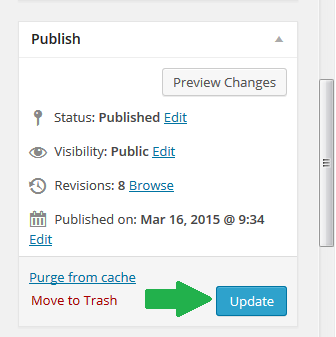
Then, save your changes by updating the page:
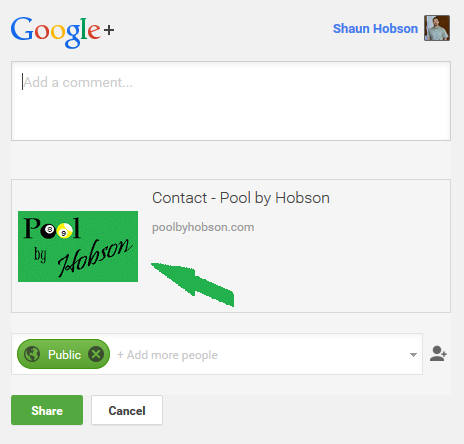
Finally, go to your website and hit that pesky G+ button and make sure it worked:
<strong>Hopefully, this solved your problem as it did mine. Like I said though, there are many ways to do this, but I found this to be the easiest.
Good Luck!</strong>
Join FREE & Launch Your Business!
Exclusive Bonus - Offer Ends at Midnight Today
00
Hours
:
00
Minutes
:
00
Seconds
2,000 AI Credits Worth $10 USD
Build a Logo + Website That Attracts Customers
400 Credits
Discover Hot Niches with AI Market Research
100 Credits
Create SEO Content That Ranks & Converts
800 Credits
Find Affiliate Offers Up to $500/Sale
10 Credits
Access a Community of 2.9M+ Members
Recent Comments
5


have tried your suggestions but haven't worked for me...still can't get my image to share on FB

See more comments
Join FREE & Launch Your Business!
Exclusive Bonus - Offer Ends at Midnight Today
00
Hours
:
00
Minutes
:
00
Seconds
2,000 AI Credits Worth $10 USD
Build a Logo + Website That Attracts Customers
400 Credits
Discover Hot Niches with AI Market Research
100 Credits
Create SEO Content That Ranks & Converts
800 Credits
Find Affiliate Offers Up to $500/Sale
10 Credits
Access a Community of 2.9M+ Members
Very helpful thanks for sharing!!!