Creating Non-Clickable Menu Items


Published on June 4, 2014
Published on Wealthy Affiliate — a platform for building real online businesses with modern training and AI.
Non Clickable Menu Items.
Would you like to make some menu items on your Wordpress Navigation Menu non - clickable, this can help you?
I got a bit frustrated when, for example, I had a menu item that read ‘Reviews’ but when someone clicked it on (instead of going the the sub-menu item) they just saw a blank page.
This will fix it so that the item becomes static and when hovered over the item on the sub menu will appear.
Go to your WordPress Dashboard
1. Click on Appearance > Menus
2. You can either create your own menu, or modify an existing one
Ready to put this into action?
Start your free journey today — no credit card required.
3. On the left side of that page, you’ll see a 'Widget' with three title's: Pages, Links, and Categories in that order
4. Click on Links
5. In the URL field, delete the ‘http://' and put a # and only the "#" (no quotes “ “)
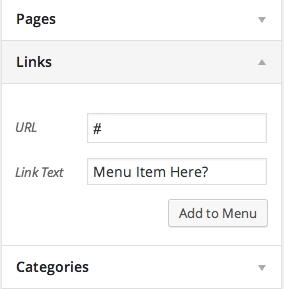
6. In the Link Text, second field down - write the name you want to appear, Reviews/ Recommendations or whatever?
7. Then Click 'Add to Menu'
8. Your new menu button will get moved to the right side menu box.
Then simply drag your menu item to where you want up or down, then move it to the right in if you want it as a sub item
Next, click 'Save Menu' at the top or bottom of the page.
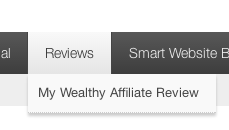
When you reload your website, your new menu-bar will appear. When you click on the selected item, however, it won't direct you to a WordPress (blank) page, it will simply become a non-clickable menu item.
Hope this helps!
Share this insight
This conversation is happening inside the community.
Join free to continue it.The Internet Changed. Now It Is Time to Build Differently.
If this article resonated, the next step is learning how to apply it. Inside Wealthy Affiliate, we break this down into practical steps you can use to build a real online business.
No credit card. Instant access.