SEO For Internet Marketers


Published on May 4, 2018
Published on Wealthy Affiliate — a platform for building real online businesses with modern training and AI.
What Does It Take To Optimize Your Websites?

Hi Folks
The title of this blog is a pretty good question, don't you think? It must be because I get this question asked of me every week by new members.
How to optimize your sites.
Search engine optimization for your website should be one of a home business owners main goals to get right.
Getting traffic to the website is also a top priority, so how can you achieve this?
The rest of this blog are my own steps, tactics and methods when I start optimizing my websites.
As always I start with keywords and their research. What keywords am I going to optimize for?
Think of the keywords you want to target. If you target the wrong keywords then you may never see any results from them. If you target very competitive keywords then it will probably take way too much time to see results. Therefore it makes sense to target somewhere in the middle.
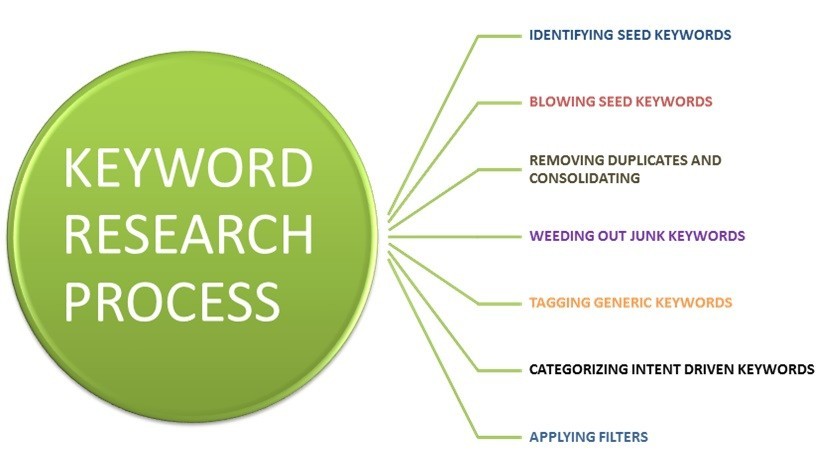
Use a keyword tool to cut down on the time it takes to find those keywords. The free version of the wealthy affiliate keyword tool (jaaxy lite) is one you can use to get an idea of what are great ones to use.
Tip - when selecting keywords. Depending on the particular word, I usually use plural versions for keywords. Why? because the plural version includes the single one.
Example - If you have the keyword "business", make it "businesses" because the keyword "businesses" includes the keyword "business".
Where to use keywords - The first places to put keywords in your website includes the Title Tags, Meta Tags, within the text of your website, and within anchor text.
Title Tags:
This is the most important part of your post to place keywords. Why? because search engines show the most importance to keywords within the Title Tag which is why its extremely important to include keywords here.
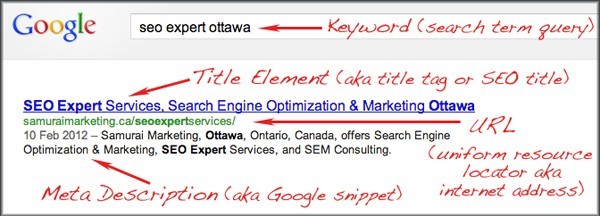
Meta Tags:
Ready to put this into action?
Start your free journey today — no credit card required.
Always be careful not to use too many keywords here because it could be mistaken as keyword stuffing. This used to be an easy way to achieve a high rank in the SERPs, but search engines have evolved since then and its no longer possible to score high rankings with stuffing. In fact could get your site banned. Meta Tags go between the head tags (<head>) in your source code.
Description Meta: This should be a description of your website and always put important keywords in the beginning of the sentence if and where applicable.
Meta Keywords:
Tip - Try to use the plural form of your keywords here but do not repeat keywords.
Heading Tags:

Heading, H1 Make sure you use your main keywords here because this helps and tells search engines there is related content within your post. Sub Heading, H2. This tells the search engines you place some importance on the keywords used.
Anchor Text:
This is important, whenever you are linking within your website make sure to place keywords in the links. Search engine algorithms like this.
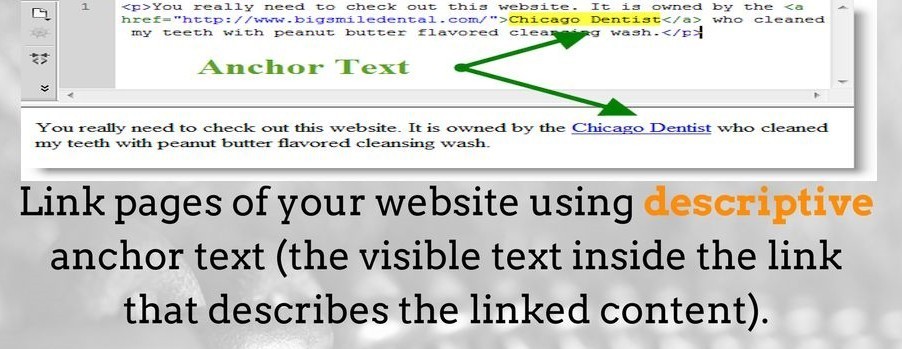
[Anchor text is the clickable text in a hyperlink. SEO best practices dictate that anchor text be relevant to the page you're linking to, rather than generic text.]
Alt Tag:
If you have a lot of graphics on your site there are a couple of things you want to do. First, you want to make an image as small as possible without losing any clarity. Websites that have a lot of graphics/images/pics/photos usually take some time to load which can affect your site download speed, so size does matter. Also, make sure to place keywords in the Alt Tags.
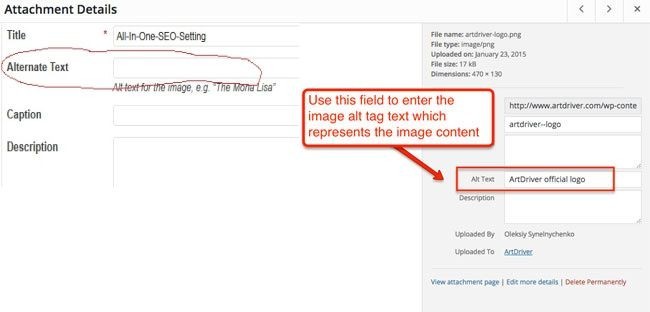
This means you should describe the image, and use the keywords that you have in your Title and Meta Tags.
Last but by no means least is your Sitemap.
Sitemaps are important because not only do they help make your website easier to navigate for a first time user, it also helps search engine spiders crawl your site which will help your content get indexed in the search engines.
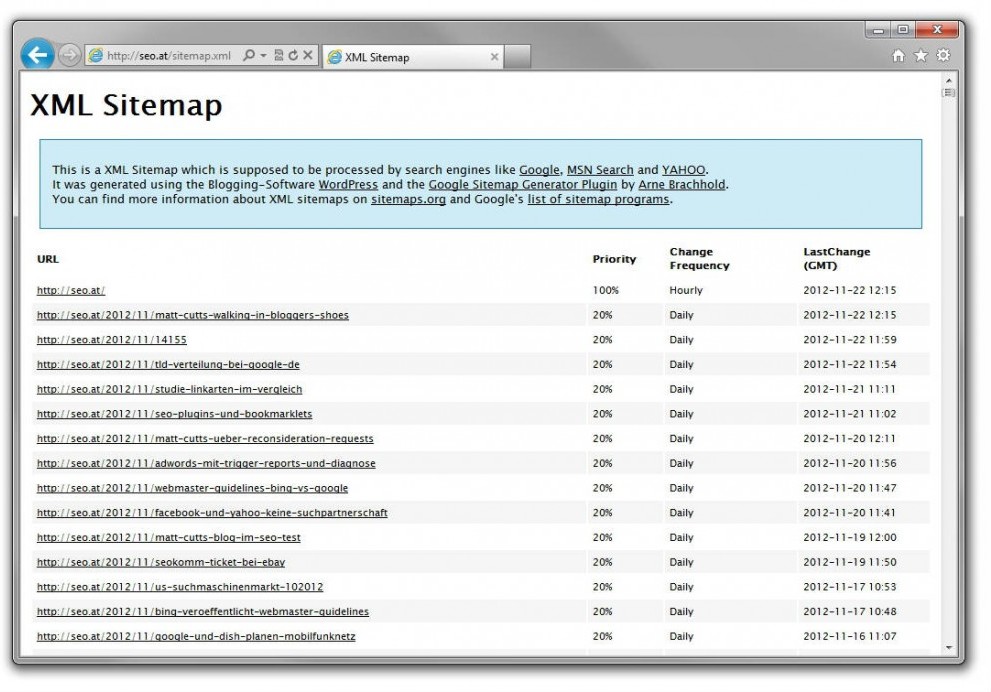
If you find your posts are not indexed in the search engines, this is where sitemaps come in. Sitemaps are written in xml, language.
Once you have your sitemap you submit to Google go here:
www.google.com/webmasters/sitemaps/
If you don't already have a Sitemap Plugin generator (SEO All In One or Yoast etc), here is a an xml sitemap creator:
Its important to always submit your sitemaps to Google. Also, you can always ping the search engines so that you they will know you have updated your content.
There you have it folks, a nice summary of what you need to do in order to start an effective SEO plan of action.
Any member with other tips and advice can of course leave them via a comment below.
Have a great day and be successful.
Robert Allan
Share this insight
This conversation is happening inside the community.
Join free to continue it.The Internet Changed. Now It Is Time to Build Differently.
If this article resonated, the next step is learning how to apply it. Inside Wealthy Affiliate, we break this down into practical steps you can use to build a real online business.
No credit card. Instant access.