Installing & Configuring The Free Appetizo WordPress Theme


Published on October 3, 2024
Published on Wealthy Affiliate — a platform for building real online businesses with modern training and AI.

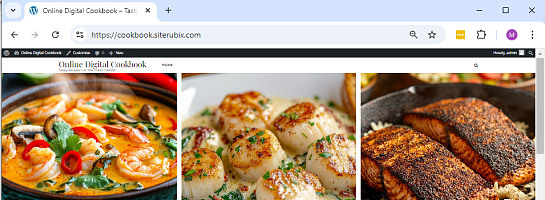
I found a great theme that is fast loading, mobile and app friendly and very easy to customize edit. It is the free Appetizo WordPress theme, designed for food blogs.
I'm sharing this information for all those who have food related niches, and are looking for a great mobile friendly, fast loading, professional design for their website.
This theme was created for the food niche, but can be used with practically any niche.
You will need to have content already, in order to use this theme. I recommend 10 Categories with at least 3 to 10 recipes / posts each in them. This is so that the front of your website will look like the demo site provided by the theme developer.
If you have not completed the basic training here that explains how to work with your theme, then I recommend you finish that first or you may not fully understand some of the things mentioned here.
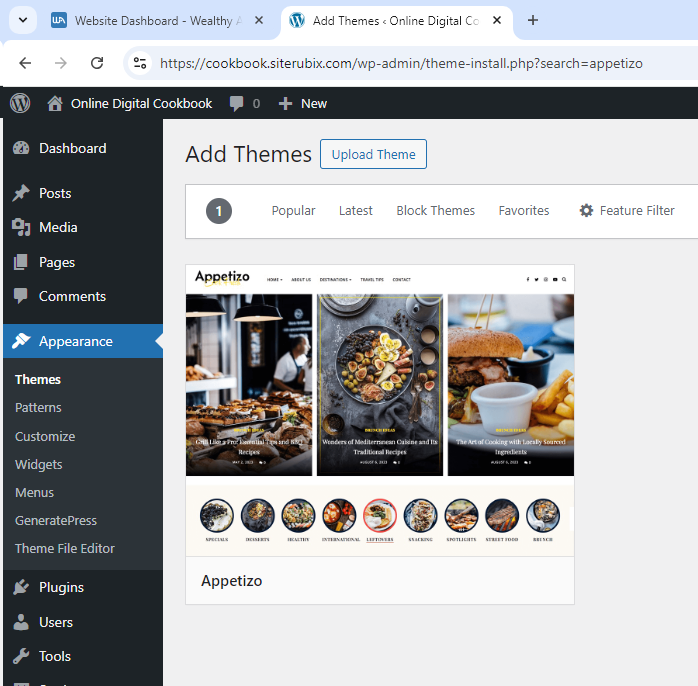
To get started, first do a search for Appetizo in the Wordpress themes area of your website.
Install and activate it.
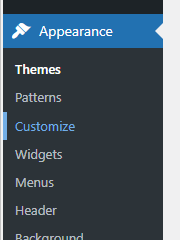
Next, go to Appearance > Customize
You will see a long list of options, don't panic....many of these you will not need to change.
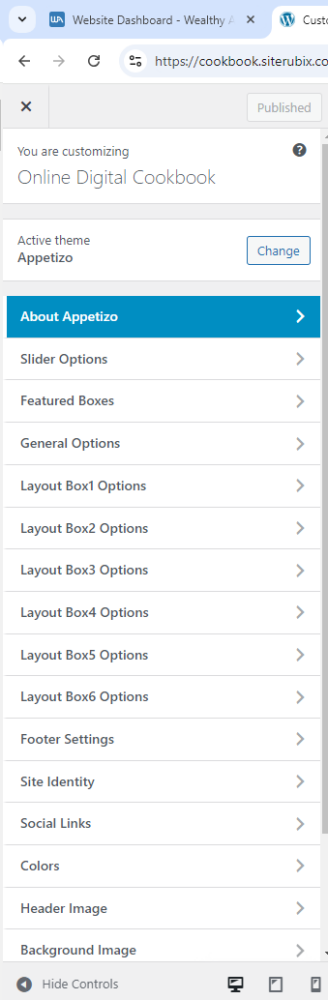
First, select "Slider Options" - enable this, choose a category (I made a Featured Recipes" category) and then add the number of posts you'd like to be displayed. I selected 50 for my demo site.
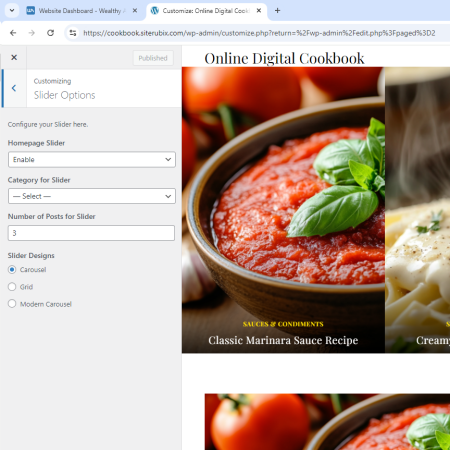
Slider Designs let's you select from three different layouts.
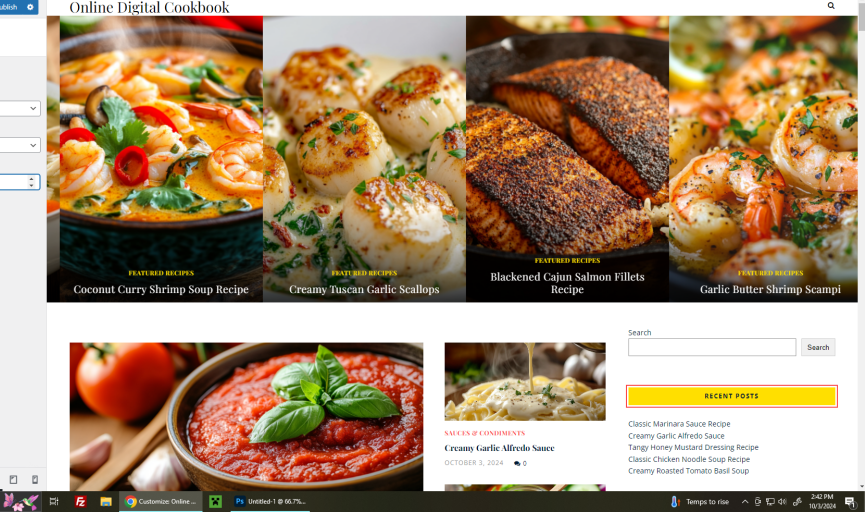
Carousel shows 4 recipes with no spacing between them.
Ready to put this into action?
Start your free journey today — no credit card required.
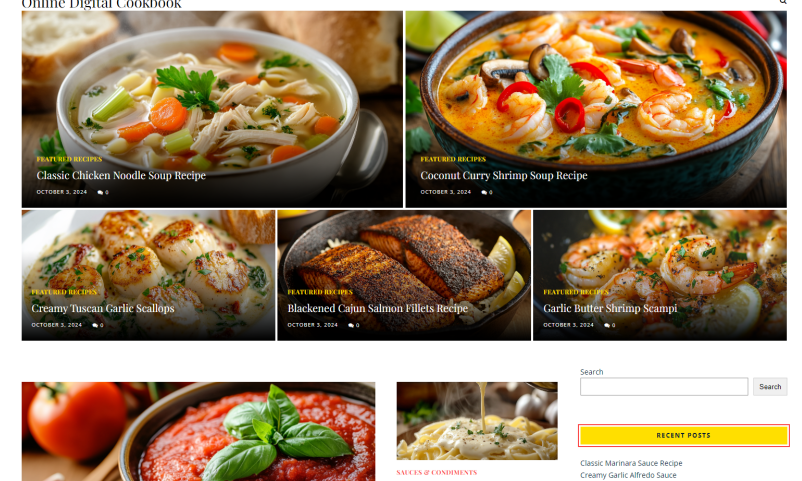
Grid shows a grid of images.
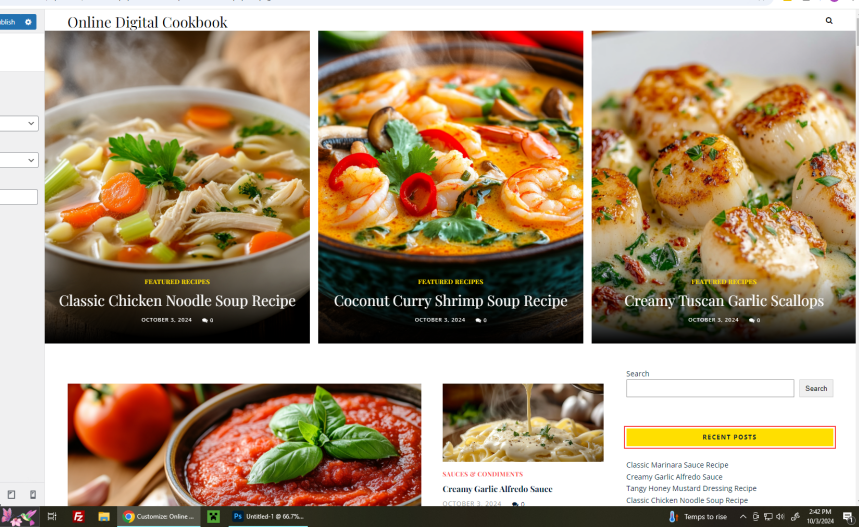
And Modern Carousel displays 3 with spacing, this is my fave.
Now Publish your changes, then go back to the main customizer area and select "Featured Boxes"
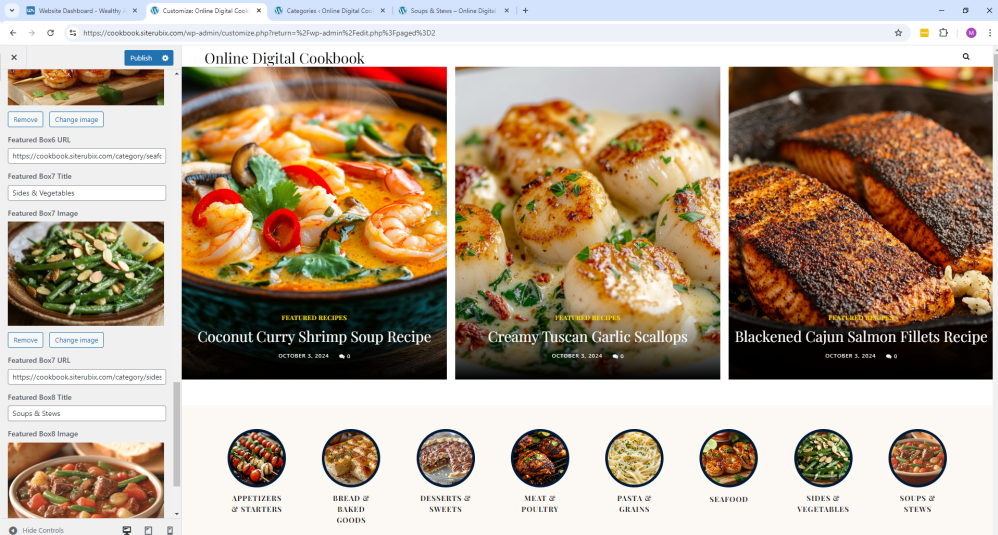
You want to enable this, and fill in the available options. Each featured box that you complete with title, image and link, will provide a nice round section that makes the website look absolutely beautiful.
I placed categories on the demo site (URL is in the image, it's a siterubix site) with the image being selected from a recipe post I'd already posted.
You can make these circles links to other websites, affiliate links, pretty much anything you wish.
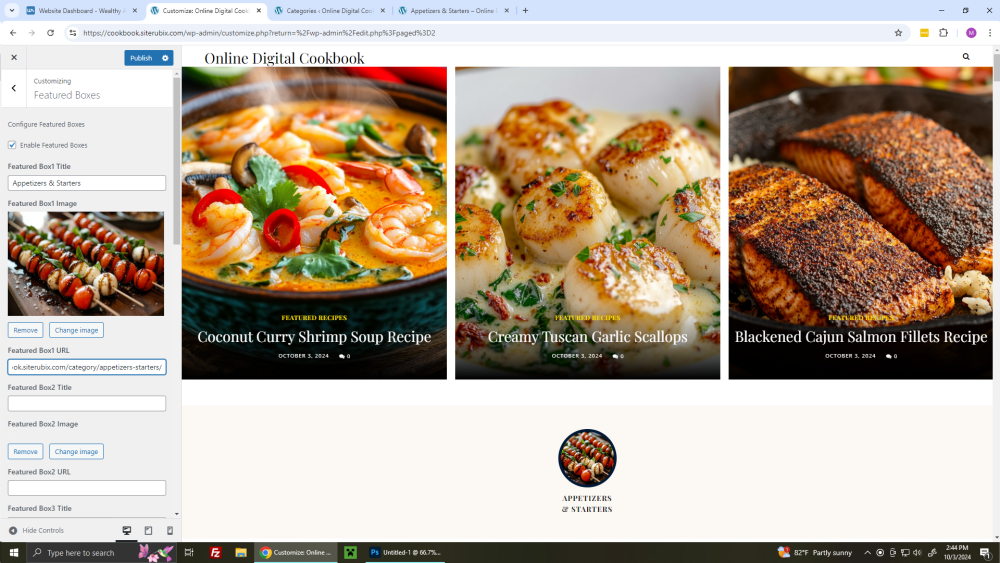
When all of the featured boxes are filled, be sure to hit Publish to save your changes!
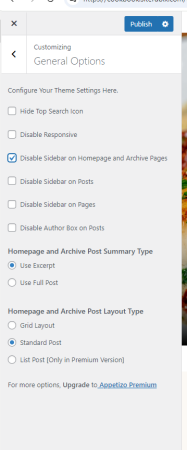
Next, select General Options and select the options you wish to use. I generally disable the sidebar on my homepage and archive pages, the standard post and grid layout will display blog posts at the bottom of these pages in standard or grid format.
Next you have layout boxes that you can select from to choose what posts are shown in the attractive layout on the home page.
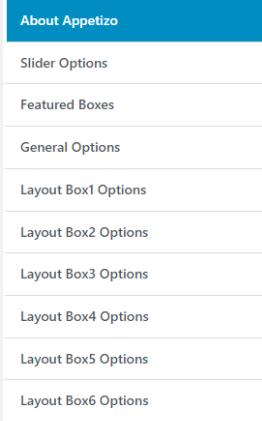
Go through each layout box and enable it, provide a title for it if you wish, select a category, the number of posts you wish to display (I leave the defaults as they already look great) , enable the see more button and then change the text for your button if you desire.
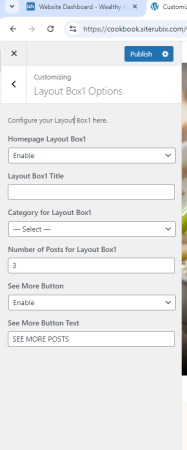
Once you have made these changes, be sure to click the Publish button to save your work.
Next, go to your widgets section and clear out the Instagram area, for some reason it places archives and categories in that area.
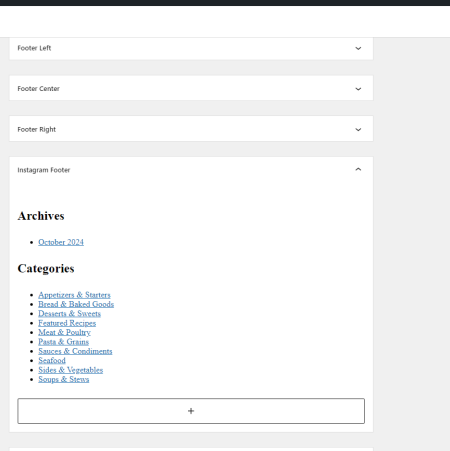
Delete and save the change, and viola, your websites new design is practically completed!
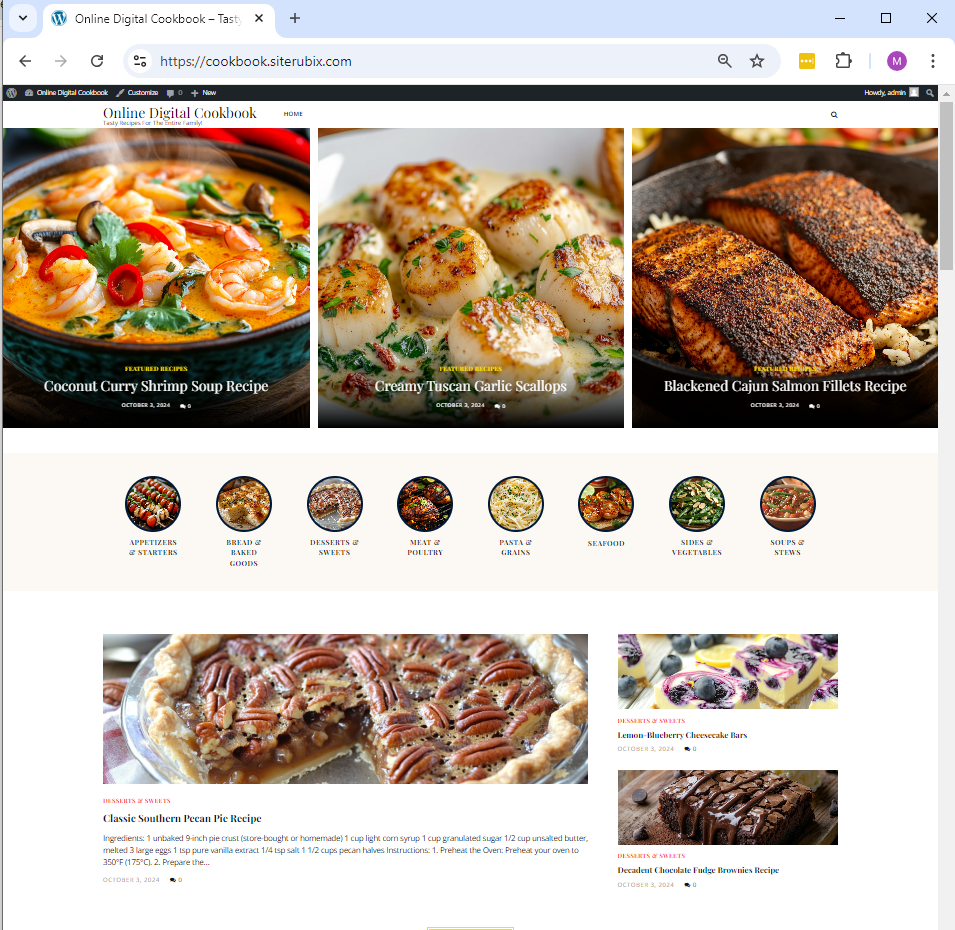
You can visit my site rubix site and see how the it looks in person, I've also added the link in my profile for those who have difficulty seeing it in the images.
If you have ever had a desire for creating an app for apple store and google play, then this theme makes a GREAT design for a cookbook / cooking app.
I hope others enjoy this information, if you have any questions, please comment below!
Share this insight
This conversation is happening inside the community.
Join free to continue it.The Internet Changed. Now It Is Time to Build Differently.
If this article resonated, the next step is learning how to apply it. Inside Wealthy Affiliate, we break this down into practical steps you can use to build a real online business.
No credit card. Instant access.