5 Creative Ways to Use Image Studio Beyond Social and Blog Images


Published on November 7, 2025
Published on Wealthy Affiliate — a platform for building real online businesses with modern training and AI.

Hello WA Fam
First of all, a big thank you to the Wealthy Affiliate team for developing such a wonderful new tool Image Studio and for offering 20,000 free AI credits to all Premium and Premium+ members as part of the BETA launch.
As part of the beta testing, I wanted to see how far it could go and it truly exceeded my expectations. From generating cliparts and mockups to creating full storytelling visuals, this tool has truly impressed me with its quality and versatility.
1. Cliparts and Seamless Pattern Designs
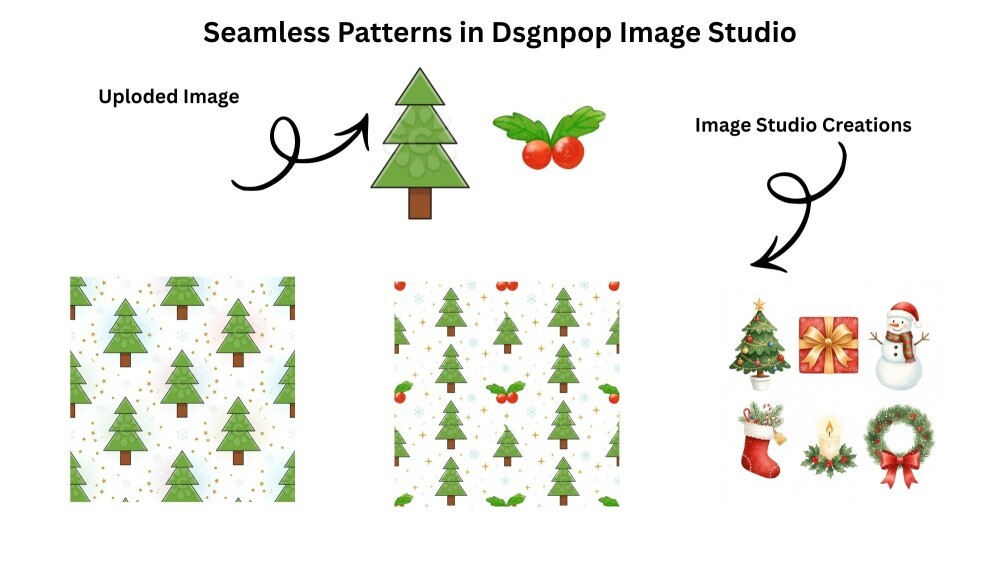
I started small, with a simple Christmas tree clipart. I wondered, can Image Studio turn this into a seamless repeating gift wrap pattern?
It did, beautifully. It arranged the trees in perfect alignment, added subtle snowflakes, and produced a polished design ready for printing. That was the moment I realized this tool doesn’t just follow directions—it understands visual harmony.
Prompt:
Create a seamless repeating pattern using the uploaded Christmas tree clipart. Arrange multiple versions of the tree evenly spaced in a playful, tiled layout suitable for holiday gift wrapping paper. The background should be soft pastel or snowy white with subtle festive details — tiny gold stars, snowflakes, and sparkles — to add a cozy Christmas feel.
Ensure the trees are well-balanced across the design and repeat seamlessly from edge to edge, so the pattern can be tiled infinitely without visible breaks or borders. Add light shading and gentle highlights to give the trees a bit of depth and texture while keeping the style flat, modern, and cheerful — perfect for wrapping paper.
The design should feel festive, bright, and joyful while maintaining clean, professional quality suitable for print-on-demand products or stationery.
Style: Flat vector style with soft lighting and holiday accents Mood: Playful, festive, cozy Christmas spirit Aspect Ratio: 1:1 (square pattern for easy tiling) Version: --v 6 --q 2
2. Watercolor Christmas Cliparts
You can see the image I created above(3rd one)
Next, I tested whether it could create a cohesive set of six watercolor cliparts without using any reference images.
It delivered perfectly. Each element had bright, festive tones and consistent watercolor brush textures, featuring details like wreaths, gifts, and ornaments. The results looked hand-painted and full of life.
Caveat to it that it works best when you keep the art style setting to “none.” When I tried selecting an art style within Image Studio, it didn’t produce the same results.
Prompt:
Create six individual Christmas-themed cliparts in a bright and cheerful watercolor style. Each element should be hand-painted in appearance, with soft brush textures, subtle gradients, and festive detail. Keep the colors vivid and balanced — classic holiday tones like rich red, pine green, golden yellow, snowy white, and touches of warm brown or sparkling gold.
Ready to put this into action?
Start your free journey today — no credit card required.
The six cliparts should include a mix of iconic Christmas elements such as:
- A decorated Christmas tree with ornaments and a star on top.
- A wrapped gift box with ribbon and bow.
- A cheerful snowman with a scarf and hat.
- A Christmas stocking filled with candy canes and pine sprigs.
- A glowing candle surrounded by holly leaves and berries.
- A festive wreath made of pine, red berries, and a bow.
Each item should be individually centered on a transparent or plain white background, in consistent watercolor illustration style — perfect for use in design sets, cards, stickers, or wrapping paper.
Keep the overall look cohesive, detailed, and professional, while maintaining a hand-painted watercolor charm.
Style: Watercolor illustration, soft brush textures, festive brightness Mood: Joyful, cozy, Christmas spirit Aspect Ratio: 1:1 (square layout, clipart-friendly) Version: --v 6 --q 2
3. T-Shirt Designs and Mockups
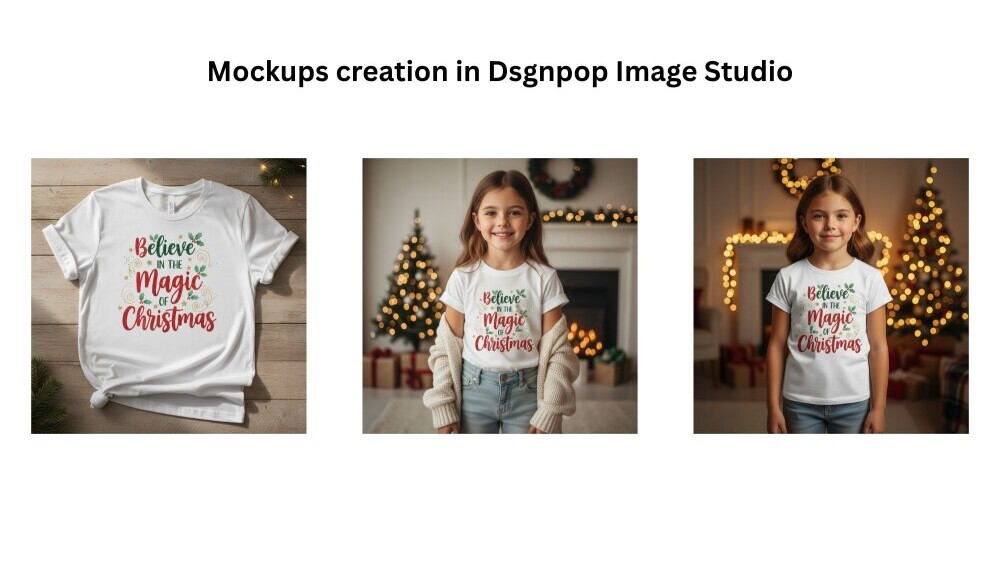
I then moved on to product visuals and asked Image Studio to design a Christmas t-shirt with the quote “Believe in the Magic of Christmas.”
The design it created looked professional, print-ready, and full of festive charm. Then I took it one step further, by uploading that t-shirt design and asking for a realistic mockup of a young girl wearing it.
The outcome looked completely natural. The lighting, fabric folds, and cozy atmosphere felt real, as if it were a genuine lifestyle photo. It’s an incredible tool for anyone working with print-on-demand products.
4. The Bunny and Cute Kid Story Experiment
This was one of the most fascinating tests.
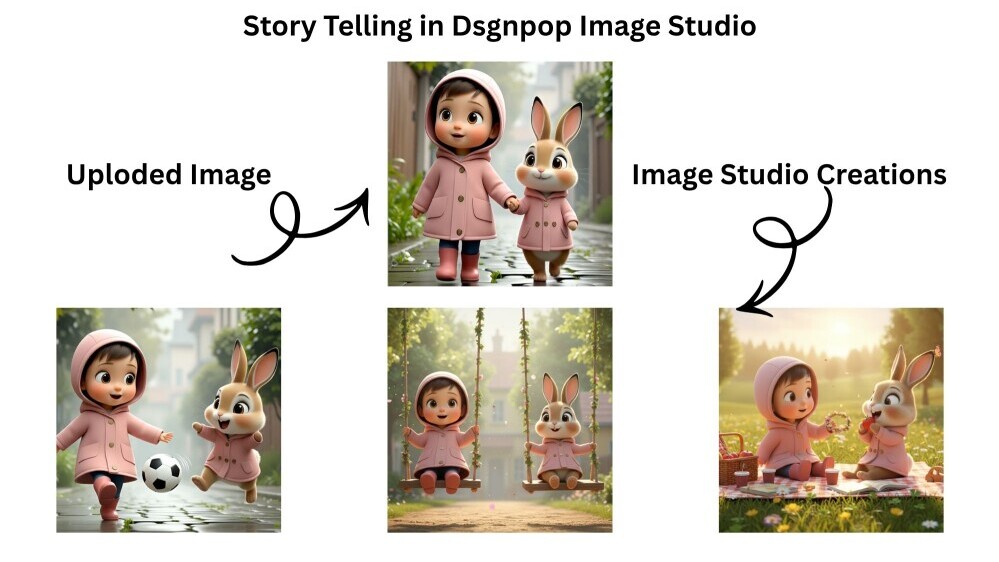
I uploaded an image of a cute child and bunny, both in matching pink coats, to see if Image Studio could maintain consistent characters across different scenes, just like in a storybook.
I started with the original image, then created new scenes such as playing on swings in a village park and enjoying a meadow picnic surrounded by flowers and sunlight.
In every scene, Image Studio kept their appearance, outfits, and expressions consistent while changing the setting and mood. The results looked like pages from a children’s picture book, warm, detailed, and full of heart.
This experiment showed that Image Studio can go beyond single images. It can maintain continuity and emotion across a visual narrative.
5. Motivational Quote Images
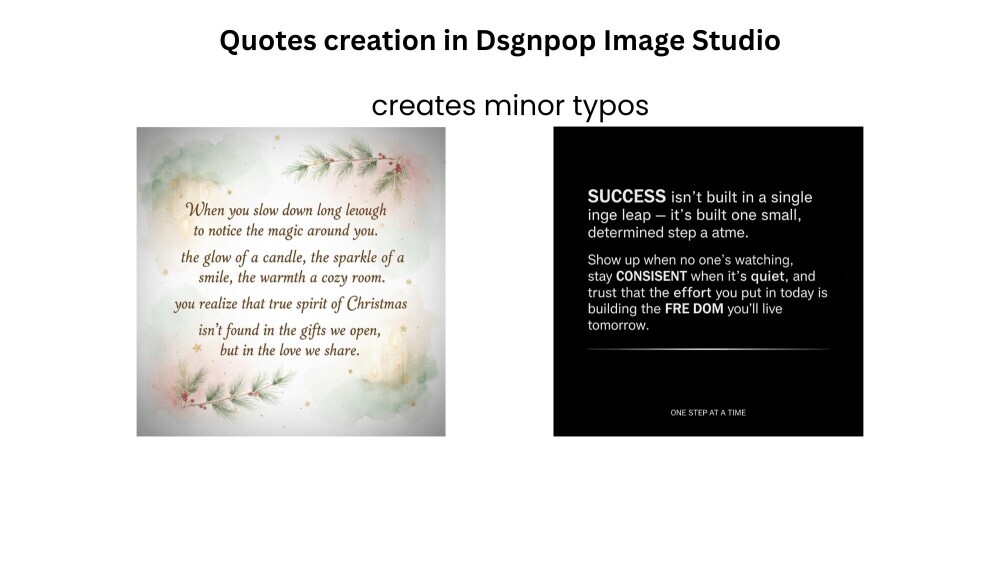
I also tested how it handled text-heavy visuals, specifically motivational quotes. when working with lengthy quotes, Image Studio occasionally creates minor typos or punctuation inconsistencies.
Knowing WA for so many years, I’m sure the team will continue improving and fine tuning these minor details. Their tools always get better with time,
My observations
Image Studio is far more than just an image generator. It’s a creative partner that understands design intention.
It can:
- Create cliparts and seamless patterns
- Design realistic product mockups
- Produce professional quote graphics
- Maintain consistent characters in storytelling
- Handle multiple art styles from watercolour to cinematic realism
It would be great if, in the future, we could seamlessly integrate these Images directly into our blog posts. That would make the creative process even more efficient.
Final Thoughts
Besides creating images for social media, there’s so much more we can explore with Image Studio. From designing product mockups and creating seamless digital patterns to generating story visuals, printable art, and clipart collections, the possibilities are endless.
I’d love to know, how are you planning to use Image Studio in your online journey? Are you testing it for your blog visuals, product designs, or something totally new? Let’s share ideas and inspire each other to make the most of this incredible tool.
Share this insight
This conversation is happening inside the community.
Join free to continue it.The Internet Changed. Now It Is Time to Build Differently.
If this article resonated, the next step is learning how to apply it. Inside Wealthy Affiliate, we break this down into practical steps you can use to build a real online business.
No credit card. Instant access.