4 Practical Ways Visual Content Can Help You Rank Higher on Google


Published on April 25, 2026
Published on Wealthy Affiliate — a platform for building real online businesses with modern training and AI.

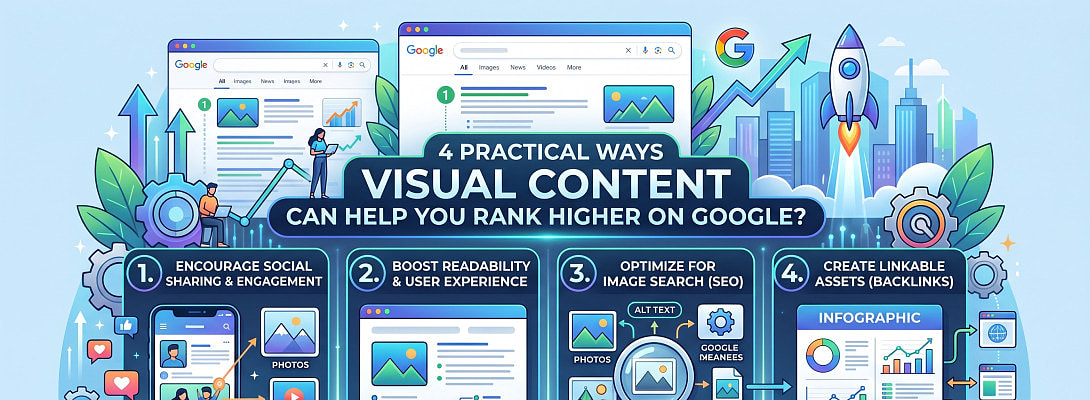
As an entrepreneur, you know your visual content should serve a purpose beyond just looking beautiful. When you’re investing time and money into creating captivating visuals, you want to ensure they actually fulfill your broader marketing goals.
Visuals are the best way to transform your concepts into a clear, mental picture for your audience. If building engagement is the goal, imagery is key. However, many creators struggle to maximize those visuals to help their websites rank.
By clarifying your intent, your visuals can start driving significantly more traffic to your blog.
Here’s how a few simple changes can help you rank higher:
1. Add Text to Your Infographics Before Hitting the Publish Button
It is a blogging mistake to simply upload an infographic and leave it at that. I often see great visuals that have no accompanying text at all. If you want to gain a real SEO advantage, you should pair every image with clear alt text and a meaningful description on the page.
An infographic might perform well in image searches, but it will struggle to rank in organic results without some quality text to support it.
From an SEO perspective, if there is no text on the page, Google has nothing to process. This makes it very difficult to compete with other websites that provide detailed and helpful content.
For example, if you post an article full of infographics but leave out the text, search engines are left in the dark. Your readers might appreciate the visuals, but since Google can’t actually read what’s inside an image, those efforts won't help you rank for your keywords.
In order to avoid such issues, always be sure to write accompanying texts for your infographics before finally hitting the publish button.
The primary goal here is to offer extra value to the targeted audience. As such, make sure you don't copy the infographic text verbatim into your SEO descriptions or alt-text.
2. Optimize Your Alt Tags
When you're rushing to publish a post, it’s easy to skip the simple optimization steps that drive traffic through Google Image Search. But if you want those images to actually bring people to your site, you can't overlook them. This usually comes down to the ALT tag (or ALT attribute).
Ready to put this into action?
Start your free journey today — no credit card required.
Since search engines can’t actually "see" what’s in an image, this tag acts as a written clue that explains the context of the image to the crawler.
Alt text plays a key role in accessibility as screen readers rely on it to describe visuals for the blind or visually impaired. You have probably even seen it in action when a webpage fails to load and a short description appears in place of the missing image.
For an image to rank, search engines first need to understand what it actually represents. This is where the alt tag comes in. It gives Google the context it needs to categorize your content and rank it accurately.
If you skip this step, the alt text usually defaults to your file name, which rarely provides enough information to help your SEO.
If you aren’t very tech-savvy, most website builders make it easy to update your alt text. Usually, you can just click on the image in your editor and change the text right there.
Just remember that alt text shouldn’t be used as a spot to force in extra keywords. It needs to be a short, clear description of what is actually in the image. If a keyword fits naturally, that is fine, but your main goal is simply to describe the visual accurately.
3. Check Your File Sizes
It is also important to keep an eye on how large your image and video files are, as big files can slow down your site.
It's always frustrating to land on a website that takes too long to load. Most visitors won't wait around and will likely click away before they even see what you have to offer. Google understands this, which is why faster websites tend to earn better rankings and more traffic.
One factor you might not have considered is how much your images affect that speed. To keep from losing visitors, you need to make sure your images aren't dragging down your site’s speed.
This is especially important because about half of your traffic likely comes from mobile users, who often have much slower connection speeds.
You can use tools like IsItWP to check your site speed. Google’s PageSpeed Insights is another powerful tool for site speed checks. They’ll tell you if your images are causing delays and show you exactly how to fix the problem.
Here are a few easy ways to speed things up:
- Watch the image size: Don't make your images any larger than they need to be.
- Compress before you upload: Always shrink your image files for the web before adding them to your site.
- Pick the right format: Use PNG for simple graphics and JPG for complex images.
4. Help Google Find Your Images and Videos
If your site uses a lot of videos and images, you really should send a specialized sitemap to Google through Search Console. It is basically a simple way to make sure Google sees everything you have posted.
Why bother with an image sitemap?
Google’s bots are smart, but they can still miss things, especially if your images are buried in complex code. A sitemap acts like a direct link that helps Google find and show your photos to people searching online.
What about videos?
It is the same idea here. While you don’t have to fill out every single detail, giving Google that extra bit of information makes your videos way easier to find. When Google understands what your content is actually about, you have better chances at showing up in search results.
Share this insight
This conversation is happening inside the community.
Join free to continue it.The Internet Changed. Now It Is Time to Build Differently.
If this article resonated, the next step is learning how to apply it. Inside Wealthy Affiliate, we break this down into practical steps you can use to build a real online business.
No credit card. Instant access.