Using LinkedIn Features Guide 2026


Published on September 23, 2026
Published on Wealthy Affiliate — a platform for building real online businesses with modern training and AI.

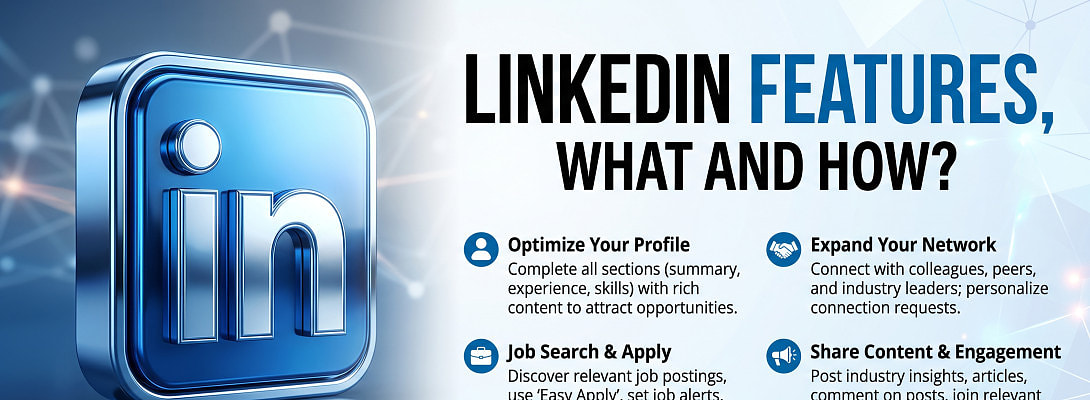
Using LinkedIn Features: What They Do and How to Use Them
LinkedIn is more than an online résumé: it helps you build professional connections, share useful ideas, find work, and grow a business. Its features are the tools behind those activities, including your profile, feed, messaging, networking options, and analytics.
If you're a beginner marketer, knowing what each tool does can help you focus on the ones that support your goals instead of trying everything at once. This guide explains how LinkedIn's main features work, where to start, and how to use them thoughtfully, including professional LinkedIn affiliate marketing. Keep in mind that some features vary by account type, location, and LinkedIn's current interface, so the options you see may differ.
Key Takeaways
- Start with a complete LinkedIn profile that clearly explains your niche, expertise, and the value you offer potential connections.
- Use the feed to learn from relevant professionals and share useful content; consistent, thoughtful contributions help build credibility over time.
- Connect with people who match your goals, then use personalized messages to begin genuine professional conversations rather than sending generic pitches.
- Review LinkedIn's analytics and creation tools to understand engagement and refine your approach; affiliate marketers can also explore building B2B authority on LinkedIn.
How to start using LinkedIn features to build your network and brand
LinkedIn features are the built-in tools and services members use to present themselves, publish content, communicate, and find opportunities. For a beginner marketer, a clear profile is the starting point: it helps people understand your work before they decide to connect. Set one simple goal first, such as meeting potential partners or attracting readers to your niche website, then choose features that support it.
Set up a profile that explains what you do
Use your headline to state your role and the audience or problem you focus on. In the About section, explain your work in plain language, add relevant experience, and include skills that reflect what you can do. A few specific phrases help the right people recognize your expertise; keyword-heavy text in every field can make a profile harder to read.
Choose a clear, current profile photo, and add contact details you're comfortable sharing. Then review the profile as a visitor would: can someone quickly tell what you do and how to reach you? For ideas on presenting a business clearly, see this guide to building a distinct LinkedIn business presence.
Use Analytics & tools to learn what is working
Once you begin connecting and publishing, use LinkedIn's Analytics & tools area to check profile insights, post and audience analytics, and, for newsletter authors, newsletter analytics. Profile viewers and appearances can show whether people are finding your profile. Post analytics offer reach and audience information, while newsletter analytics include subscriber totals and article views. LinkedIn's newsletter analytics details explain the metrics available to authors.
Review several posts over time instead of judging your approach by one result. For example, compare which topics lead to relevant comments, profile visits, or new conversations. Those patterns can help you decide what to publish next and whether your activity supports the goal you set.
How LinkedIn content features help you share useful ideas
LinkedIn's publishing tools give you different ways to share what you know and join professional conversations. As a beginner marketer, choose a format that suits your idea and the time you can give it; you don't need to use every feature at once.

Choose between posts, articles, newsletters, and polls
Each format suits a different purpose. Short posts work well for timely observations, quick tips, or questions. For example, a marketer could share one lesson from testing a new email subject line. Articles give you room to explain a topic in depth, such as a beginner's guide to choosing affiliate products.
A newsletter is designed for recurring updates that readers can subscribe to. A marketer might send a monthly roundup of useful tools and lessons from a niche project. By contrast, a poll gathers opinions quickly, such as asking which challenge readers face most when starting a blog. Use poll results to guide future content, rather than treating them as a complete picture of your audience.
LinkedIn offers analytics for eligible content, including posts, articles, and polls. Review available metrics to see which topics prompt relevant engagement, and check your account for current publishing and analytics options. For more ideas on creating useful posts, explore these LinkedIn affiliate marketing strategies.
Build trust with comments, events, and a company page
Publishing is only one way to contribute. Thoughtful comments let you add a useful example or a considered question to an industry discussion. Likewise, participating in a relevant LinkedIn event can help you meet people interested in the same subject. Focus on contributing something specific instead of commenting only to promote your business.
A personal profile presents you as an individual. A Company Page presents an organization, giving a business a place to share updates and connect with followers. If you're marketing your own venture, use your profile to share personal expertise and the Page for official business news.
Some Page tools, such as custom calls to action and additional visitor insights, may require a paid Premium Company Page. LinkedIn's Product Pages feature details explain some available calls to action. Since features and controls can change, check your account's current options before planning a publishing routine.
Ready to put this into action?
Start your free journey today — no credit card required.
How LinkedIn networking, search, and messaging work
LinkedIn helps you find relevant people, take part in professional communities, and start conversations. For marketers, the strongest approach is to search with a clear purpose, connect selectively, and give each message a reason to matter.

Find people and communities through search and Groups
Use LinkedIn search to look for people, companies, jobs, posts, and other professional information. Filters can help narrow results by details such as location or industry, which is useful when you want to find potential partners, clients, or peers in a specific niche. Advanced search access varies by plan, so check the options available in your account before relying on particular filters.
Groups bring members together around an industry, profession, or shared interest. A relevant group can help you learn common concerns and join discussions with people who understand your field. Before posting, review the group rules and recent conversations. Contribute a useful observation or answer first; repeated self-promotion can undermine trust. You can also connect with SEO content creators beyond Wealthy Affiliate to expand your professional network.
Connect and message people with a clear purpose
A connection invitation asks someone to join your LinkedIn network. When appropriate, add a brief note explaining how you found them or what you have in common. Once they accept, you can message them through LinkedIn's regular messaging feature. LinkedIn's networking help resources cover invitations and related account features.
InMail is a paid option for messaging members you aren't connected to. The number of InMail credits depends on your subscription tier, and LinkedIn lets members check available credits in their Premium account area. Whether you send an invitation or an InMail, keep the message personal and concise. Mention a relevant post, shared interest, or specific reason for reaching out, then make a reasonable request, such as asking one focused question. Avoid opening with a sales pitch or a generic request for a meeting.
Use job and opportunity tools when they fit your goal
The Jobs area lets members search openings and review suggested roles based on their profile and activity. Marketers can also use LinkedIn to spot freelance work, learn what skills employers seek, or identify companies in a target niche. If you're hiring, LinkedIn offers tools for posting roles and finding candidates.
LinkedIn also sells paid options for job seekers, sales professionals, and recruiters, including Premium Career, Sales Navigator, and Recruiter products. Features and terms can change, so compare current plan details with your actual needs before subscribing.
Choose free and paid LinkedIn tools that match your goals
You can get started with LinkedIn's free features: build your profile, publish posts, connect with people, and use basic search and messaging. Consider a paid plan only when you can name a specific task the free account does not support. For a niche marketer, that might mean finding prospects more efficiently or contacting people beyond your network.

Know what Premium, Sales Navigator, and Recruiter Lite add
LinkedIn's paid plans target different needs. Premium Career focuses on job searching and career development, while Premium Business adds business insights and tools for growing your professional reach. Premium All-in-One combines business, marketing, sales prospecting, and hiring tools for small businesses and solo operators. If you need a sales-specific tool, Sales Navigator supports lead generation and prospecting. Recruiter Lite is designed for individuals and small businesses with occasional hiring needs.
Features such as advanced search filters, InMail credits, profile-viewer insights, and business tools vary by plan. So, check LinkedIn's current plan comparison before purchasing. The right choice depends on the work you need to do, not the number of features included.
For affiliate marketers, paid prospecting tools may help identify potential partners or clients, but they won't replace a clear profile and useful contributions. First establish what you want from LinkedIn affiliate marketing strategies, then see whether a plan directly supports that goal.
Start with a small routine and measure the results
Test LinkedIn for a month before adding a subscription. Each week, update one profile detail, publish a useful post or leave a thoughtful comment, connect with a few relevant people, and review the analytics available on your account. For example, a beginner marketer could refine the About section, comment on a discussion about their niche, and connect with potential collaborators.
After four weeks, look for concrete signs of progress: relevant profile views, useful conversations, or engagement from the audience you want to reach. If finding prospects remains slow, or you need to message people outside your network, compare the paid tools that address that exact need. Otherwise, stay with free features and keep building a consistent presence.
Frequently Asked Questions
LinkedIn's tools and account options change over time, so the feature names or menus you see may differ. These answers cover common questions that come up when using LinkedIn features for marketing, networking, and career growth.

Can I use LinkedIn features without paying?
Yes. A free Basic account includes core profile, connection, content, messaging, and job-search tools, which are enough to begin building a professional presence. However, features such as expanded profile insights, some advanced search options, and InMail require a paid plan; check LinkedIn's account comparison before subscribing.
What happened to LinkedIn Creator Mode?
LinkedIn removed the Creator Mode toggle, but its creator tools remain available across the platform. You can find analytics through Analytics & tools or the post impressions link in your feed, while publishing options appear in relevant profile and content areas. Since menus can change, check your current account interface and LinkedIn's Creator Mode update for current access details.
Can I see who viewed my LinkedIn profile?
A free account shows limited information about recent profile viewers, and the names you see depend on each viewer's privacy settings. Premium plans provide expanded viewer history and insights, but they still don't identify members who browse in private mode. Treat profile views as a useful signal, not a complete list of everyone who visited.
Are LinkedIn newsletters and articles still available?
Yes. LinkedIn supports both articles and newsletters, although publishing access and options can vary by account. Newsletter authors can review analytics such as subscriber totals and article views; LinkedIn explains newsletter access in its newsletter help guide.
Which LinkedIn feature should a beginner marketer try first?
Start with a complete profile, then connect with people who are relevant to your niche and contribute helpful posts or comments. Your next feature should match your goal: regular posts can help build an audience, thoughtful networking can support client outreach, and job tools can help with a search. If you share affiliate promotions, follow LinkedIn affiliate marketing guidelines and keep useful, non-promotional contributions at the center of your activity.
Conclusion
Using LinkedIn features works best when each tool supports a clear professional goal. A complete profile gives people context, while relevant posts, connections, and conversations help you build a useful presence over time. For content inspiration, explore these LinkedIn post ideas that drive engagement.
You don't need to use every LinkedIn tool at once. Start with one goal, use the free features that fit it, and review your results before considering paid tools. That practical approach keeps your effort focused and helps you build a presence that supports your marketing work.
Share this insight
This conversation is happening inside the community.
Join free to continue it.The Internet Changed. Now It Is Time to Build Differently.
If this article resonated, the next step is learning how to apply it. Inside Wealthy Affiliate, we break this down into practical steps you can use to build a real online business.
No credit card. Instant access.