10 LinkedIn Posts Sure To Get Engagement


Published on September 21, 2026
Published on Wealthy Affiliate — a platform for building real online businesses with modern training and AI.

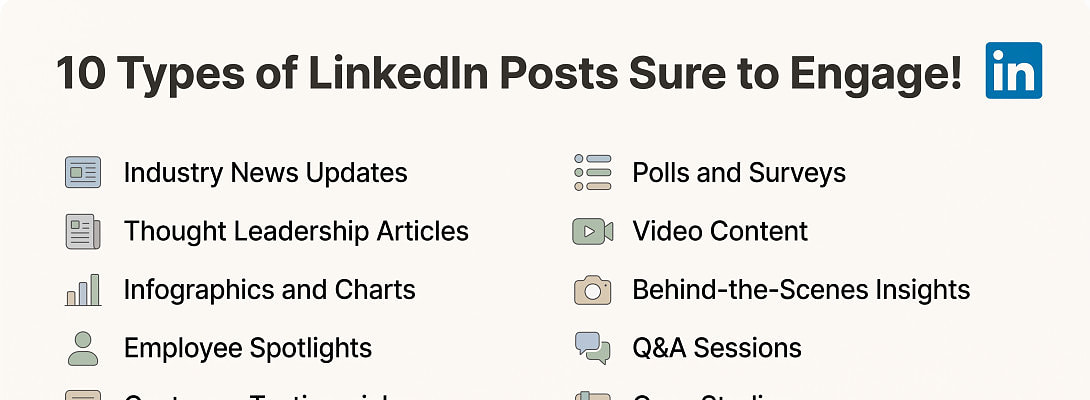
You post on LinkedIn, refresh later, and hear only digital crickets. Painful, but common. A LinkedIn post sure to get engagement doesn't exist, because audience fit, timing, topic, and consistency all matter.
Still, stronger posts follow a few familiar rules: useful ideas, sharp hooks, native formats, and real conversations after publishing. These 10 formats give you practical material to test without treating every post like a lottery ticket.
Key Takeaways
- Useful posts earn better replies than vague motivational slogans.
- Personal lessons, opinions, tutorials, polls, and case studies give readers a clear reason to comment.
- Native documents and videos can keep people engaged on LinkedIn when they teach one focused idea.
- A post needs a sharp opening, clean formatting, and an intentional closing question.
- Track meaningful replies, profile visits, conversations, and leads alongside reactions and impressions.
LinkedIn Post Sure To Get Engagement: 10 Ideas Worth Trying
These formats are adaptable starting points, not magic spells. LinkedIn offers multiple native formats, including video, images, polls, and documents, as outlined in its guide to types of LinkedIn posts.
A personal lesson with a useful takeaway
Share a mistake, failed experiment, career wobble, or unexpected win. Set up the "before," explain what changed, then give one lesson someone can use today.
For example: "I spent three weeks promoting a new service before asking prospects what they needed. Their answers changed the offer." End with a focused prompt, such as, "What's one customer conversation that changed your approach?"
A respectful contrarian opinion
A clear opinion can wake up a sleepy comment section, provided you don't arrive swinging a foam sword. State your view, give a reason or example, then invite thoughtful disagreement.
Try: "Posting daily doesn't beat posting consistently if daily posts have no point." Or: "More followers don't always create better business results." Explain the business logic, then ask readers what metric they value most.
A step-by-step how-to post
Turn a task into a simple process. A content calendar, stronger opening line, niche research routine, or onboarding checklist all work well because readers can save and apply them.
Keep each step on its own line. Promise a realistic result, such as a repeatable way to plan a week's content in 20 minutes. For affiliate marketers, practical content can also support LinkedIn content for affiliate marketers without turning the post into an ad.
A document carousel that teaches one idea
Document posts can encourage people to pause and swipe when each page earns its space. Build an eight- to 12-slide PDF around one useful idea, such as "five ways to improve a first sentence."
Make the first slide promise a clear outcome. Use one point per slide, readable type, and a final slide that asks a relevant question. Your carousel isn't a tiny textbook in disguise, so resist cramming every thought into it.

A short native video with one clear point
Use native video for a quick lesson, a firm opinion, a product demonstration, or a behind-the-scenes explanation. Lead with the point instead of spending 15 seconds saying hello to the camera.
Captions help viewers follow along when sound isn't practical. Keep the video focused, then finish with a question that invites a real answer. Uploading directly gives people the lesson before asking them to leave the platform.

A focused poll with a follow-up conversation
A poll works best when it covers a real decision or habit. Ask online business owners whether they struggle more with choosing a niche, publishing consistently, or turning traffic into email subscribers.
The poll is only the opening move. Share what surprised you after it ends, add your own perspective, and reply to voters. A bland popularity contest may collect taps, but it rarely reveals something useful.
A behind-the-scenes progress update
Show work in progress. Share a content system you're testing, a website improvement, a campaign result, or a lesson from building an online business.
Use numbers when they add context, but don't post a hollow victory lap. Mention what happened, what you learned, and what you'll test next. People connect with honest progress because it has rough edges and fewer parade balloons.
A customer, client, or community success story
A good case study begins with a real problem, explains the action taken, and gives a measurable result when available. It should leave readers with a method they can adapt.
Get permission before naming anyone. Avoid inflated claims, and keep the spotlight on the process. This style also suits creators who are building authority for B2B affiliate sales.
Ready to put this into action?
Start your free journey today — no credit card required.
A curated resource list with personal commentary
Share a small set of tools, books, podcasts, templates, or lessons that helped you solve a particular problem. Add a sentence for each item explaining who benefits and why.
"Five tools I use" is weak if it becomes a link dump wearing a nice jacket. "Three resources that helped me write clearer product tutorials" gives readers a reason to care and shows your point of view.
A specific question that reveals audience needs
A well-built question produces comments and future post ideas. Ask about a genuine obstacle, choice, or goal: "What's the hardest part of creating content consistently when you run a small business?"
Skip closers like "Thoughts?" They put all the work on the reader. Ask for an example, a preference, or a practical lesson so people know exactly how to join in.
How to Turn LinkedIn Post Ideas Into Real Engagement
A strong format won't rescue a weak post. The small choices around the idea decide whether a busy reader stops or keeps scrolling toward the next meeting invite.
Write a hook that earns the click to see more
Your first two lines carry a lot of weight on mobile. Open with a surprising result, a precise number, a bold but supportable claim, a relatable problem, or a sharp question.
Make the promise clear, then deliver it. "I stopped using this sales tactic and booked better calls" can work if the post explains the tactic and the lesson. Drama without substance wears out its welcome fast.
Make every post easy to scan
Use short paragraphs, generous line breaks, plain language, and one main point. Text-only posts can work well, but readers shouldn't need a treasure map to locate the takeaway.
Finish with one focused question. Add only a few relevant hashtags, if any. A pile of unrelated tags can make a thoughtful post look as if it escaped from a vending machine.
Use the first hour to start a real conversation
Stay available after publishing when you can. Reply to early comments with useful answers, context, or a follow-up question that keeps the exchange moving.
Also comment thoughtfully on relevant posts before and after you publish. Generic praise adds little. A specific perspective, example, or respectful disagreement gives people something worth responding to.
The comment thread often reveals more about audience needs than the reaction count ever will.
Build a steady posting rhythm and test the results
Start with two to five quality posts a week, then adjust for your capacity and audience response. Consistency beats a frantic burst of posts followed by three weeks of tumbleweeds.
Track comments, saves, profile visits, meaningful conversations, and leads. LinkedIn lets members review post analytics for their content, including results across formats. Test one variable at a time, such as the hook, topic, format, or posting time.
LinkedIn Engagement Mistakes That Quiet Good Posts
Low engagement doesn't always mean the idea was bad. Sometimes the opening missed, the format didn't fit, or the follow-up vanished faster than free office snacks.
Leading with a sales pitch instead of a useful idea
Readers scroll past constant promotion because it asks before it gives. Teach a lesson, share evidence, or start a useful discussion before mentioning your offer.
Connect your service or product to a real problem. For more guidance on a value-first approach, see professional affiliate marketing on LinkedIn.
Adding an external link too early
Put the core lesson in the post first. Native content creates a smoother reading experience, while a link should earn its place by offering a useful next step.
LinkedIn tracks visits to links within post analytics, so links aren't forbidden fruit. Still, use them with care when you're using LinkedIn to promote a website, and don't make every post a detour sign.
Using vague prompts and ignoring comments
"Thoughts?" usually earns the same energy as a group chat message at 6 a.m. Ask for a choice, a lesson, or an example instead.
Then reply. A thoughtful answer can turn one comment into a useful thread and show future readers that a person, not a content vending machine, wrote the post.
Posting randomly without a clear point of view
Pick two or three themes that match your profile, audience, and business. A freelance designer might focus on brand strategy, client lessons, and workflow systems.
That structure helps people recognize why they should follow you. Without it, your feed can feel like a drawer full of unrelated socks, interesting but hard to pair.
Frequently Asked Questions
How long should a LinkedIn post be?
Write until you've made the point, then stop. A short opinion may need a few lines, while a useful tutorial can run longer if every section carries its weight. Clear structure matters more than a magic character count.
Should every LinkedIn post include an image or video?
No. A focused text post can start a strong conversation. Use an image, document, or video when it makes the lesson easier to understand, not because an empty graphic needs a job.
Are LinkedIn polls useful for audience research?
Yes, if the choices reflect a real problem or decision. Poll results are more useful when you read the comments, ask follow-up questions, and share what you learned afterward.
How can I tell if engagement is valuable?
Look beyond impressions and reaction counts. LinkedIn's analytics can include reactions, comments, saves, sends, reposts, and link visits, as described in LinkedIn's post analytics documentation. Match those signals to conversations, profile visits, and leads.
What should I do if a good post gets little engagement?
Don't delete it in a panic. Review the hook, the clarity of the point, the audience fit, and whether you stayed around to reply. Then reuse the idea later with a different format or opening.
Put the Conversation First
The best LinkedIn posts pair a useful idea with a human voice and a clear reason to respond. A LinkedIn post sure to get engagement is a tempting promise, but usefulness and follow-through are more reliable habits.
Choose one format this week, write a sharper hook, and stay present after publishing. Track the quality of replies, not only vanity metrics, because a good conversation can lead somewhere real.
Share this insight
This conversation is happening inside the community.
Join free to continue it.The Internet Changed. Now It Is Time to Build Differently.
If this article resonated, the next step is learning how to apply it. Inside Wealthy Affiliate, we break this down into practical steps you can use to build a real online business.
No credit card. Instant access.