Workona Browser Tab Manager - Get Productive and Organized Today!
Hey WAmily,
I hope you are having a fantastic weekend. If you have been struggling with productivity like yours truly, you are not alone in this battle.
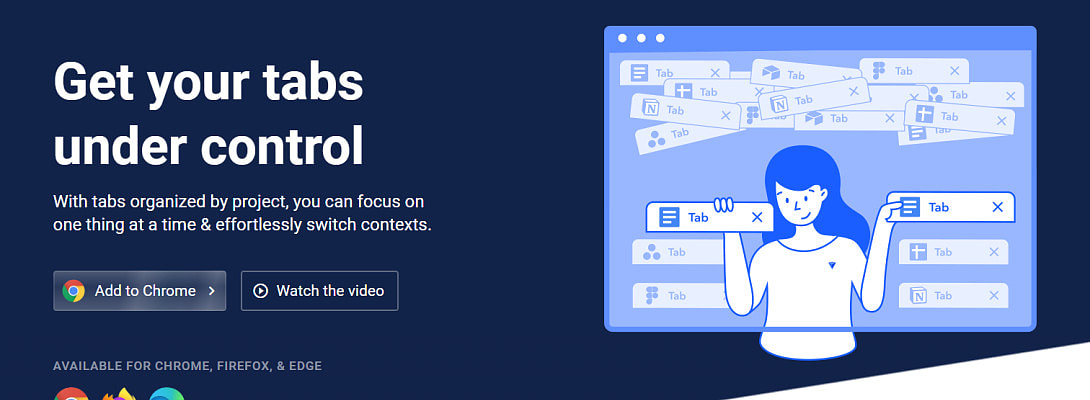
I think I may have found one of the best things since chocolate peanut butter. It is called Workona, and it is a browser extension. It is so amazing that it can be used for various things. It is going to be a game-changer because I can already see a difference in my productivity. It takes some getting used to, but you soon feel comfy around it.
First, you can group your tabs into sessions, which is great because you won't get distracted like I often do by checking emails throughout the day. So, I have what they call a workspace for various task types. In each workspace, I have a specific set of tabs that I use, over and above my pinned tabs, which must always be open. I use one session for checking emails, WhatsApp, and a few odd temp tabs I sometimes use for researching some things quickly, etc. Another with all my apps and AI apps to do with writing. Another for tabs related to video creation, like B-roll sources, B-roll creation, editing, AI apps, and so on. Another for our eCommerce businesses and the most relevant tabs for that. And so on and so forth and what have you!
All you need to do is select a workspace, and voila, your current tabs get hidden and your new set of tabs replaces the old one. This way, my email tabs get hidden so that I am not tempted to check them every 10 minutes, yes, that is what literally happens. Not always so frequently, but often.
Workona also has quite a few other powerful features. I don't know all of them well yet, maybe I will write another article about the other features later, once I have learned more about them and have a bit more experience. So, if you are in the same boat, don't hesitate to search for Workona in your Chrome Web Store or whichever browser you are using. It works on Chrome, Firefox, and Edge. It not only helps you be more focused and less distracted, but it also saves a lot of RAM and is therefore more LAMB on your system resources, which is really nice!
Tell me in the comments what you think about this cool new tool, and don't be a fool to overlook this boon... 😃 Try it out today, and don't wait until Friday!
Join FREE & Launch Your Business!
Exclusive Bonus - Offer Ends at Midnight Today
00
Hours
:
00
Minutes
:
00
Seconds
2,000 AI Credits Worth $10 USD
Build a Logo + Website That Attracts Customers
400 Credits
Discover Hot Niches with AI Market Research
100 Credits
Create SEO Content That Ranks & Converts
800 Credits
Find Affiliate Offers Up to $500/Sale
10 Credits
Access a Community of 2.9M+ Members
Recent Comments
26
Hey Myra,
Thank you. Don't take too long by procrastinating now, that may be a sign that you need it. 😃
This sounds fantastic, Hein! I really need something like this :)
Does this help when we have to reboot, which means closing all tabs/windows? I have to reboot, cuz I lose my work processes.
Thanks
Teri
Hey Teri,
Thank you, yes I know I am not the only one. Yes, it usually is auto-saved but check the settings to ensure you have it optimized first. Then you can start grouping your tabs. I recommend that you watch their tuts first, so that you can get familiar with the different tools/features they have. I am definitely going to get the paid version, it is only $7 and has amazing extra benefits! 😃
Hi Hein!
It sounds very interesting! I will check this out because I sometimes get distracted by some of the others tabs that I have opened. Thanks for sharing this helpful tool!
Wishing you the very best!
Kind regards,
Nichola
Hey Nichola,
Thank you, and the same to you. I am sure you will find it useful. Just remember, there is a learning curve, so first try to watch all the tuts before you install the extension. Search on Google directly, and check out the website before the time. Have a marvellous weekend further!
Hey Romy,
Thank you. If you have had any problems with too many tabs or procrastination, etc. you will surely find this powerful tool useful. I am still learning the ropes, but it is going to be a game-changer for me and I am sure many others! Be sure to check out the tuts before you install it, as there is a learning curve.
Have a splendid weekend further!
Yeah now my basic solution was having two different browsers on the same pc! So when I work on a specific task, I have only one tab open! Anyway, I will give it a try!
This is much better than using two browsers, as that can quickly eat up your RAM memory. My computer has been faster since I started using it. Only having one tab open does not work for me, as I use a set of apps/tools in conjunction.
See more comments
Join FREE & Launch Your Business!
Exclusive Bonus - Offer Ends at Midnight Today
00
Hours
:
00
Minutes
:
00
Seconds
2,000 AI Credits Worth $10 USD
Build a Logo + Website That Attracts Customers
400 Credits
Discover Hot Niches with AI Market Research
100 Credits
Create SEO Content That Ranks & Converts
800 Credits
Find Affiliate Offers Up to $500/Sale
10 Credits
Access a Community of 2.9M+ Members

Good morning Hein,
Thank you for your blog post, it's appreciated.
It's always good to find tools that help us with our productivity, as I think it's an issue that many of us suffer with, especially when we work online. There are so many potential distractions online.
Workona certainly looks like it may be worth trying, I may give it a try at some point. I think it's good to have a rule to only check WhatsApp, email and others messaging platforms, twice a day, unless you are really waiting for a message. As once, we lose that flow, it takes time to get it back.
Thank you for the heads up, Hein, it's appreciated.
I feel a video coming on!
Have a fantastic day.
Roy
Hey Roy,
Thank you for your valuable feedback. You should try this tool, and then let me know your thoughts about it. Not only is it great if you have too many tabs like my 30+ tabs I had before this, but it also keeps you focused on only the task at hand.
Thank you, Hein, it's always interesting to see how others manage their workflow, etc. I will give it a try at some point in the year future. Was it easy to set up and a straightforward learning curve?
I do find it amazing how quickly tabs mount up! Right now, I have 54 tabs open, spread between three monitors! Although, I quickly know where to find the right webpage.
I do like the idea of being focused on the task at hand, that definitely sounds good.
Roy
54 tabs at once, no that is out of control! You really need this app.
There is a learning curve, but you can watch all the short tutorial videos to get familiar with it more quickly. Here is the link below:
https://workona.com/training/videos/
Once you're done with those, which should not take longer than a few minutes, you can install it on your browser and slowly start organizing your tabs into workspaces. Try to keep relevant tabs together like I explained in my original post above. You could make a list in a notepad or somewhere to decide which tabs you want together in their own group and then start organizing your browser into a powerhouse workstation. Let me know how that goes, maybe you could make a video about it soon.
It can go up to about 70, but I do find that Chrome can potentially start acting up, at that number of tabs! I also use something called "Session Buddy", which but your tabs into various groups, which can be named and is also very useful and helpful feature.
Thank you for the video link, Hein, I need to have a look at this and give it a test out. Although, I have several things on a moment, so it won't be immediately. I'm always looking of ways to streamline efficiency, etc!
Roy