Creating a Static Page


Published on February 16, 2026
Published on Wealthy Affiliate — a platform for building real online businesses with modern training and AI.
A member who recently joined posed a question in chat "Hi everyone! i need a little support. I don't see anything to create a static page on WordPress settings-reading, all my post are on feed. It's not clear on WordPress All Pages (screenshot attached). which is unclear. Could someone please explain what I must do there? How can I make a static page and why am I not seeing one? There was already a static page for Kyle's core training video." with this image: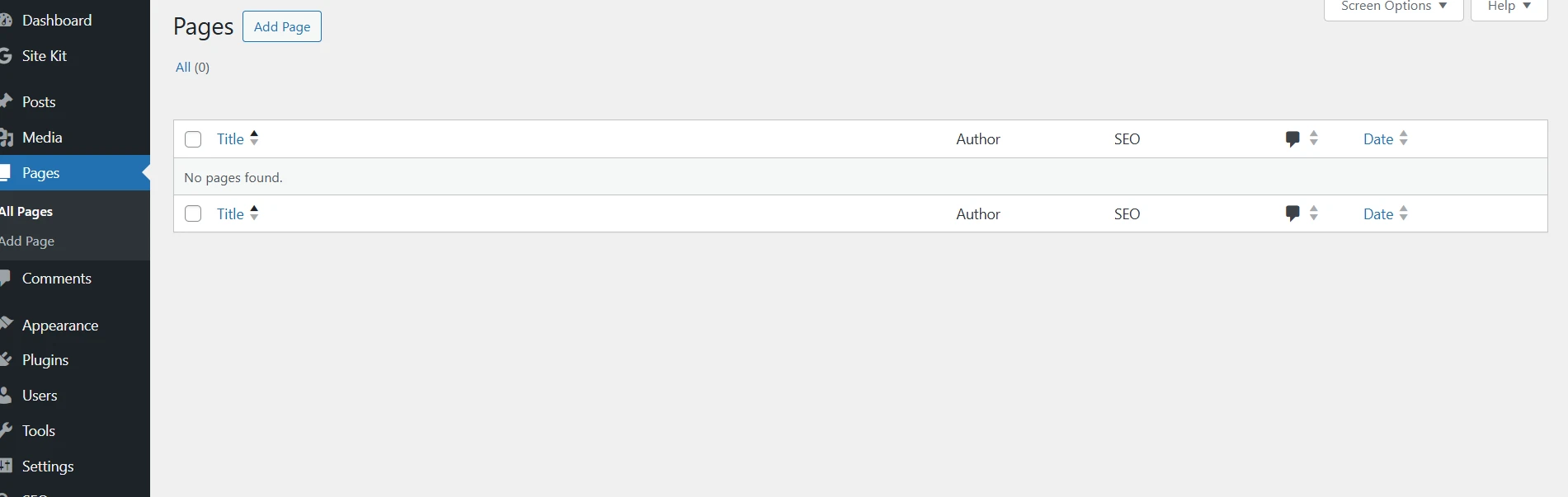 For comparison this is what part of my Pages directory looks like:
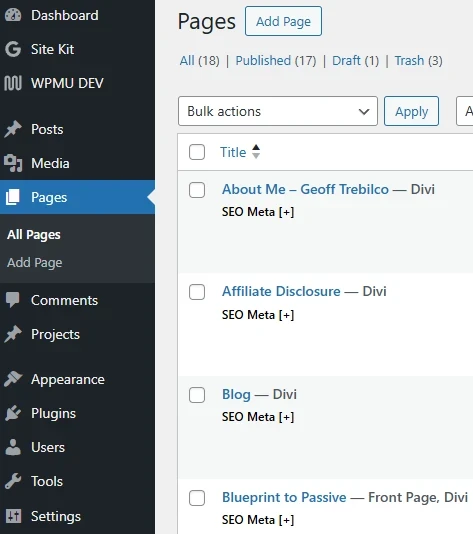 Ignore the Divi as that is the theme I am using. The page Blueprint to Passive is my static home page.
It raises a number of points which I thought appropriate for a blog post rather than try to reply in the chat.
We have all been there and have learned on the way. What is a post and what is a page?
Ready to put this into action?
Start your free journey today — no credit card required.
In WordPress, posts are usually blog entries that appear in date order and are meant to be added to regularly.
Pages are for more permanent content like your Home, About, or Contact page.
To set a static homepage, WordPress needs you to choose a page, not a post so you may need to create a page first and then assign it as your homepage in Settings → Reading in Appearance → Customize → Home Page Settings.
Another "trap" a lot of us have fallen into is publishing from the Article Designer/Content Creator here in WA forget to select the publish as a page option instead of the default publish as a post option. Now if that occurs a post can easily be changed to a page using a plugin such as Post Type Switcher - see Eric Cantu's video https://my.wealthyaffiliate.com/ericcantu/blog/how-to-change-a-post-to-a-page-and-vice-versa-in-wordpress
Hope that helps
Cheers
Geoff
Share this insight
This conversation is happening inside the community.
Join free to continue it.The Internet Changed. Now It Is Time to Build Differently.
If this article resonated, the next step is learning how to apply it. Inside Wealthy Affiliate, we break this down into practical steps you can use to build a real online business.
No credit card. Instant access.