A New Spin on Live Help at WA!


Published on March 10, 2015
Published on Wealthy Affiliate — a platform for building real online businesses with modern training and AI.
Hi Everyone,
We have just rolled out an update to one of the most widely used aspects of Wealthy Affiliate and we're really excited about it. Live Chat has been updated, improved, and redesigned to make it more accessible, more compatible with mobile, and offer an overall a better experience!
Accessible from Everywhere!
Live chat is now available in a pop-out from the main menu.
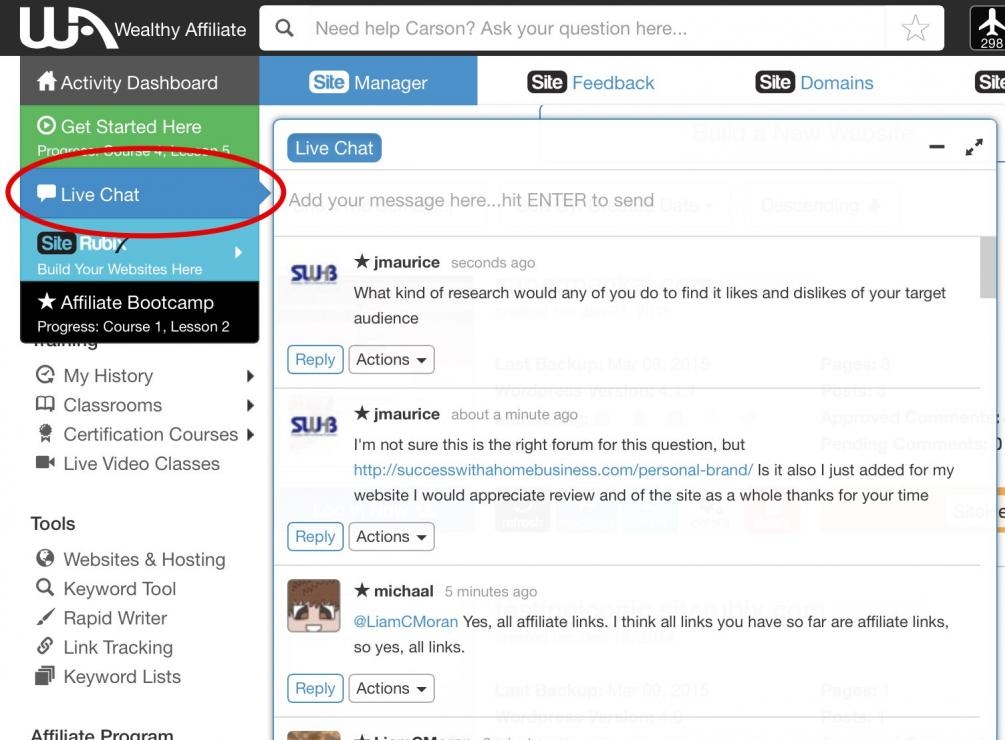
This makes it easy to stay involved in chat while working on your training, websites, or other aspects within WA! Just click on the Live Chat button and you can open and close the chat pop-out from the side. Click the Live Chat button again to hide, or click the "minus" icon in the top right hand side.
We've also given Live chat a memory. This means that you can start typing a message and stop before sending it and we will remember what you typed. Whether you go to another page in WA, or turn your computer off, or move to your mobile device, your unsent message will remain there for you so that you can finish it off.
This is a feature that I will make a lot of use of because I frequently browse to pages to find training so that I can give a link to folks in live chat. Now I won't have to worry about losing what I've already typed.
Ready to put this into action?
Start your free journey today — no credit card required.
Designed for Mobile
One of our focuses was to offer a better Live Chat experience on mobile devices. On iPhone, iPad, or other mobile devices you now have a clutter free experience that just works!
Accessing the mobile version of Live Chat on your mobile device is easy and can be accessed in two ways.
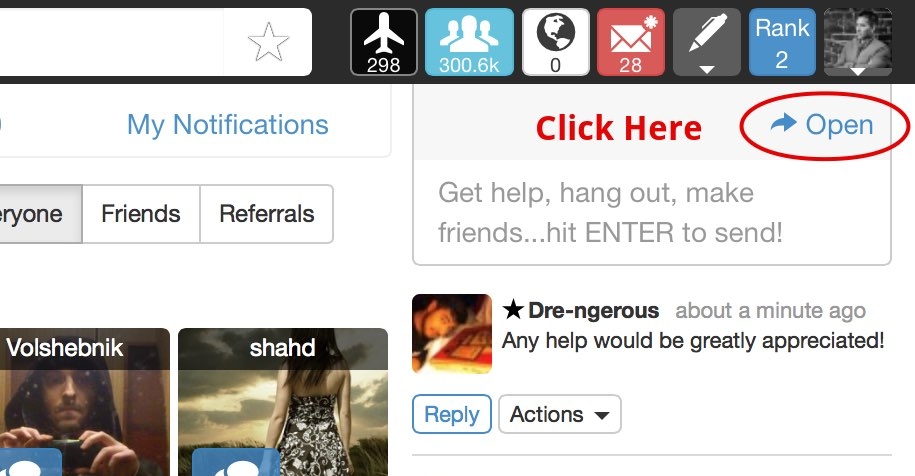
1 - Click the "Open" link from the dashboard chat which will open the Live Chat in a mobile friendly window.
2 - Click the "Live Chat" button from the main menu, and within the pop-out click the "Expand" link. This will also open the mobile friendly window.
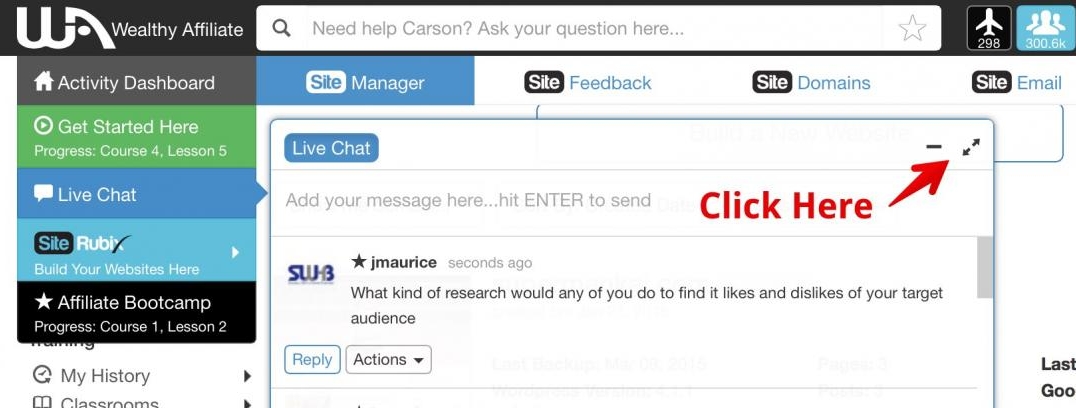
Of course, if you're on a non-mobile device and want to focus on the live chat, you can open it in the same ways as mentioned above and see a full screen live chat, distraction free.
With this update to Live Chat we've made some subtle updates, along with some important improvements that we think will make getting help and communicating with others a much better experience!
So, give Live Chat a try by clicking the "Live Chat" button in the main menu. Try it on your computer or mobile device and see how you like it! We would love to hear what you think.
Have a great day!
Carson
Share this insight
This conversation is happening inside the community.
Join free to continue it.The Internet Changed. Now It Is Time to Build Differently.
If this article resonated, the next step is learning how to apply it. Inside Wealthy Affiliate, we break this down into practical steps you can use to build a real online business.
No credit card. Instant access.