Create a HTML Mailto image link using wordpress
Published on November 11, 2015
Published on Wealthy Affiliate — a platform for building real online businesses with modern training and AI.
Adding a mailto html link can be useful if you want your visitors and customers to easily contact you. This creates a sense trust and reassurance.
This is short tutorial how on to create a clickable HTML "mailto" image link using wordpress.
Step One:
Upload your image to a hosting location...in this example let's use our media folder at Wordpress.
Step Two:
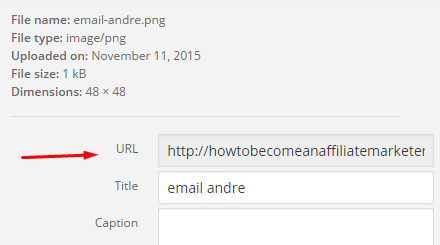
Copy the image URL of the desired email image
Ready to put this into action?
Start your free journey today — no credit card required.
Step Three:
Add the email command before your image file like this;
<a href="mailto:youremail@yourdomain.com">
Step Four:
Add the get image command and image link right after the email command with double quotes, so it would be;
<img scr="your image URL"/></a>
If all is in place, the final HTML code to place inside your Wordpress text should be;
<a href="mailto:youremail@yourdomain.com"><img src="your image URL"/></a>
...and that's it!
Send me an email if you are still having issues or have a question and of course if you found this little tutorial useful, punch that like button :)
Share this insight
This conversation is happening inside the community.
Join free to continue it.The Internet Changed. Now It Is Time to Build Differently.
If this article resonated, the next step is learning how to apply it. Inside Wealthy Affiliate, we break this down into practical steps you can use to build a real online business.
No credit card. Instant access.