How to attribute the owner to a "free" picture


Published on March 3, 2017
Published on Wealthy Affiliate — a platform for building real online businesses with modern training and AI.
Somewhere in the midst of my comments there were some posts about how to correctly attribute the owner to a picture and I knew I had seen how to do it somewhere in Wordpress but I could't repeat it again. Anyway 2 days ago I discovered it again when loading pictures to Wordpress.
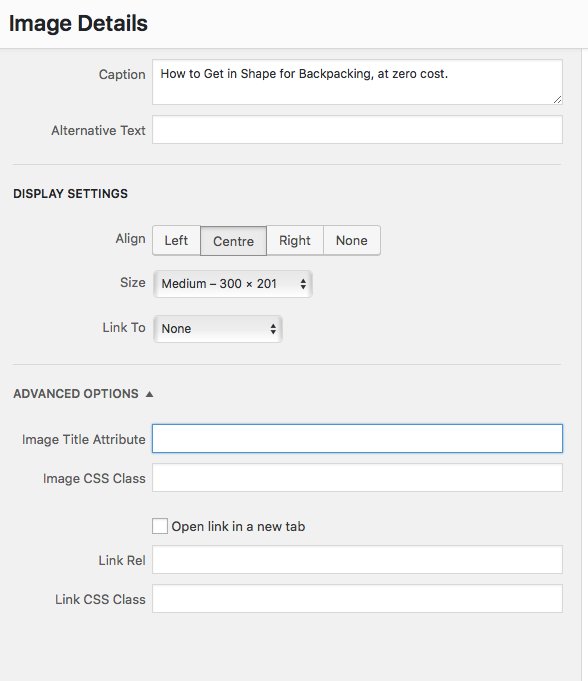
The you insert a picture into a Wordpress page you should click on that image. The click on the little pencil sign to edit the image. If it is not already showing Advanced features, click on the advanced features arrow at the bottom of the edit frame. Towards the bottom you will a box entitled "Image Title Attribute". That is where I believe we should put the author/owners information.
Hope this helps. To your success.
Alan
Share this insight
This conversation is happening inside the community.
Join free to continue it.The Internet Changed. Now It Is Time to Build Differently.
If this article resonated, the next step is learning how to apply it. Inside Wealthy Affiliate, we break this down into practical steps you can use to build a real online business.
No credit card. Instant access.