JPG VS. PNG - Fast or Slow Transparent or No?


Published on July 31, 2022
Published on Wealthy Affiliate — a platform for building real online businesses with modern training and AI.


I may be showing my ignorance with this blog, but if my lack of knowledge helps just one person, it is well worth it.
Did you know that the type of images on your website makes a difference in your Google rankings?
If you do, then you are way ahead of me. I have been doing affiliate marketing for maybe 6 years now, and it never ceases to amaze me how much there is to learn.
More than likely, I heard about images somewhere, but it slipped my mind, and today I replaced 103 images on a new website I created a month ago.
So Here It Is:
Ready to put this into action?
Start your free journey today — no credit card required.
Suppose you use Canva to create images which I love to create, so Canva is my best friend. But Canva will automatically download your images as png. So, all the images I made for my new website were in PNG. NOT, good, not at all!
In light of this, I spent one-day making new jpg images.
I am attaching a comparison chart for JPG vs. PNG to help clarify my point.
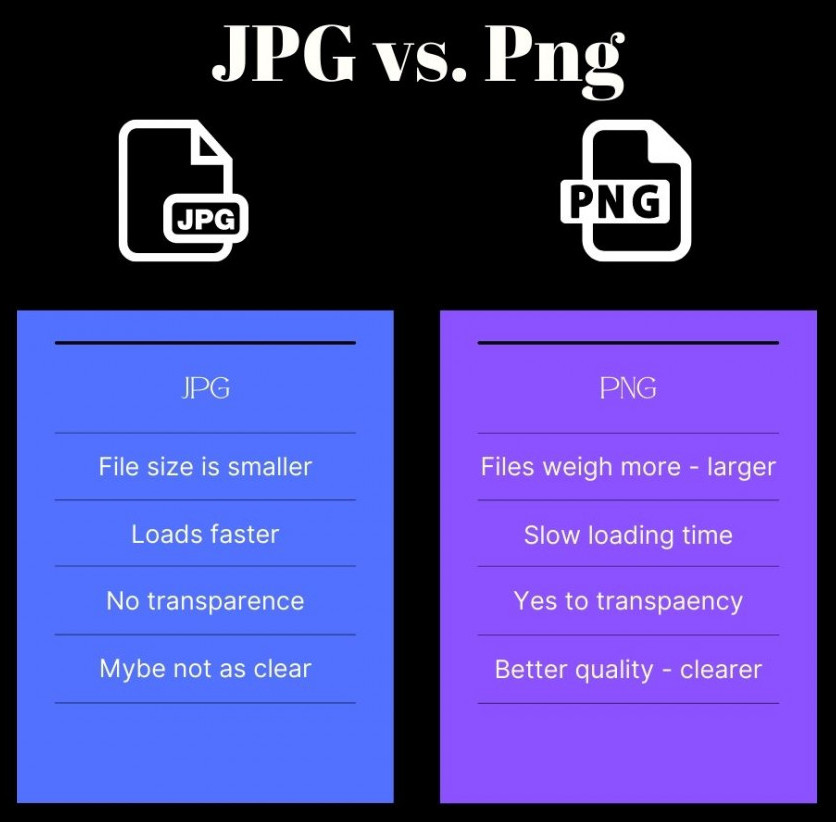
In a nutshell, JPG loads faster and helps with the speed of your website. PNG has more clarity but is too large. You can make transparent backgrounds with PNG but not with JPG.
So if you need a transparent logo or image of yourself, by all means, use PNG but don’t get carried away with it as I did.
Happy Sunday, my friends.
Laura
Share this insight
This conversation is happening inside the community.
Join free to continue it.The Internet Changed. Now It Is Time to Build Differently.
If this article resonated, the next step is learning how to apply it. Inside Wealthy Affiliate, we break this down into practical steps you can use to build a real online business.
No credit card. Instant access.