How I Publish a Book for Free Using Reedsy (Step-by-Step Guide)


Published on July 12, 2025
Published on Wealthy Affiliate — a platform for building real online businesses with modern training and AI.


Morning fam, happy Saturday!
I thought I’d put together a step-by-step guide on how I format and finalize my books using Reedsy. A few folks have been asking lately, and honestly, I’m glad Mel started posting about it it fired me up again. Might be the start of a second wind for my book journey.
Now I’m still learning the audiobook side of things myself, but when it comes to prepping a book for Kindle or print, this is how I personally use Reedsy. If you're just getting started, or even just curious about self-publishing, this might save you a bunch of time and headaches.
But before we dive into the steps, I want to say something real.
Anyone can slap together an AI-generated book and toss it on Amazon and a lot of people are doing exactly that right now. But what actually makes a book worth reading… is you. Your voice. Your time. Your effort. Your heart.
Nobody wants to read something that feels robotic, soulless, or recycled unless it’s a straight-up how-to manual. And even then, clean it up and make it make sense.
Every book I’ve published has gone through hours (sometimes weeks) of editing, reshaping, and honest reworking. When I finally hit publish, it’s because I know I gave it everything I had in that moment.
So if you’ve ever wanted a clean, simple, free way to format your book this is the tool I’ve used since day one. It’s worked like a charm for all my Bigfoot, survival, and paranormal titles.
Let’s dive in.
What Is Reedsy (And Why I Use It)?
If you haven’t heard of Reedsy yet, here’s the quick rundown:
Reedsy is an all-in-one publishing platform made for authors. You can write, edit, format, and export your book all in one place, with no need to buy expensive software.
You also get access to a marketplace of vetted professionals (editors, designers, marketers) if you ever want help later. But the book editor the tool I use most is totally free. That’s what I’m going to walk you through today.
It’s all cloud-based too, so your work is auto-saved, and you can export clean EPUBs for Kindle or print-ready PDFs with just a few clicks.
Now here’s exactly how I used Reedsy to format my 11th book step by step.
Step 1: Create or Upload Your Book
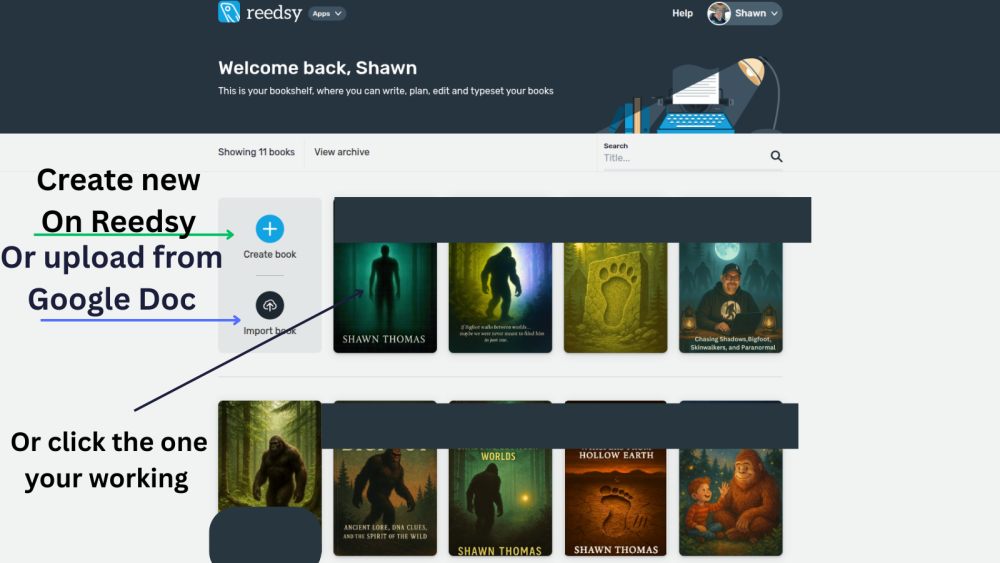
Once you’re logged into your Reedsy dashboard, you’ll see your bookshelf with all your current projects.
Right away, you’ve got two options:
- Create book — to build your manuscript inside Reedsy
- Import book — if you’ve already written it in Google Docs or Word
Ready to put this into action?
Start your free journey today — no credit card required.
💡 Tip: Just download your Google Doc as a .docx file and upload it directly. Reedsy handles the rest.
In my case, I’m uploading my 11th book, so I just clicked on it and hit “Continue writing.”
Step 2: Add Chapters and Structure Your Manuscript
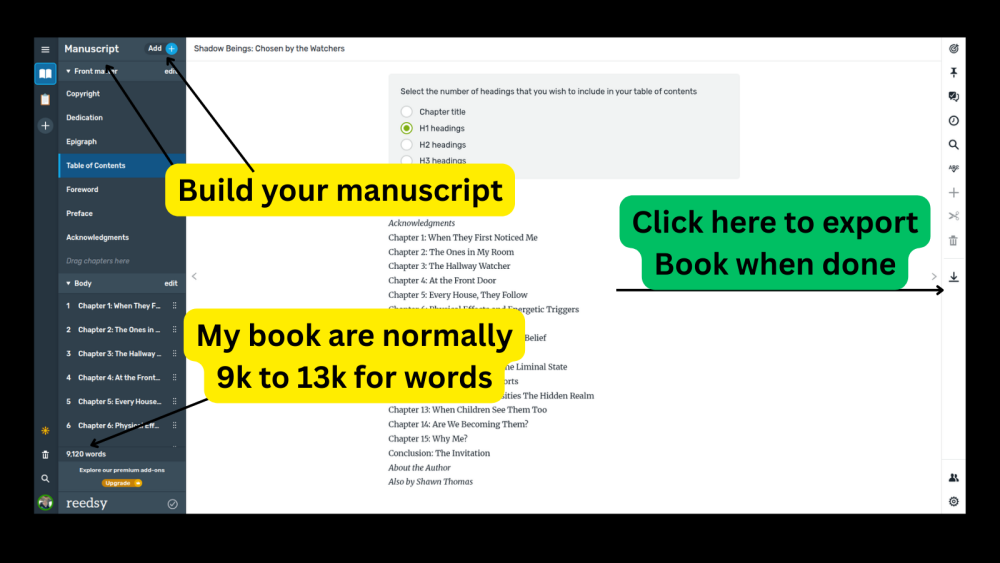
Once inside, you’ll be in the Manuscript Editor.
On the left-hand side, there’s a full menu where you can:
- Add front matter like copyright, dedication, epigraph
- Create and reorder chapters
- Drop in a table of contents (Reedsy auto-generates this based on your headers)
You can drag and drop any section. Super smooth. This setup also builds out the structure for your exports, so you don’t have to mess around later.
Step 3: Export Your Book
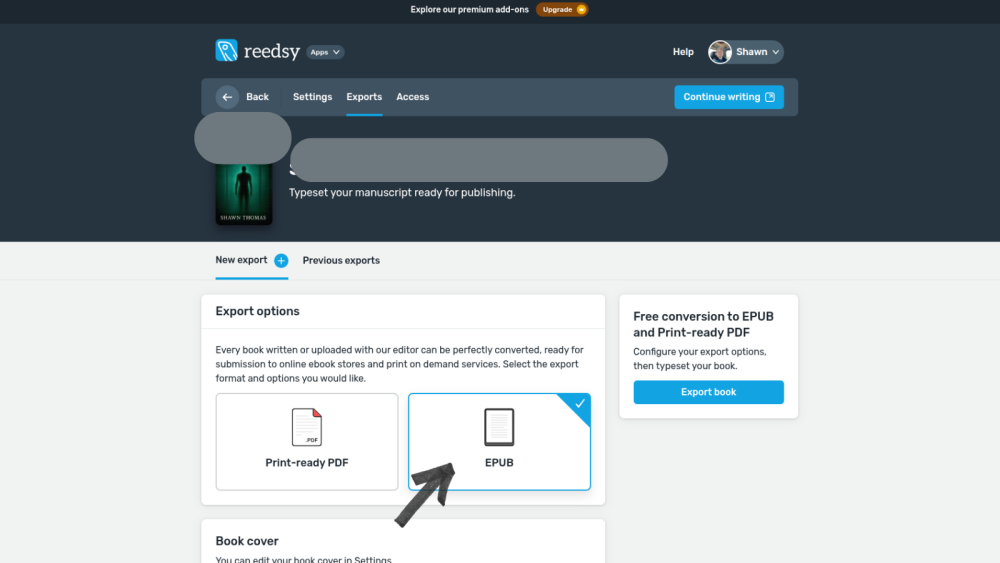
When you’re ready to format your book, click the “Export” tab at the top.
You’ll land on the Export Options page where you choose:
- EPUB — for Kindle and ebook stores
- PDF — for paperbacks or print-on-demand
For this run, I picked EPUB first then went back after and exported a PDF version too.
Step 4: Choose Your Formatting Style
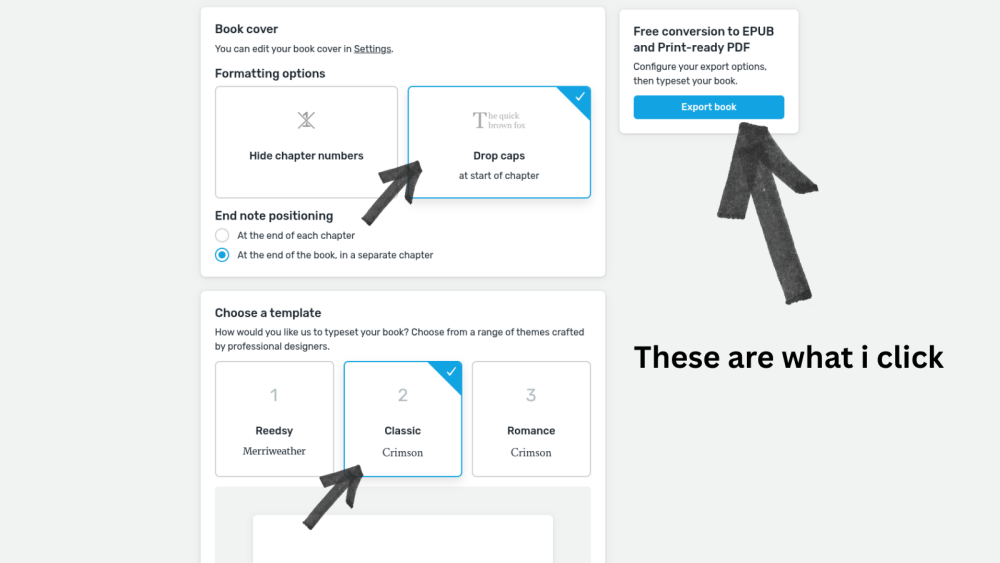
Once you choose your format, Reedsy gives you a few style options. Here’s what I use:
- Drop caps at the start of each chapter (looks clean)
- Classic template with Crimson font (my go-to)
- Keep endnotes at the end of the book
- I hide chapter numbers unless I’m doing a print edition
Then hit “Export book” and it’ll process your file.
Step 5: Download and You're Ready to Go
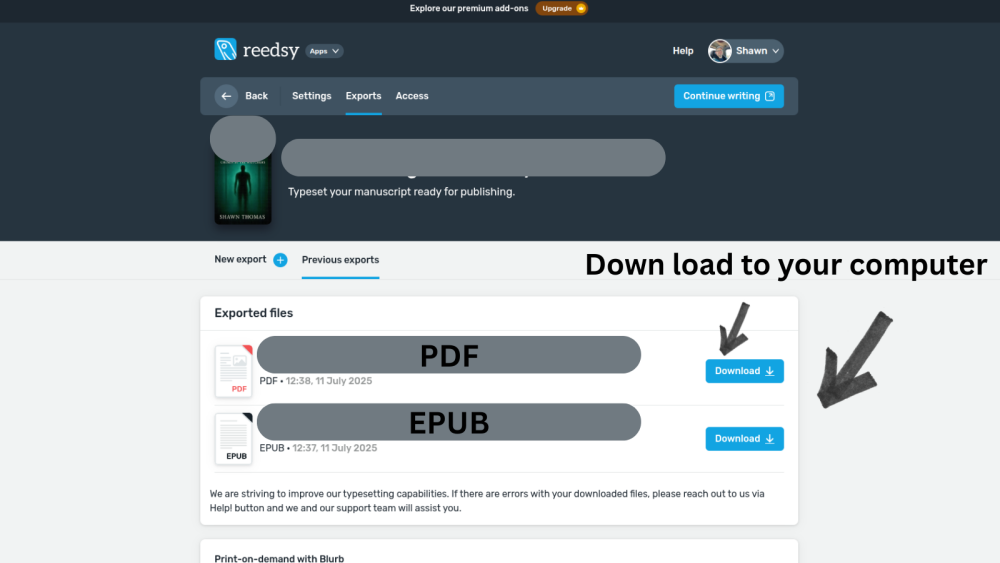
After the export finishes, go to the Previous Exports tab. From there, you can download both your:
- EPUB file — ready for Kindle
- PDF file — ready for paperback platforms like KDP
Boom. Done. You’ve got professional files ready to publish and you didn’t pay a cent for formatting.
Final Thoughts
So that’s my full process using Reedsy the same one I’ve used to format all 11 books I’ve published so far. It’s clean, it’s free, and it gets the job done whether you’re just starting out or pushing toward something bigger.
Later today, I’ll be posting a follow-up on how I upload everything to KDP, including the exact steps I take to go from file to published. That’ll be live around 10AM, so if you’re getting close to publishing or just want to see how someone else does it, I hope it helps.
Now just to keep it real I’ve made $89 from those books so far. Not life-changing, but also not nothing. I’m proud of it. That number will grow in time, and the foundation I’m building now is what makes the long game possible.
That said, I’m also ready to learn more and level up. I’m starting to explore Mels’ tools next, and I’m excited to test out new formats and strategies. On top of that, I’m starting an offline book project later today something built with Adobe that I’ll be marketing directly to real bookstores.
This whole thing is still evolving for me, and maybe it is for you too. If you’ve got questions, ask. If you’re just here to watch and learn, that’s cool too.
👣 Stay wild and keep creating,
Shawn
Share this insight
This conversation is happening inside the community.
Join free to continue it.The Internet Changed. Now It Is Time to Build Differently.
If this article resonated, the next step is learning how to apply it. Inside Wealthy Affiliate, we break this down into practical steps you can use to build a real online business.
No credit card. Instant access.