AI help to speed up your computer


Published on August 30, 2026
Published on Wealthy Affiliate — a platform for building real online businesses with modern training and AI.

Before You Buy a New Computer, Ask AI If You Can Upgrade the One You Have.
A few days ago, I was seriously considering whether my laptop was simply getting past its best.
It was becoming slow, I tend to have a lot of browser tabs open, and with the amount of work I now do online, that was becoming increasingly frustrating.
The obvious answer seemed to be:
Maybe it's time for a new laptop.
But instead of immediately spending hundreds of pounds replacing it, I decided to ask ChatGPT whether there was anything I could do with the computer I already had.
What followed was actually a really interesting example of how useful AI can be for solving an everyday problem.
First Question: Can My Laptop Actually Be Upgraded?
I simply asked it what details it needed, it guided me, I screenshot the details and it read them:
I started by showing ChatGPT the System Information from my laptop.
It could see that I had an ASUS Vivobook with:
Intel Core i5-1235U processor
8 GB RAM
Windows 11
The important part was the memory.
We then looked at Task Manager and discovered something significant.
My laptop had 8 GB of RAM, but it was regularly using around 90% of it.
That immediately suggested that the laptop itself wasn't necessarily the problem.
The lack of memory could be the bottleneck.
So instead of replacing the whole computer, the question became:
Can I increase the RAM?
Is It Worth Upgrading From 8 GB to 16 GB?
This was probably the most important question.
ChatGPT explained that for the way I use my laptop—lots of browser tabs, ChatGPT, websites and several programs running simultaneously—moving from 8 GB to 16 GB could make a noticeable difference.
It wasn't going to magically turn the laptop into a brand-new high-end machine.
But if RAM was the thing slowing it down, doubling it could give the laptop a new lease of life.
That sounded considerably better than immediately spending £500 to £700 or more on another computer.
What RAM Did I Actually Need?
This was where AI became particularly useful.
Buying computer memory isn't quite as simple as searching for "8 GB RAM."
There are different types, speeds and physical formats.
We established that I needed an 8 GB DDR4 SO-DIMM laptop memory module, and eventually narrowed it down to the appropriate specification.
I started sending ChatGPT screenshots of RAM I found online.
Some looked right but weren't.
At one point I found DDR3 memory.
My question was simply:
"Is this okay?"
The answer was no. It was the wrong generation of memory.
Another was DDR4 but running at 2400 MHz.
Again, we checked it.
Eventually I found a Samsung 8 GB DDR4 3200 MHz SO-DIMM module.
That matched what we were looking for.
New, Used or Refurbished RAM?
This was another question I hadn't really considered beforehand.
I found used RAM on eBay for around £20–£30 as opposed to new at £80-£150+.
My immediate question was:
"Is it okay that it is used?"
The answer was essentially yes—RAM has no moving parts and used memory can be perfectly serviceable—but seller reputation, compatibility and returns were important.
That led to another question when I noticed:
Ready to put this into action?
Start your free journey today — no credit card required.
"It says returns not accepted?"
That made the cheap option considerably less attractive.
I continued looking and eventually found a refurbished Samsung module from an established seller with 30-day returns.
That gave me considerably more confidence.
For such a relatively inexpensive component, I didn't see much point saving a few pounds if I couldn't return it if it didn't work.
Then the RAM Arrived...
This was where things got interesting!
I had never done this before.
Rather than taking the laptop to a computer repair shop, I decided to see whether ChatGPT could guide me through fitting it, Ipad to the ready whilst I worked on my computer.
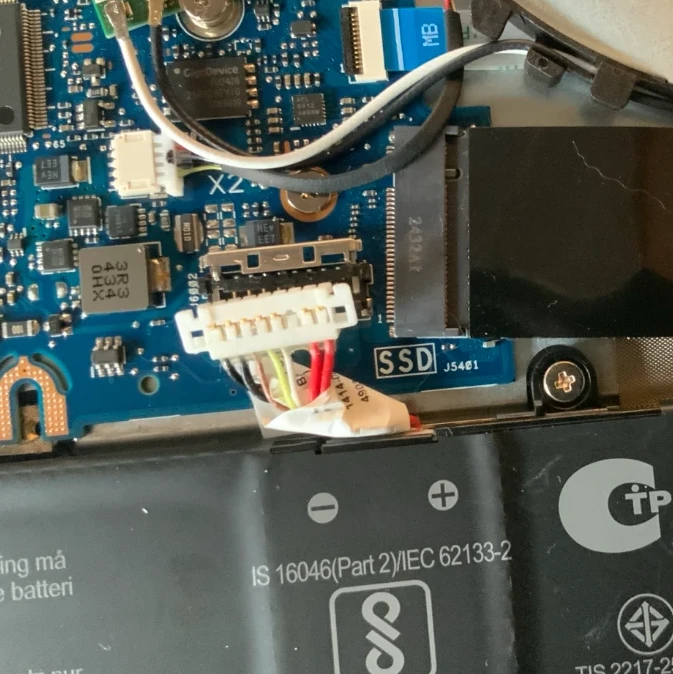
I removed the back cover and started sending photographs.
ChatGPT could look at the photographs and help me identify the battery, RAM area, connectors and other components.
At one point I asked:
"Which part slides down to disconnect?"
Then:
"It feels firmly stuck."
Rather than forcing anything, I could send another close-up photograph and check what I was doing.
That, for me, was one of the biggest advantages.
Normally when following a YouTube video or written guide, the computer in the tutorial might be slightly different from yours.
Here I could effectively say:
"This is what mine looks like. What do I do next?"
The Moment I Wasn't Sure
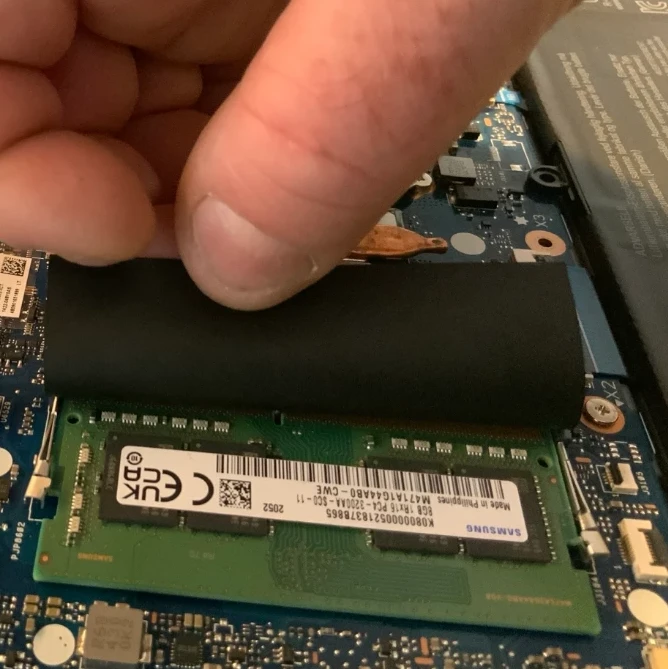
Once I had installed the new RAM, I wasn't convinced it looked right.
I asked:
"The RAM feels higher up, almost hovering this time, but secure. Does this look correct?"
Again, rather than guessing or pushing something that perhaps shouldn't be pushed, I could show ChatGPT a photograph.
Eventually everything looked secure.
There was only one way to find out.
I switched the laptop back on.
Did It Work?
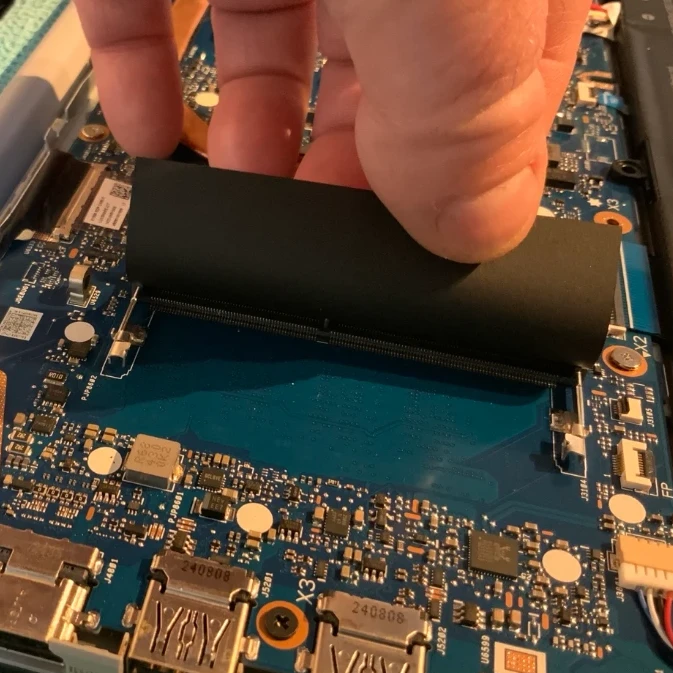
No, the first time I inserted it, put everything back together it hadn't. I reopened the back, disconnected the battery again, took out the RAM, slid it back in, took another photo for confirmation and then rechecked it: I opened Windows Task Manager and went to:
Performance → Memory
And there it was:
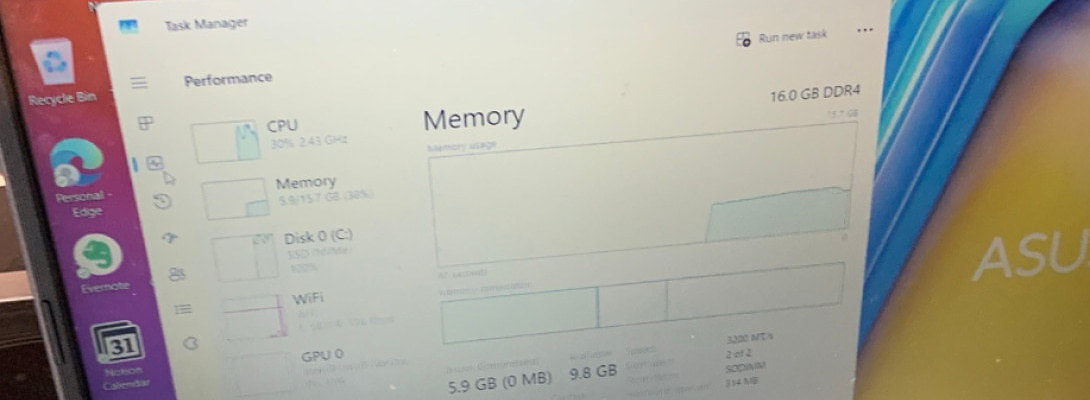
16.0 GB DDR4
More importantly:
Slots used: 2 of 2
Speed: 3200 MT/s
Success.
The laptop had recognised the additional memory perfectly.
Before the upgrade, I had been using roughly 90% of my available RAM.
Afterwards, with 16 GB installed, memory usage was sitting at roughly 38% in the screenshot I took.
That's a huge amount more breathing room.
What Did This Actually Cost?
Around £30.
Compare that with buying a completely new laptop.
Obviously, this won't work for everyone. Some laptops have soldered memory that cannot be upgraded, and sometimes a slow computer has completely different problems.
But that's really the point of this post.
Don't assume that a slow computer automatically needs replacing.
Find out what's actually causing the problem first.
The Questions I'd Ask AI Before Buying a New Computer
If your laptop or desktop is getting slow, these are roughly the questions I'd now ask:
- Here are my computer specifications. Is anything obviously limiting its performance? (if you're struggling to get them - ask ChatGPT how)
- How can I check whether RAM, processor, storage or something else is causing the slowdown?
- Can the RAM in my particular computer be upgraded?
- What exact type of RAM does it require?
- Would going from 8 GB to 16 GB make a noticeable difference for the way I use it?
- Can I show you a RAM listing before I buy it so you can check compatibility?
- Can you guide me through installing it safely using photographs of my actual computer?
I'd still recommend being careful. Back up anything important before working inside a computer, disconnect the power, follow appropriate anti-static precautions and never force a connector or component you're unsure about.
But the bigger lesson for me wasn't really about RAM.
AI Is Becoming My First Port of Call
This experience changed the way I think about problems like this.
A couple of years ago, I would probably have searched Google, watched several YouTube videos, become confused about which RAM fitted my laptop and perhaps eventually taken it into a computer shop.
Or I might simply have bought another laptop.
Instead, AI helped me:
Diagnose → Research → Compare → Buy → Install → Verify
And importantly, I could ask questions throughout the process whenever I wasn't sure.
The end result?
My existing laptop now has 16 GB instead of 8 GB RAM, plenty more headroom for the online work I do, and hopefully a considerably longer useful life.
All for around £30.
So if you're reading this on a computer that's beginning to struggle, perhaps don't start by asking:
"Which new laptop should I buy?"
Start with:
"Why is my current laptop slow, and can I upgrade it?"
You might be surprised by the answer.
Best Wishes
Peter
Share this insight
This conversation is happening inside the community.
Join free to continue it.The Internet Changed. Now It Is Time to Build Differently.
If this article resonated, the next step is learning how to apply it. Inside Wealthy Affiliate, we break this down into practical steps you can use to build a real online business.
No credit card. Instant access.