How to Adjust your YouTube Video's Screen Resolution to Auto Fit all Devices


Published on July 1, 2019
Published on Wealthy Affiliate — a platform for building real online businesses with modern training and AI.

A great way to make your post/page contents more user-friendly and engaging.
Or even boost SERP rankings slightly would be to incorporate your own video recordings, or embed an appropriate YouTube video into the contents of an article.
I'm sure some of you have YouTube video's already embedded into articles and the size of the video might seem a bit out of proportion on some devices viewing the post.
In any case, a smartphone would be the perfect example here. If your video appears fine on your laptop/desktop, but out of whack on your smart phone/tablet.
You could simple access a free tool that will convert the video to automatically fit within whatever computing device is rendering the particular post.
Website: Embed Responsively
Website URL: http:// embedresponsively . com
Cost: $0.00 (FREE)
Ready to put this into action?
Start your free journey today — no credit card required.
How to use: I have this page saved in my bookmarks bar and use it in every single article I create. Here's what you will need to do.
1) Search for embedresponsively . com
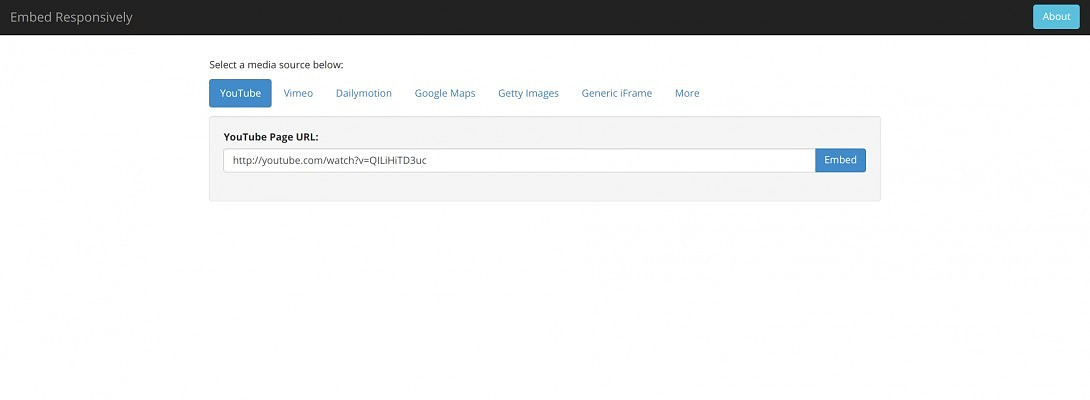
2) Using YouTube for this example. Copy the URL address at the top address bar section of the YouTube video. This will be in reference to the video wanting to convert.
3) Paste URL into the 'Embed' tool inside Embed Responsively. Making sure you have selected the YouTube converter, then simply click embed.
4) A page preview of the video will display beneath. So you'll know if you have the right video showing. Now all you need to do is scroll down a little. Copy the new embed code shown below the video preview.
5) Head over to the page / post where you want to insert the video. Make sure you paste the code into the 'Text' editor! Not the 'Visual' editor. If successfully added. Now click on the 'Visual' editor and it will display a miniature version of the YouTube video within the article.
6) To test the video you could hit preview and shrink the web browser to simulate a smartphone screen resolution. Or wait until you publish the article. Then grab your smartphone and see if the video fits into your screen resolution better. If it does, then success!
The goal here is to make our content as user-friendly as possible. Along with providing the best content you can deliver.
Now that you have a way to make your video's automatically adjust to the user's / visitors screen device, you can sleep easy knowing you're providing a better video, user experience.
I'm sure it will splash a little SERP juice for your smart phone page rankings. Don't quote me on that though.
If it is not working for you. Drop a comment. I'm sure there are other ways of making your videos adjust with a plugin for instance but who wants to be using heaps of plugins anyways.
This is how I've done my YouTube video's and haven't had a single issue over 10 months!
Thanks for reading, good day to you sir/madam...
Share this insight
This conversation is happening inside the community.
Join free to continue it.The Internet Changed. Now It Is Time to Build Differently.
If this article resonated, the next step is learning how to apply it. Inside Wealthy Affiliate, we break this down into practical steps you can use to build a real online business.
No credit card. Instant access.