Pinterest Pins Annotated keywords Updated


Published on December 4, 2025
Published on Wealthy Affiliate — a platform for building real online businesses with modern training and AI.


Hello WA,
I noticed that something has changed on Pinterest when searching for pin ideas, and I wanted to share it with you.
As @Jay taught us, I use “site:pinterest.com/ideas {your_keyword}” to investigate interest and then create pins.
What I just noticed is that the search results still show a list of pins, but when you open any of them, the annotated keywords are gone and only the pin title appears. I’m not sure if this is a new update or something specific to the EU market.
What I did was click the “…” under the pin image, and a popup appeared with three options. I’m attaching a screenshot.
Ready to put this into action?
Start your free journey today — no credit card required.
If you select "Find more about this pin", voila, the annotated keywords are there.
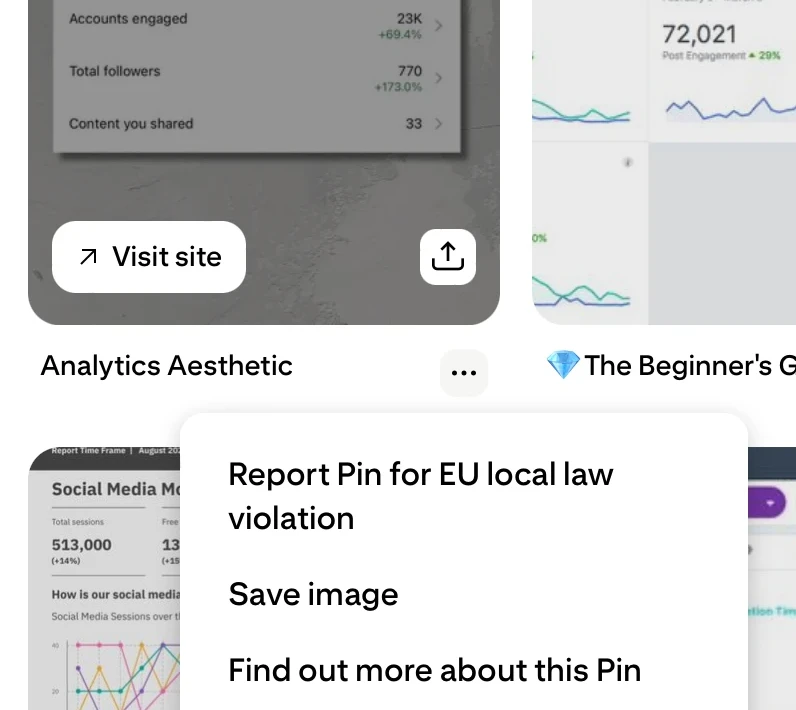
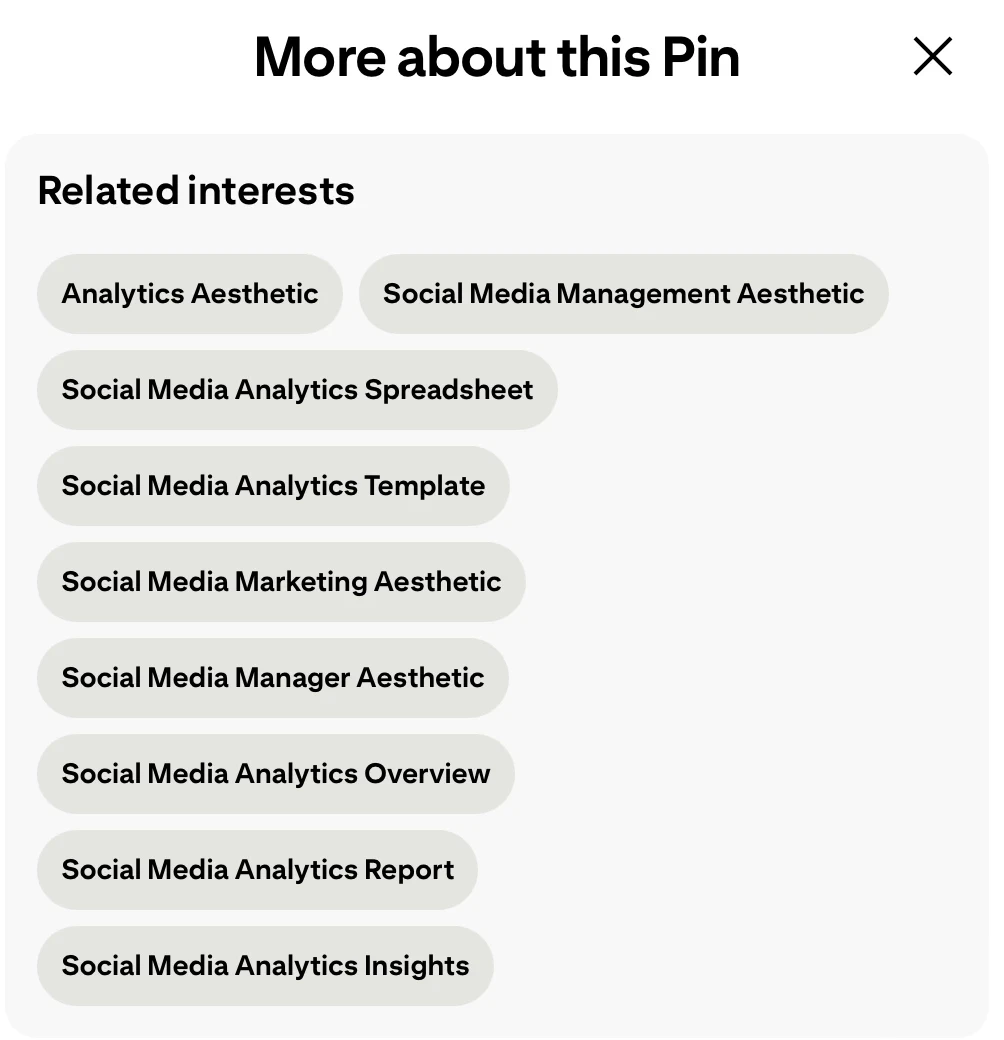
If you use PinClicks, there is no issue there.
I hope this will help you navigate around this issue.
Best,
Maria
Share this insight
This conversation is happening inside the community.
Join free to continue it.The Internet Changed. Now It Is Time to Build Differently.
If this article resonated, the next step is learning how to apply it. Inside Wealthy Affiliate, we break this down into practical steps you can use to build a real online business.
No credit card. Instant access.