How to Get Consistent Scenes in Your AI Image Generations


Published on September 19, 2025
Published on Wealthy Affiliate — a platform for building real online businesses with modern training and AI.
Last time, I showed you how to sneak yourself into an AI image and make it look like you belong in a candy maker’s kitchen. Pretty fun. But then I thought… what if you really like the scene AI gives you? The background, the vibe, the colors — and you want to keep using it over and over?
Good news: you can.
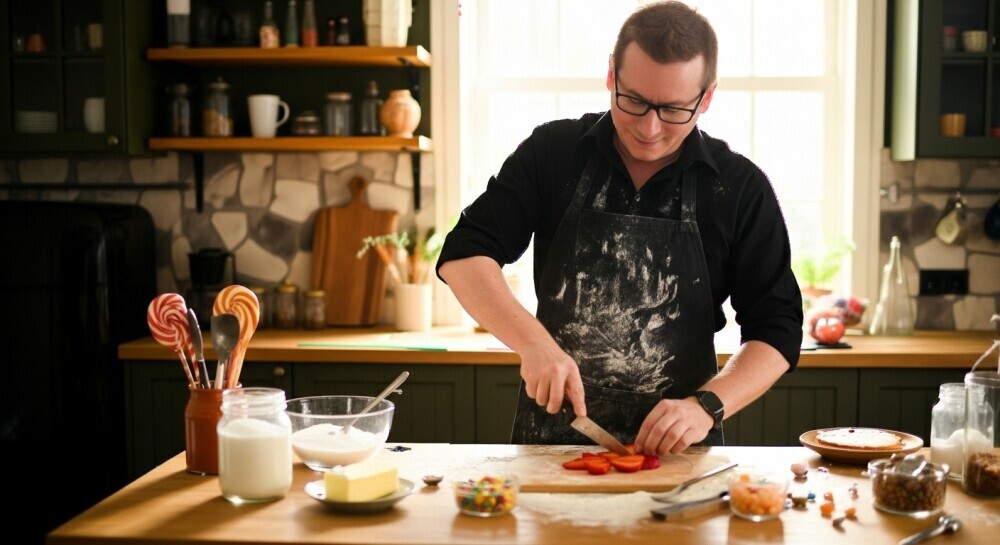
In this vlog, I show you how to use Google Whisk to lock in a background and generate new images that stay consistent. Think of it like having your own AI film set — same kitchen, same cabinets, same cutting board — but now you can switch up the action.
Ready to put this into action?
Start your free journey today — no credit card required.
One moment I’m whisking dough, the next I’m slicing strawberries. And yes, the green cabinets are still there, like trusty sidekicks.
This trick is a game changer if you’re in niches like cooking, home décor, or really anything where you want a polished, consistent look across your content. Instead of random backgrounds each time, you’re building a cohesive visual story.
So if you’ve ever wished AI would stop giving you a new kitchen every time you bake a cake, hit play on this vlog and I’ll show you how to keep things consistent.
Reference Image (Scene)
 New Image
Share this insight
This conversation is happening inside the community.
Join free to continue it.The Internet Changed. Now It Is Time to Build Differently.
If this article resonated, the next step is learning how to apply it. Inside Wealthy Affiliate, we break this down into practical steps you can use to build a real online business.
No credit card. Instant access.