How to Create TOBI and Image Pins for Pinterest Using ChatGPT Step-By-Step


I used to think Pinterest pin creation was a fancy art reserved for designers with perfect lighting, a fast laptop, and a peaceful life with no power cuts. Then I met reality. Reality came with OBS, a camera, a screen, and a face that did not want to be on camera the same day my screen wanted to cooperate.
Still, I promised you I would vlog. I promised you I would show what I actually do. So I did it, even while struggling to show my face and my screen at the same time. And that struggle became a lesson that applies to Pinterest, SEO, Wealthy Affiliate, and life in general: WA gives us tools, training, and community. But results come when we personally do the right things, in the right order, the right way.
This post shows the exact ChatGPT prompt process I used to generate Pinterest pin ideas and then convert them into ready-to-use image prompts for TOBI pins and image-only pins.
- Know what you are building: two pin types
Before we touch ChatGPT, decide what you want:
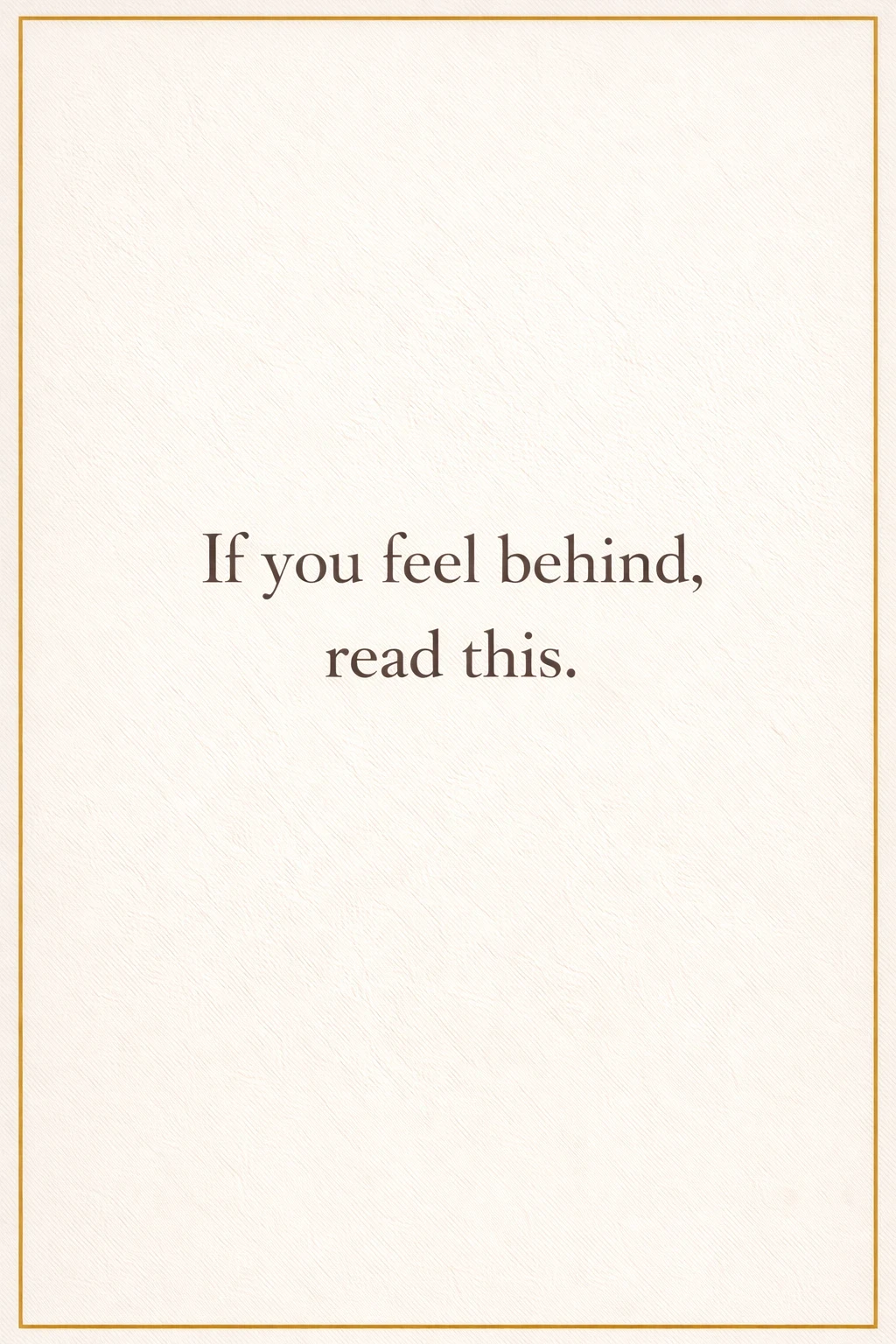
- TOBI pin (Text On Background Image)
This is the pin that has text on it. It is meant to stop the scroll. - Image-only pin (no text)
This is a clean visual asset. It can be symbolic, aesthetic, or infographic-like, but without text. The “title” lives in the pin name and description on Pinterest, not on the image.
My rule for this workflow:
For each topic, create one TOBI pin and one image-only pin.
Step one prompt: get monthly pin ideas (January 2026 example)
Here is the first prompt I used, exactly as it is:
First prompt:
Give me ideas for Pinterest pins for January 2026 based on my ideal reader and my pro-humanity voice.
What this does:
- It forces ChatGPT to think in themes, seasons, and reader needs.
- It gives you a list of pin ideas you can scale into a full month.
- It keeps your voice consistent. That matters on Pinterest because people follow patterns, not random posts.
What I did next:
I selected the ideas until I had my full set for the month. In my case, I built a list that could become 31 pins.
Step two prompt: convert ideas into design-ready prompts (TOBI + image-only)
Then I used the second prompt, exactly like this:
Second prompt:
Now, write prompts for all the pins with my warm earth colors and Baskerville font face. Make 1 pin with text and the other without text but just an image with a name that describes it. For example, pin #1 can be an image with text (TOBI image), and pin #2 can be just a design with no text on it, but proper infographics, relevant to its title/name.
Why this prompt works so well:
- It locks your branding in place (warm earth colors, Baskerville).
- It forces output consistency (two pins per idea).
- It makes production simple: copy prompt, create image, save, repeat.
What I recommend you add (optional, but helpful)
If you want fewer revisions later, add these constraints to the second prompt:
- Size: 1000x1500
- Include exact hex color codes (your warm earth palette)
- Text placement rule for TOBI pins (centered, or top-third)
- No text rule for image-only pins (explicitly say “no text” twice if needed)
- Add a small icon rule if you like (olive branch, checkbox, candle, etc.)
- Production workflow: how I used the 31 prompts
After I got the full list of prompts, I did not try to generate all images at once.
I designed each image one at a time.
That sounds slow, but it is actually faster in practice because:
- You catch mistakes early.
- You do not waste a full batch with the wrong style.
- Your eyes stay fresh, and your standards stay consistent.
My loop was simple:
- Copy one prompt.
- Generate the image (TOBI or image-only).
- Save it properly.
- Move to the next prompt.
That is it.
The OBS struggle (and why it matters for traffic and money)
Let me be honest. OBS humbled me.
In the video, I was trying to show:
- My face (so you know I am real).
- My screen (so you can follow the steps).
- The actual workflow (so you can repeat it).
OBS said: “Pick two.”
At first, I could not show my face and the screen properly. I watched videos. I clicked settings. I did the usual thing humans do when a tool refuses to cooperate: I started bargaining with it like it was a living being.
But I got it done. Not perfectly, but truthfully.
And here is the WA lesson hidden inside that struggle:
Sometimes the system is not failing you.
Sometimes you are doing the wrong things.
Or you are doing the right things wrong.
Same as SEO.
Same as Pinterest.
Same as content.
WA works. The training works. The tools work.
But only when we apply them correctly.
If your traffic is low, do not conclude “WA does not work.”
First ask:
- Did I pick a clear niche?
- Am I creating content people search for?
- Am I publishing consistently?
- Am I tracking results?
- Am I optimizing what already exists?
If the answer is “no” to any of those, that “no” is the real reason.
A key mistake in the video: viewers could not see my Save As box
One important thing happened in my recording: viewers could not see my Save As dialogue box.
Not because I was hiding secrets.
Because I did not know I needed to capture that window.
That “Save As” moment is not small. It is where beginners get stuck.
If you cannot save it, you cannot upload it.
If you cannot upload it, you cannot post it.
If you cannot post it, Pinterest cannot test it.
If Pinterest cannot test it, you cannot get impressions.
And without impressions, you will not get clicks.
So here is the practical fix for your next recording:
- In OBS, capture your entire display, not just one window, if you will be popping up Save As boxes.
- Or add a second capture source for your file explorer dialogue behavior, depending on your setup.
- Do a 20-second test recording before you record the full video. Make sure Save As shows up.
That small test can save you a full hour of recording pain.
My promise about future videos
I told members clearly: future videos will be better.
This first attempt was me keeping my promise, not me showing a Hollywood production.
Next videos will have:
- Better control of what you see.
- Better camera and screen balance.
- Better visibility for the full workflow, including saving files.
Progress first. Perfection later.
- Quick step-by-step you can copy and use today
If you want the short operational version, use this:
- Open ChatGPT.
- Paste prompt one:
Give me ideas for Pinterest pins for January 2026 based on my ideal reader and my pro-humanity voice. - Select ideas until you have your list (example: 31).
- Paste prompt two:
Now, write prompts for all the pins with my warm earth colors and Baskerville font face. Make 1 pin with text and the other without text but just an image with a name that describes it. - Generate your prompts list.
- Create images one at a time.
- Save each image with a consistent naming format:
YYYY-MM-topic-type (example: 2026-01-rest-is-repair-TOBI.jpg) - Upload to Pinterest and track performance.
Final encouragement for WA members who feel like quitting
If you feel tired, I understand. I have been there.
Sometimes we pay for tools for years, but we skip the order of the work.
Or we do the steps, but we do them loosely.
Then we blame the platform.
The platform is not your hands.
The platform is not your discipline.
The platform is not your consistency.
WA gives the tools, the training, and the community.
Your job is to do the work.
And if you are struggling right now, do not quit.
Adjust.
Learn.
Try again.
Even OBS eventually listened to me. So your website can too.
Join FREE & Launch Your Business!
Exclusive Bonus - Offer Ends at Midnight Today
00
Hours
:
00
Minutes
:
00
Seconds
2,000 AI Credits Worth $10 USD
Build a Logo + Website That Attracts Customers
400 Credits
Discover Hot Niches with AI Market Research
100 Credits
Create SEO Content That Ranks & Converts
800 Credits
Find Affiliate Offers Up to $500/Sale
10 Credits
Access a Community of 2.9M+ Members
Recent Comments
8


What a great blog post. I sure needed it to create Pins on Pinterest. This is the first time I am reading about TOBI. Now I have some idea what it is. I have a question. Is OBS fairly easy to use? I am saving this post for future references. I have read it again before I comprehend everything.

Thanks for reading and being the first to leave a comment. The image in the this vlog is a TOBI pin example because it has text over the image. I don't what you are referring by "fairly easy to use," in this comment. But all pins, TOBI or image-only are easy to upload and post to Pinterest. There are many videos here to watch on how to post or schedule them.
I hope this helps.
Yes, and no. If you watched this video, you can see that I am still learning how to use it effectively. You still can't see how I saved the image simply because I don't know how to enable that for now. But it's work in progress. By the next video you'll be able to see me getting better and better with it.
I just realized I misunderstood your first question until now. I real "OBS" as "TOBI" and I don't know how that was the case. Maybe I'm tired because it's 3:04 AM here now.
See more comments
Join FREE & Launch Your Business!
Exclusive Bonus - Offer Ends at Midnight Today
00
Hours
:
00
Minutes
:
00
Seconds
2,000 AI Credits Worth $10 USD
Build a Logo + Website That Attracts Customers
400 Credits
Discover Hot Niches with AI Market Research
100 Credits
Create SEO Content That Ranks & Converts
800 Credits
Find Affiliate Offers Up to $500/Sale
10 Credits
Access a Community of 2.9M+ Members
Hi John.
You are very prolific, you are an ideas bank. I have included many of your ideas in my 2026 plan. My eldest daughter (she is now CEO) has already told me that we (the family) will be holding a the final planning session on the way forward for 2026.
I will be presenting many of your ideas along with some other I have gotten here from other persons at WA. I don't steal, but I see no problem in modifying someone else's idea if they fit the plan. Just saying. Thanks for the inspiration, appreciated. ^_^