How I’m Creating Lyric-Free YouTube Background Music With ChatGPT


Published on March 12, 2026
Published on Wealthy Affiliate — a platform for building real online businesses with modern training and AI.

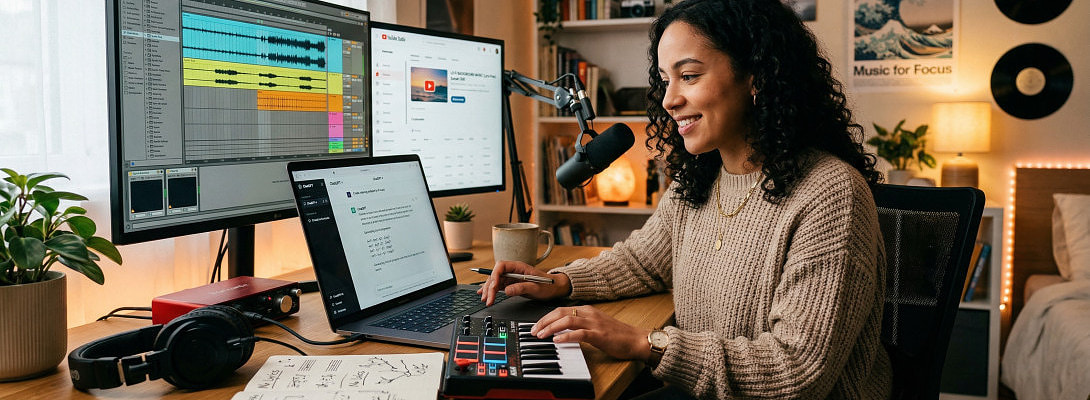
I stumbled into a workflow recently that has been surprisingly useful for YouTube videos, especially when I need background music that fits a very specific scene and I do not want to spend half the day digging through random music libraries.
What I’m doing is simple.
Inside ChatGPT, under GPTs, I use a GPT called a music composer and ask it to build the kind of track I want. GPTs are custom versions of ChatGPT built for specific tasks, which is why this works so well for niche creative jobs like music prompting.
For best results, I usually ask for lyricless tracks.
That matters because most of the time I do not want vocals fighting with my video narration or natural audio.
My exact workflow
Step 1: Open the music GPT inside ChatGPT
I go into GPTs and choose the music composer GPT I want to use.
Step 2: Describe the video scene clearly
I do not keep it vague. I tell it exactly what the video is about, what mood I want, and how long the tracks should be.
For example, my latest prompt was:
I need 2 x 2:30 lyricless songs now for a hitch replacement on a travel trailer done in Costa Rica. It’s for my YouTube video that is roughly 9:16 seconds.
That gave me two music concepts with structure already mapped out.
Example output I got
1) Workshop Heat
Style of Music: Upbeat garage rock instrumental, bluesy electric guitar riffs, light Latin percussion, driving bass, energetic travel-vlog background
Then it broke the song down into sections like intro, verse, chorus, bridge, outro, with instrument direction.
2) Tropical Wrench Turn
Style of Music: Laid-back tropical rock instrumental, clean electric guitars, congas, shakers, steady bass groove, relaxed travel vlog soundtrack
Again, same thing. It gave a structured arrangement instead of just throwing out random genre words and hoping for the best.
That part alone is useful because it gives you music direction that actually matches the footage.
Step 3: Use the generated song link
After that, the GPT gives me a generate link that opens the music platform with the song information already filled in.
Ready to put this into action?
Start your free journey today — no credit card required.
I am not posting the full link publicly here, just a sample version, but the basic idea is that it opens the creation page with the prompt already loaded.
[https: ...//aisonggenerator.ai/create?lyrics_id=15.......]
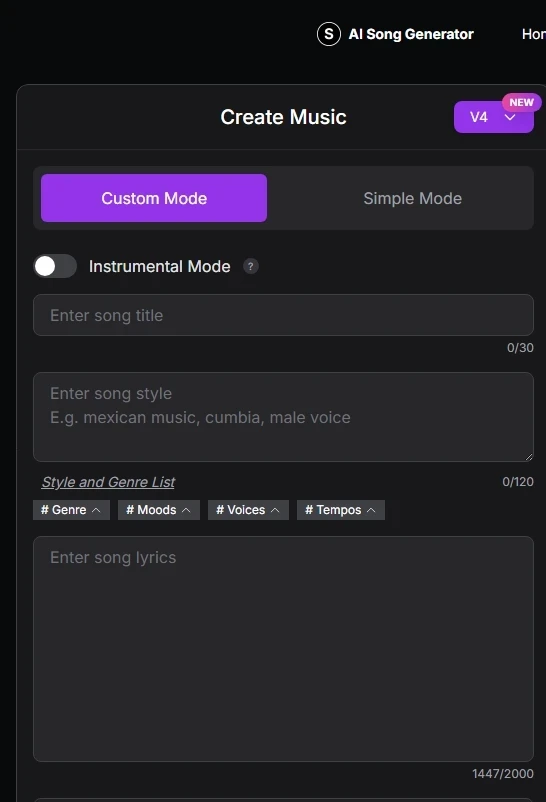
Step 4: Log in and click generate
Once the page opens, I log in, check the pre-filled information, and hit Generate.
That is basically it.
Step 5: Download the finished tracks
In my case, it generated two downloadable song files.
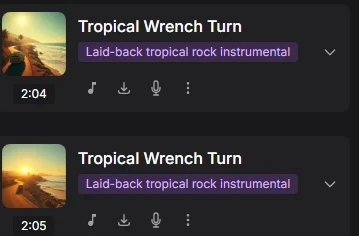
This is the part I like most. Instead of hunting for “sort of close enough” music, I’m getting tracks built around the exact job, mood, and pacing of the video.
For a hitch replacement in Costa Rica, that meant I could lean into:
- garage/workshop energy
- a bit of tropical movement
- no vocals
- useful background pacing for a repair/travel video
Why this has been working for me
It solves a few annoying problems fast:
- I can match music to the actual scene
- I can keep it lyric-free for voiceovers
- I am not wasting time browsing endless stock tracks
- I can generate more than one option for the same video
And honestly, that last part matters. Sometimes the first track is good, but the second one fits the edit better.
Small tip that makes this even better
Be specific with your prompt.
Do not just say:
make me background music
Say what the video is, where it takes place, what kind of energy it should have, whether it needs vocals or not, and roughly how long it should be.
That extra detail gives much better results.
The pricing angle I noticed
One thing I noticed on the song platform is that it offers free generation and paid plans with credits, downloads, and commercial-use language on the pricing page. The site also says songs are royalty-free, but its Terms say commercial usage rights depend on subscription level. So my advice is simple: read the current plan details yourself before assuming anything about monetization or licensing.
My personal takeaway is this:
If your goal is simply to create fitting background music for your own videos without the usual stock-music scavenger hunt, this workflow is worth testing.
It has been one of the easiest creative shortcuts I’ve found lately.
Final thought
This is one of those little AI workflows that feels practical instead of flashy.
You describe the scene.
The GPT builds the music direction.
The generator turns it into actual tracks.
You download, test, and drop the one that fits your edit best.
Simple, fast, and a lot less annoying than bouncing around ten music libraries hoping one track does not sound like elevator jazz in a tire shop.
Share this insight
This conversation is happening inside the community.
Join free to continue it.The Internet Changed. Now It Is Time to Build Differently.
If this article resonated, the next step is learning how to apply it. Inside Wealthy Affiliate, we break this down into practical steps you can use to build a real online business.
No credit card. Instant access.