Enable Comments and Subscibers Help!


Published on July 14, 2016
Published on Wealthy Affiliate — a platform for building real online businesses with modern training and AI.

Hey Y'all
Had you a bit gun shy with the opening image after yesterday right?. Hope as is well in your neighborhood today. Is everybody ready for an enjoyable productive day?.... Wow, great job! I heard that YES! all the way down in South Texas!
I was going to try to make video of this subject, but I just started working with Screencast-O-Matic. That name sounds like it should be on a late night infomercial. But wait there's more!......If you order now we will send not one but two.........In addition to that I can not get used to my own voice I sound like I'm on Thorazine. Shoot I might be, I better start double checking the pharmacy.

Alright enough frivolity already. Lately a lot of our friends have been having problems enabling comments and mysterious uninvited subscribers. Hopefully this post will cover all that.
Many of the comment enabling areas are common throughout all themes, but there are a few that are theme specific. So if your comments are working don't waste your time trying to find these other areas. To paraphrase Jay from his webinar last week set it and forget it. Don't waste time trying to fix what isn't broken. I was about to add something else from last weeks webinar for Chris/Teddybear but I am in serious mode now. Bad Teddybear.
When you are logged into WP in editor even if your comments are working properly they may not appear on your page. Don't panic log out and then check your page/post to see your comment section the way your visitors will see it.
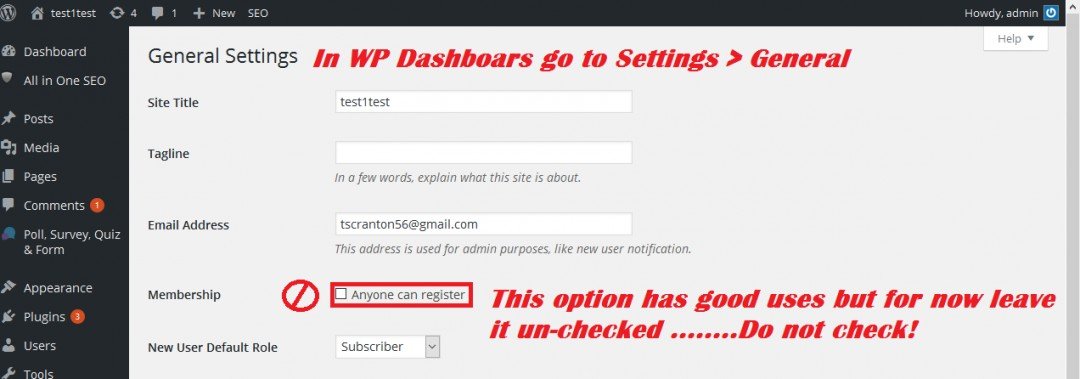
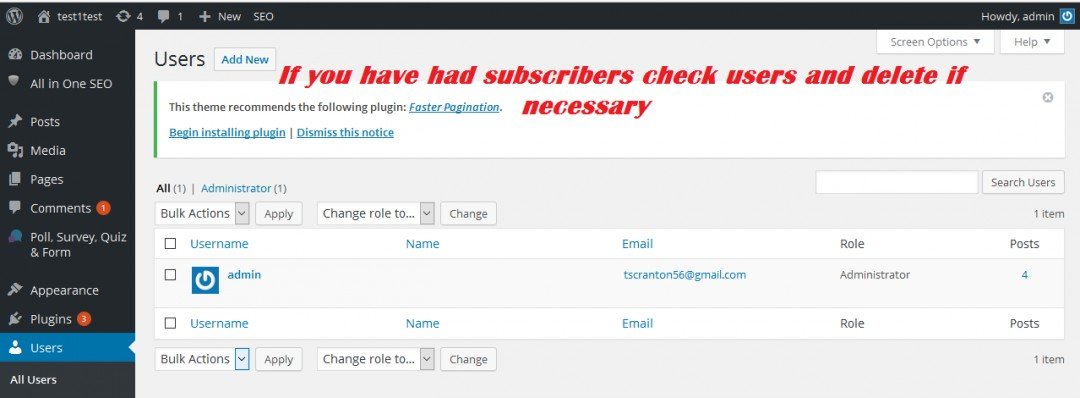
Mystery subscribers. Where did they come from? Well you invited them you just didn't realize it. When you went to general settings adjusting the date and time and saw anyone can register you thought heck ya! I want people on my site. Wrong. This is a very useful option but that is for another post for now uncheck it. Once you do you will need to go to Users and delete any unwanted guests.
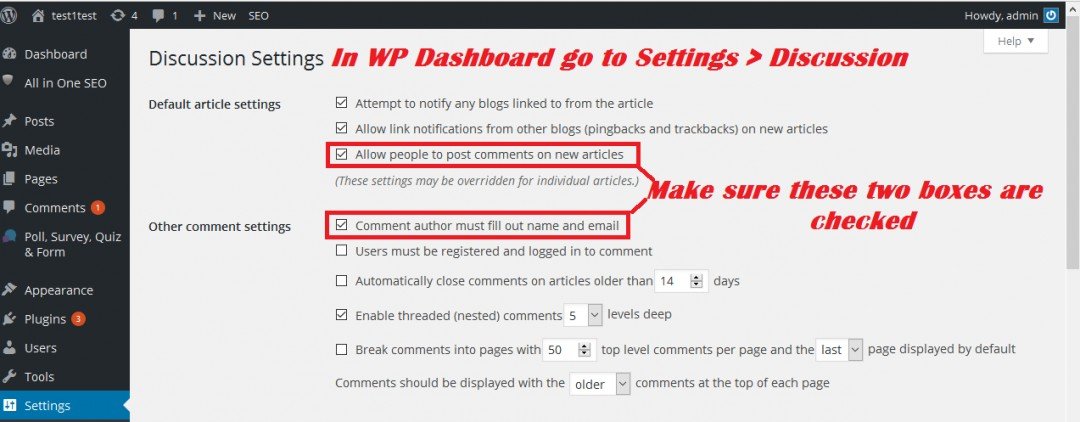
Now on to allowing comments. Let's start at the beginning. from the WP dashboard go to Settings > Discussion The boxes that are checked are the default setting for this theme. yours may be different. The two ares in red need to be checked.
Ready to put this into action?
Start your free journey today — no credit card required.
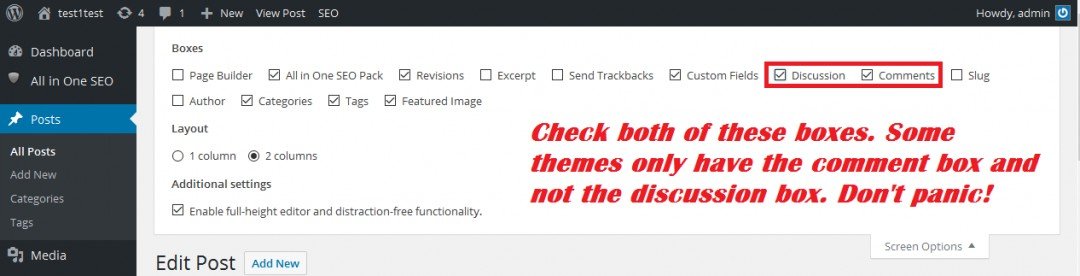
Enabling comments in screen options tab This tab is on all of your pages and posts and can be found when you are in editor mode

Make sure these boxes are checked Some themes will have both the discussion and comment boxes check the ones that are available and all will be fine.
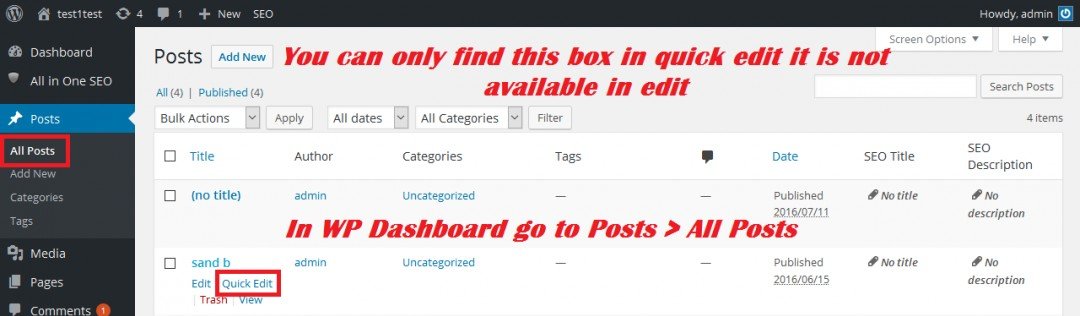
Enabling comments in quick edit From your WP dashboard click on all pages or all post to get the list of each click on quick edit not edit this option is only available in quick edit
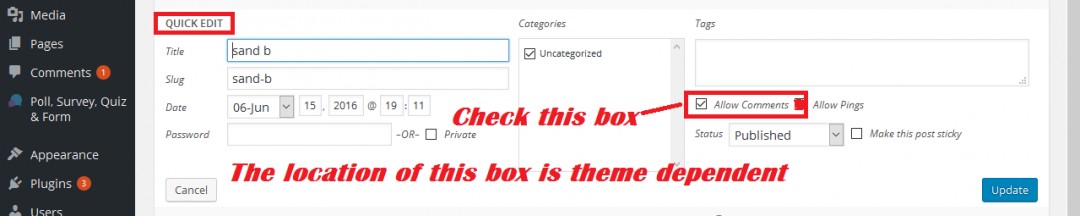
The allow comment box appears in different places depending on your theme
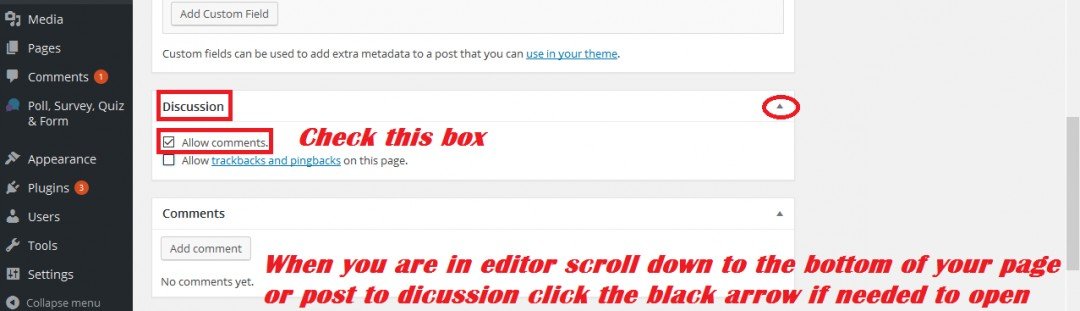
Enable comments in the discussion tab When you are in editor scroll to the bottom of the page to the discussion box. Click on the black arrow to open box if necessary
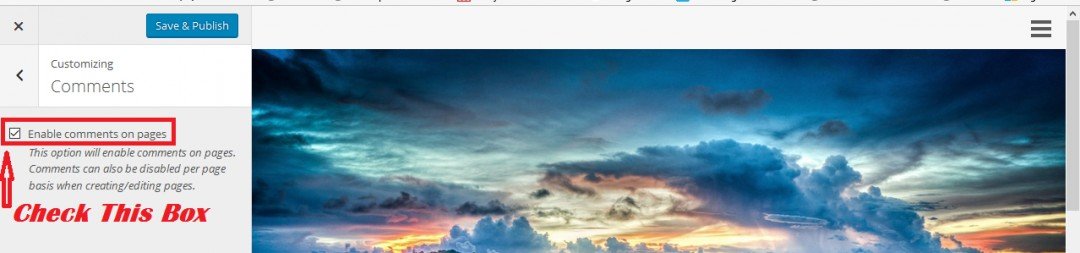
Enable comments in customize From the WP dashboard go to Appearance > Customize and look around this is what the Omega theme looks like. Your theme may or may not have this option and it may not be labeled the same.
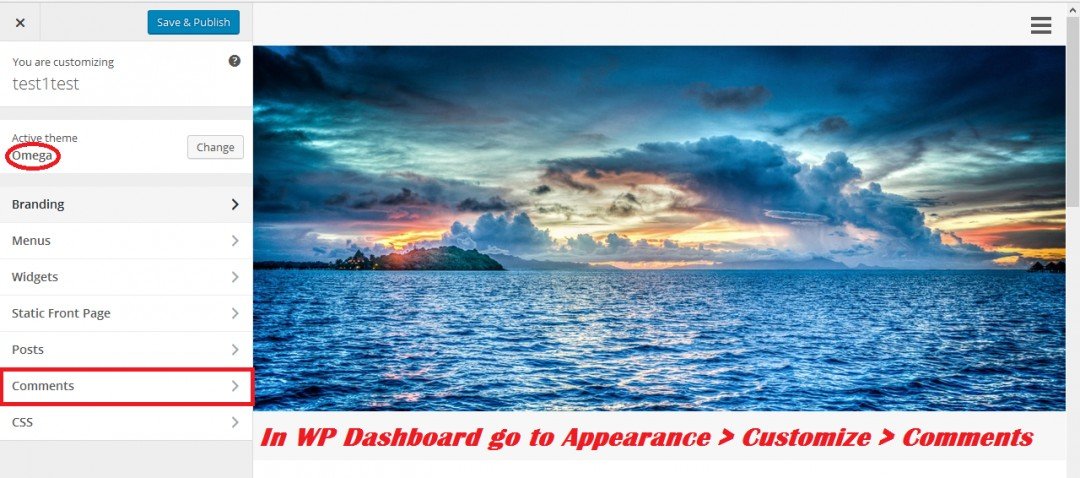
Check the box and you are ready for visitors comments.
You can disable comments with these settings also for pages or posts you may not want comments on. This should address all the areas that are needed to enable comments all in one place. If your friends are having trouble with comments you can send them this and fix them up. Remember the comment area may not look complete until you are out of Admin.
Have an incredible day!
Until next time,
Share this insight
This conversation is happening inside the community.
Join free to continue it.The Internet Changed. Now It Is Time to Build Differently.
If this article resonated, the next step is learning how to apply it. Inside Wealthy Affiliate, we break this down into practical steps you can use to build a real online business.
No credit card. Instant access.