Add Interest to Your Images

blog cover image
40
20
18.3K followers

So, just a quick tutorial for Canva, and yes, it works on the free version.

Today, I am talking about using frames for your images.

That doesn't mean what you probably think it does, it's not the same as adding a border to your image.

But changing the shape of it, quickly and easily.

Let's take a look.

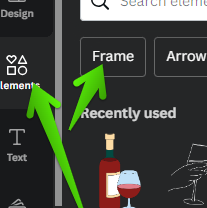
In Canva, go to Elements and then Frames, and See All, as indicated below.


Now, you have a huge range of shapes to choose from, not just basic squares and circles, etc.
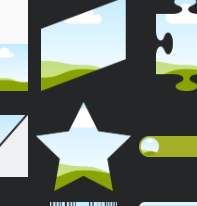

Pick your design, and click to add to your project.

Here are four different designs.
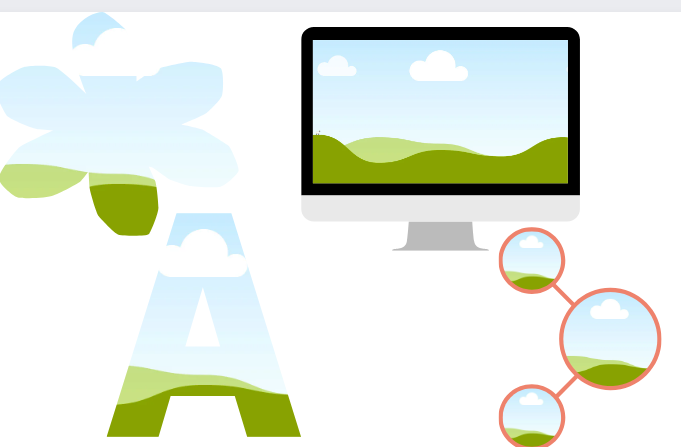

Now, just drag and drop your choice of image on the frame.
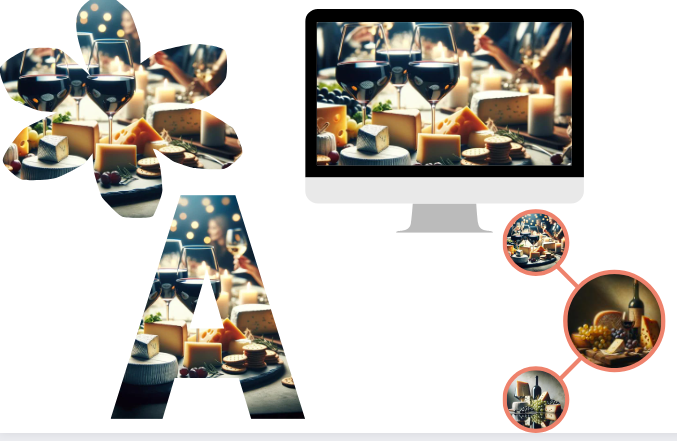

Have fun creating unique designs!

Thanks for reading.

40
20

Join FREE & Launch Your Business!

Exclusive Bonus - Offer Ends at Midnight Today

00

Hours

:

00

Minutes

:

00

Seconds

2,000 AI Credits Worth $10 USD

Build a Logo + Website That Attracts Customers

400 Credits

Discover Hot Niches with AI Market Research

100 Credits

Create SEO Content That Ranks & Converts

800 Credits

Find Affiliate Offers Up to $500/Sale

10 Credits

Access a Community of 2.9M+ Members

By continuing, you agree to our Terms of Service and Privacy Policy
No credit card required

Recent Comments

20

Hey Diane, thanks for sharing. Yes, the main purpose of frames is to act as frames for photos, and still images. You would normally put a pattern into the letters, to make patterned text quickly. I am not sure how all the other funny and strange shapes could be handy and practical, maybe for decoration.

I mainly use the rectangular portrait and landscape ones for wall frames, containing art and photos. Then the digital devices for still images for B-roll, C-roll, landing pages, and tuts.

3

Canva is indeed a fantastic tool that we ALL should be using Diane, deep diving and delving into its intricate realms of......

well... what can be done shouldn't be ignored by any of us!!

Enjoy your Saturday night in the pub my friend!!

šŸ¤£šŸ‘šŸ»šŸ±šŸ‘šŸ»

3

Thanks, this is an easy thing to do, but had not done it!
Haven't been using enough Canva lately.
Sami

4

Very cool, Diane!
Thanks for sharing.

4

Cheers Diane! I'll give that a try šŸ‘

4

See more comments

Join FREE & Launch Your Business!

Exclusive Bonus - Offer Ends at Midnight Today

00

Hours

:

00

Minutes

:

00

Seconds

2,000 AI Credits Worth $10 USD

Build a Logo + Website That Attracts Customers

400 Credits

Discover Hot Niches with AI Market Research

100 Credits

Create SEO Content That Ranks & Converts

800 Credits

Find Affiliate Offers Up to $500/Sale

10 Credits

Access a Community of 2.9M+ Members

By continuing, you agree to our Terms of Service and Privacy Policy
No credit card required

2.9M+

Members

190+

Countries Served

20+

Years Online

50K+

Success Stories

The world's most successful affiliate marketing training platform. Join 2.9M+ entrepreneurs building their online business with expert training, tools, and support.

Ā© 2005-2025 Wealthy Affiliate
All rights reserved worldwide.

šŸ”’ Trusted by Millions Worldwide

Since 2005, Wealthy Affiliate has been the go-to platform for entrepreneurs looking to build successful online businesses. With industry-leading security, 99.9% uptime, and a proven track record of success, you're in safe hands.