How to Write a Great Title and Description for Youtube Videos


Published on July 4, 2014
Published on Wealthy Affiliate — a platform for building real online businesses with modern training and AI.
When you are inside your YouTube account and uploaded a video, you are asked to fill out some fields to describe the video. The first is the video title.
Be as descriptive and fresh as possible when writing the title of your video.
Youtube and humans can not tell what's actually in the video before you see it, so you have to let them know the best you can with the title.
The words in the title determine how Youtube video shows the search results when someone searches. And not just the YouTube search results look the words in their title, also Google and other search engines, video according to the "keyword" in the title will appear in the list.
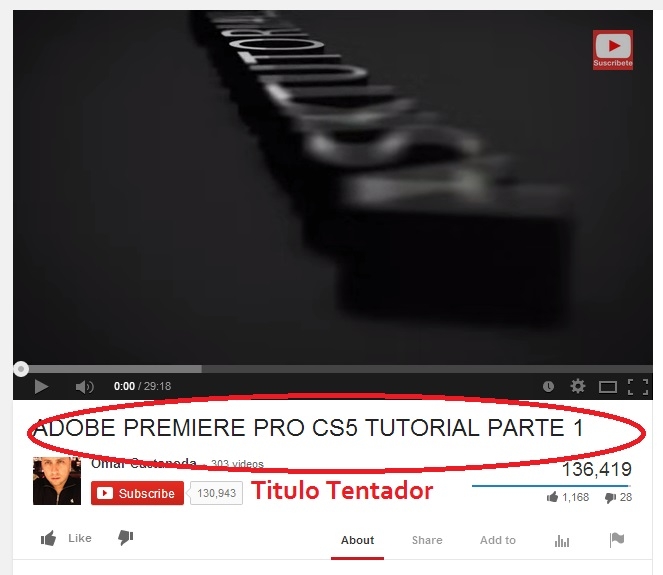
Instead of writing "Football" in the title, you can write a more detailed description and example "Playing football at Estadio Azteca."
Another point is the first capital letter of each word in the title. This makes it stand out more so that people are more likely to click on the video.
Along with a descriptive title, video description should contain descriptive words to explain the video even more.
Your description need not be very long. An average of only one or two paragraphs explaining the content of your video and details about what you want viewers to know.
Also, I suggest you try to use your "Key Words" (words that when people search find your video) in this area.
Ready to put this into action?
Start your free journey today — no credit card required.
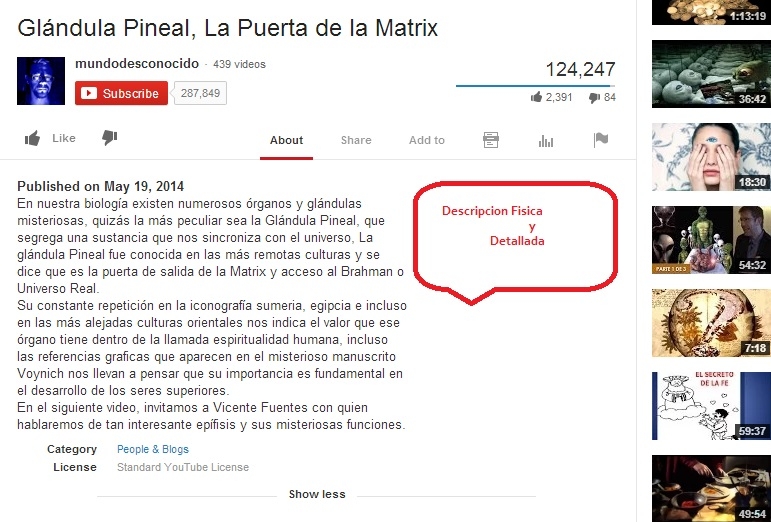
A bit of a ninja tactics in your description is that you can add your URL of your website (address) and will become a hyperlink that you can click and drive traffic to your site.
Just make sure it starts with http:// and you can click. This is only if you want people to go to another page after seeing the video.
Add Keywords in Tags
Again on the subject of keywords, you'll see when you go to upload the video, a field where you can add tags or keywords.
So again, you thought that you add as many relevant keywords is better. You'll be in error will not need to overload.
A good number is about 5 to 10 key words. Nothing else but run the risk of look like spam.
But if your keyword is ... more than a word or string of words?
For example "Estadio Azteca"
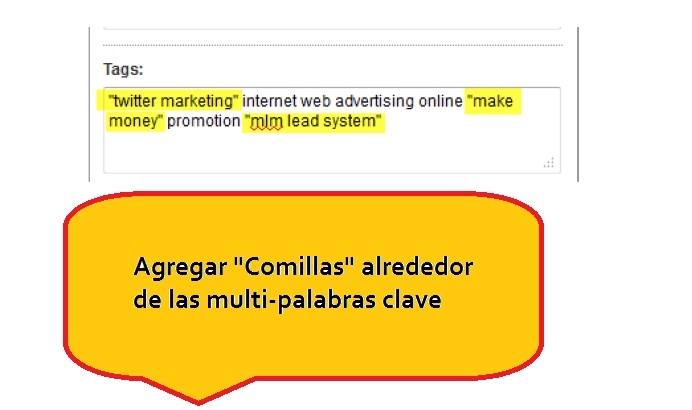
Here's a trick to get a multi-word keyword shown as a single keyword.
If you type your keywords in quotes, like this: "twitter marketing" "make money", then you have groups of words that end tags as several individual words.
All this about "keywords" and "tags" and get the video to display on the top of the search engines (google and youtube) relates to the big picture of Internet marketing and SEO (search engine optimization ).
If these ninja tricks helped you let us know when something in your video what was the result.
Are you ready to reach 10,000 visitors?
Share this insight
This conversation is happening inside the community.
Join free to continue it.The Internet Changed. Now It Is Time to Build Differently.
If this article resonated, the next step is learning how to apply it. Inside Wealthy Affiliate, we break this down into practical steps you can use to build a real online business.
No credit card. Instant access.