How to Fix the Dreaded ‘Noindex’ Tag Issue on Your WordPress Site (Without Losing Your M


Published on August 30, 2024
Published on Wealthy Affiliate — a platform for building real online businesses with modern training and AI.

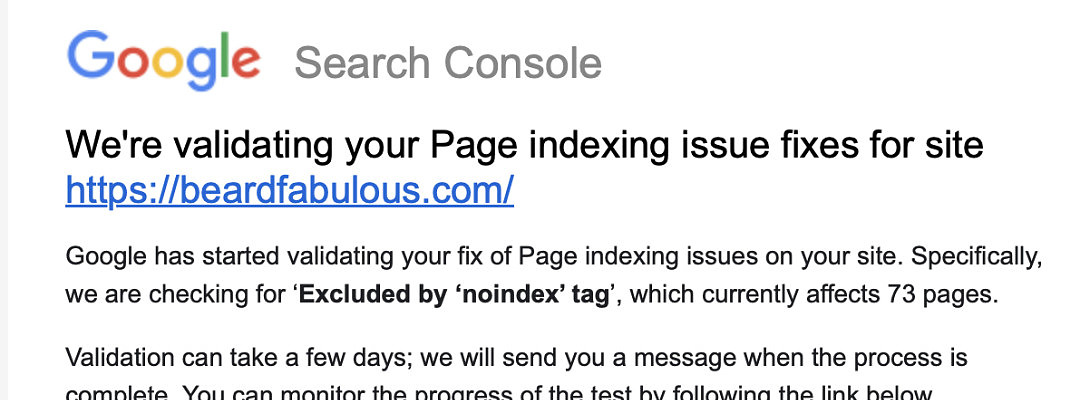
Hey there, fellow WA Warriors! If you've been in the trenches of affiliate marketing, you've probably received that heart-stopping email from Google Search Console. You know, the one that says something like, "We're validating your Page indexing issue fixes." Today, we’re diving into a common headache: the ‘noindex’ tag. But don’t worry, we’ll tackle this problem together, and I promise it’ll be simpler than learning how to juggle flaming swords.
What’s the Deal with the ‘Noindex’ Tag?
First things first—what is this pesky ‘noindex’ tag, and why does it sound like a bouncer blocking your website from getting into the Google club? The ‘noindex’ tag is a directive you (or a plugin) might accidentally place on a page, telling search engines like Google, "Hey, don't show this page in search results." It’s great when you want to keep certain content private, but it’s a nightmare when you want the world (and your potential customers) to find your site.
How to Check if the ‘Noindex’ Tag is Messing with Your Site
Ready to put this into action?
Start your free journey today — no credit card required.
If you’ve received that email from Google Search Console, it means some of your pages have been tagged with ‘noindex’. Here’s how you can start fixing it:
- Head Over to Google Search Console
Log into your Google Search Console account and click on the “Coverage” section. Here, you’ll see a list of pages that are currently excluded from indexing due to the ‘noindex’ tag. Google has started validating your fixes, so keep an eye on this list. Also, don't be afraid to ask Google Support for help. - Identify the Problem Pages
Now that you know which pages are causing trouble, it’s time to investigate why they’ve been tagged with ‘noindex’. This is where the fun begins. - Jump into Your WordPress Dashboard
Open your WordPress back office and head to the Google Site Kit area. This handy tool links your site to Google Search Console, giving you easy access to all the info you need. - Check Your Pages and Posts
Go to the Pages or Posts section and click on “Quick Edit” for any page you suspect is affected. Look for a checkbox labeled “Noindex.” If it’s checked, that’s your culprit. Uncheck it to tell Google, “Yes, you can include this page in search results.” - Inspect Your Plugins
Sometimes, a plugin like Yoast SEO or Rank Math might have added the ‘noindex’ tag. Go to the settings of your SEO plugin and check the options for indexing. Make sure the pages in question aren’t set to ‘noindex’ by the plugin. - Update and Revalidate
After making your changes, hit “Update” to save your settings. Then, hop back into Google Search Console and request a revalidation of your fix. Google will take a few days to check it, so now’s a good time to take a deep breath (or a coffee break).
Wrapping It Up
Fixing the ‘noindex’ issue might seem like a daunting task, but with a little patience and these steps, you’ll have your pages back in Google’s good graces in no time. Remember, every challenge you face in building your affiliate business is just another step toward mastery. Plus, if you’ve managed to get through this without pulling your hair out, you’re already ahead of the game!
So, don’t sweat it—get those pages indexed, and let’s keep moving forward to success.
Go WA Warriors!
Rick
Share this insight
This conversation is happening inside the community.
Join free to continue it.The Internet Changed. Now It Is Time to Build Differently.
If this article resonated, the next step is learning how to apply it. Inside Wealthy Affiliate, we break this down into practical steps you can use to build a real online business.
No credit card. Instant access.