Exporting your WordPress posts to Markdown


Published on July 15, 2026
Published on Wealthy Affiliate — a platform for building real online businesses with modern training and AI.

I use Markdown content formatting often for non WordPress related content formatting (such as documenting code on GitHub). The WA content editor here also supports Markdown as you type, which is cool.
Now and then I find myself needing to export an existing post from my WordPress site to Markdown to share it with a Claude chat session. This is handy as it lets the chat-bot better see your content structure and respond accordingly.
Well, I found a handy WordPress plug-in for exporting your content to Markdown:
Ready to put this into action?
Start your free journey today — no credit card required.
Simple Export to Markdown
This plug-in resides in your editor (Gutenberg) sidebar and has a couple of options for exporting your content to your clipboard (copy/paste) or to an MD file for use in another editor.
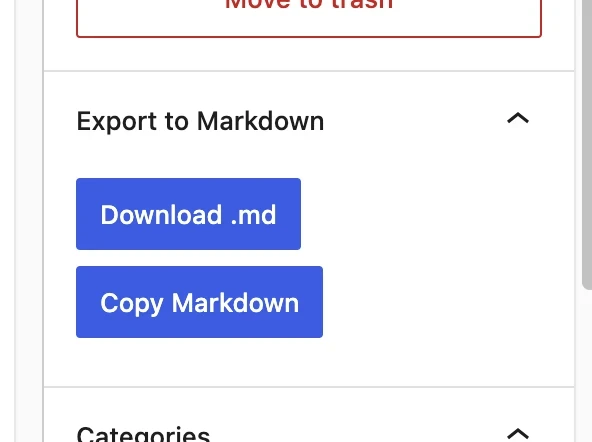
Wished I knew about this sooner! Just search for "Simple Export to Markdown" in your plug ins and add it.
Share this insight
This conversation is happening inside the community.
Join free to continue it.The Internet Changed. Now It Is Time to Build Differently.
If this article resonated, the next step is learning how to apply it. Inside Wealthy Affiliate, we break this down into practical steps you can use to build a real online business.
No credit card. Instant access.