Opening Email Links on Google Chrome


Published on January 6, 2018
Published on Wealthy Affiliate — a platform for building real online businesses with modern training and AI.
Hey WA,
I have been experiencing this problem for quite some time. Basically, I can't open any email links on the Google Chrome browser. Each time I try, it opens a new Chrome window with a blank page.
The only way I could get around it was to direct my default browser to FireFox which opens the same links with no problems.
Ready to put this into action?
Start your free journey today — no credit card required.
It took me a bit of time to find the solution. Basically, all you need to do is to click on Chrome > About Google Chrome > Click the "Relaunch" link and everything will be set to normal.I do not know the dynamics behind it, but I guess from time to time, Chrome may need an update fix.
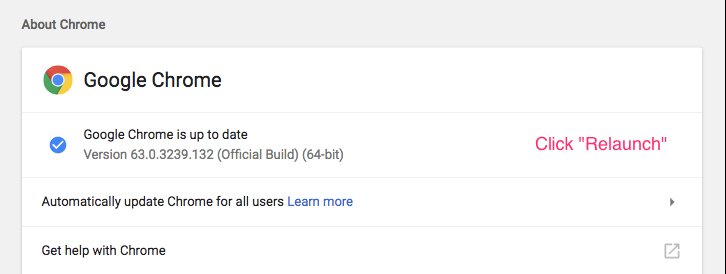
Thus, just in case you are facing the same issue now or later, try this method.
Share this insight
This conversation is happening inside the community.
Join free to continue it.The Internet Changed. Now It Is Time to Build Differently.
If this article resonated, the next step is learning how to apply it. Inside Wealthy Affiliate, we break this down into practical steps you can use to build a real online business.
No credit card. Instant access.