How to Create and Log In to Your Amazon Kindle Direct Publishing (KDP) Account — From Anywhere


Published on September 2, 2025
Published on Wealthy Affiliate — a platform for building real online businesses with modern training and AI.

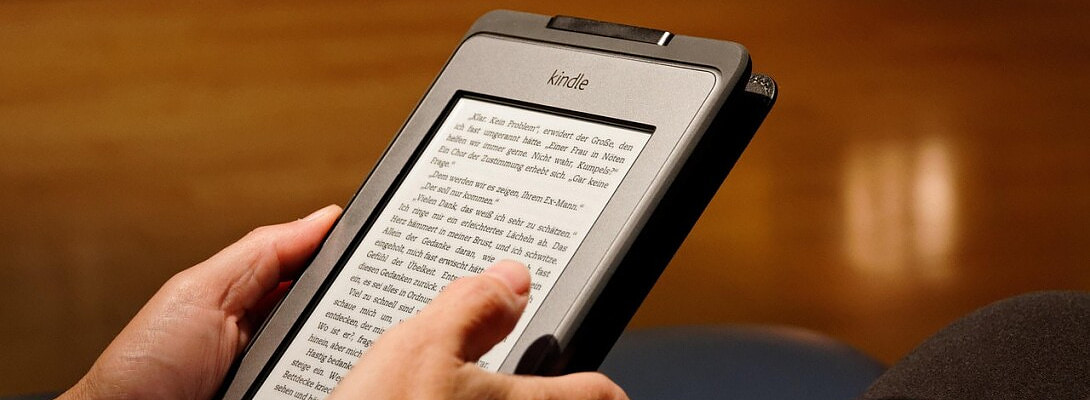
If you’re serious about publishing your books and reaching a global audience, Amazon Kindle Direct Publishing (KDP) is your starting line. This step-by-step guide will walk you through the correct way to set up your account, secure it, and log in—whether you’re in Juba, Johannesburg, Jakarta, or Juneau.
Step 1: Gather What You Need
Before you dive in, have these items ready:
- Email address or mobile number (this will be your login)
- Strong password (write it down somewhere safe)
- Legal name and mailing address (no P.O. boxes—KDP issues tax forms to this name)
- Bank details for receiving payments (the account name must match your legal name)
- Tax information (U.S. persons: SSN/EIN; non-U.S.: W-8BEN/W-8BEN-E with a tax ID if claiming treaty benefits)
- Government ID (sometimes requested for identity verification)
Step 2: Go to KDP
- Open kdp.amazon.com.
- Click Sign up if you’re new, or Sign in if you already have an Amazon account.
- Enter your details, then you’ll land on your KDP Bookshelf.
Step 3: Secure Your Account with Two-Step Verification (2SV)
Amazon requires a one-time code every time you access sensitive account areas.
- Choose SMS, voice call, or an authenticator app.
- Add a backup method (second phone or authenticator app).
This ensures you can log in even while traveling or if you lose your SIM card.
Step 4: Complete Your Profile
Inside Your Account, enter:
- Business type: Individual or Company
- Legal name (not your pen name)
- Mailing address
Ready to put this into action?
Start your free journey today — no credit card required.
Save your changes. Remember: your pen name only goes on your book listing, not in the account.
Step 5: Set Up Your Bank for Payments
- Go to Your Account → Getting Paid → Add a bank account
- Enter your details exactly as your bank has them.
- KDP validates accounts within a few days.
💡 Tip for global authors: KDP supports direct deposits (EFT) in many countries. If your country doesn’t support EFT, you may get paid by wire transfer or check. Always check what’s available for your country.
Step 6: Complete the Tax Interview
- Go to Your Account → Tax Information.
- Answer the guided tax questionnaire:
- U.S. persons fill W-9.
- Non-U.S. persons fill W-8BEN/W-8BEN-E.
- To reduce the standard 30% withholding, claim tax treaty benefits (requires a tax ID).
Step 7: Verify Your Identity (If Asked)
KDP may ask for government ID verification. Upload a photo of your passport or driver’s license. Until you pass this, some publishing features may be restricted.
Step 8: Logging in the Right Way
- Go to kdp.amazon.com.
- Enter your email/phone + password.
- Enter your one-time security code (from text, call, or app).
- Access your Bookshelf or Reports as needed.
Step 9: Remember the One Account Rule
Amazon allows only one KDP account per person or company. If you accidentally create more than one, you can request a merge. Violating this rule can get your accounts suspended.
Step 10: Expect Payments on Time
KDP pays monthly, usually within 1–5 business days after the scheduled payment date. Direct deposit is the fastest method.
Troubleshooting Tips
- Can’t log in? Make sure you’re using the right Amazon account linked to KDP.
- OTP not arriving? Switch to voice call or use an authenticator app.
- Bank rejected? Double-check your account number, IBAN, or routing code.
- Account locked? Contact Amazon Customer Service to reset.
What’s Next in This Series
This is just Part 1 of my blog series for WA readers. Coming up:
- Banking & Taxes Made Simple for KDP Authors
- Manuscript & Cover Prep (easy tools and formatting hacks)
- How to Price Your Book Globally
- Marketing with KDP Select & Ads
- The Global Launch Playbook
Stay tuned—I’ll guide you from account setup to global promotion using KDP’s full toolkit.
Share this insight
This conversation is happening inside the community.
Join free to continue it.The Internet Changed. Now It Is Time to Build Differently.
If this article resonated, the next step is learning how to apply it. Inside Wealthy Affiliate, we break this down into practical steps you can use to build a real online business.
No credit card. Instant access.