How to avoid the missed schedule post error in WordPress?


Published on December 7, 2021
Published on Wealthy Affiliate — a platform for building real online businesses with modern training and AI.


I actually always write directly in Wordpress instead of using the Site content also because I always
use the ability to schedule my posts so I can write multiple posts and not have to think about writing another post I always have a stash of posts ready.
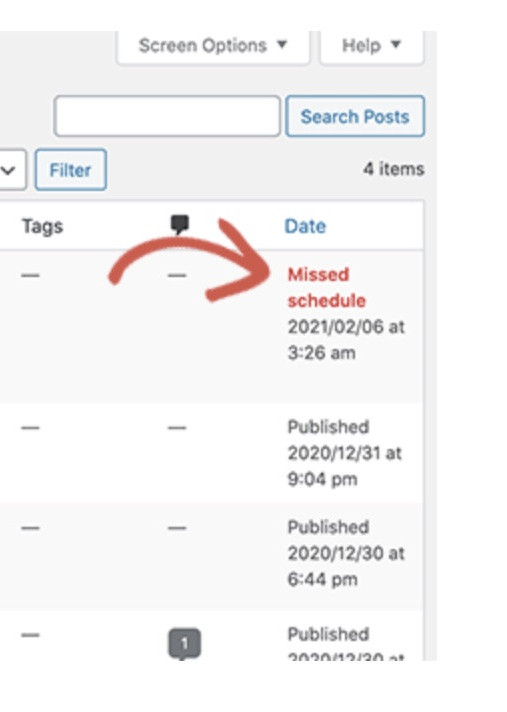
However, lately I notice that when I open my website in the morning that messages have not been posted and behind my messages it says Missed Schedule. pfff annoying So I'm looking for why this happened all of a sudden.
Ready to put this into action?
Start your free journey today — no credit card required.
There are several things that can trigger this and to make a long story short I didn't feel like checking everything such as , switching plugins on and off , or having my Wordpress cron adjusted, possibly the hosting that doesn't work with a plugin that all takes time to figure out and I think it's a waste of my time ,
especially because there is a very simple solution, which is to use this plugin:
Missed Scheduled Post Publisher plugin. from wpbeginner
this plugin checks every 15 minutes if there is a missed post and if there is, it will still be published.
So if there are more members who run into this ..... this could be the solution.
little time-consuming and you prevent that your stream of regular content posting is interrupted.
use it to your advantage
Share this insight
This conversation is happening inside the community.
Join free to continue it.The Internet Changed. Now It Is Time to Build Differently.
If this article resonated, the next step is learning how to apply it. Inside Wealthy Affiliate, we break this down into practical steps you can use to build a real online business.
No credit card. Instant access.