Opps! Google Indexed My Two Posts


Published on November 23, 2019
Published on Wealthy Affiliate — a platform for building real online businesses with modern training and AI.

Hey guys, I received today from WA mail, that my content has been indexed in Google. And when I opened the inbox, I thought one message only but as I looked down there is another one and same date..:) :)
Same day two indexed by Google. Amazing..really I couldn't believe. 
Here is interesting to know guys...
The other one post have not content, but got Indexed too.. Why? I don't know what Google did. I didn't expect Google will indexed without much content.
I don't really even think of it that could possibly happen.
Accidentally : Something New Discovery to me :)
Breakdown: 1 Post Google Indexed Content
- Title
- 2 Image
- 18 words
- Internal link
Ready to put this into action?
Start your free journey today — no credit card required.
Here's last week what I did. As I am editing my content at the back of my WordPress, there was an image there of DSLR camera there, that I took from SiteContent search images, I accidentally deleted this image on the top of content and unable to find in my media gallery image, I need the same image that I save. But I couldn't find it in media file. So I 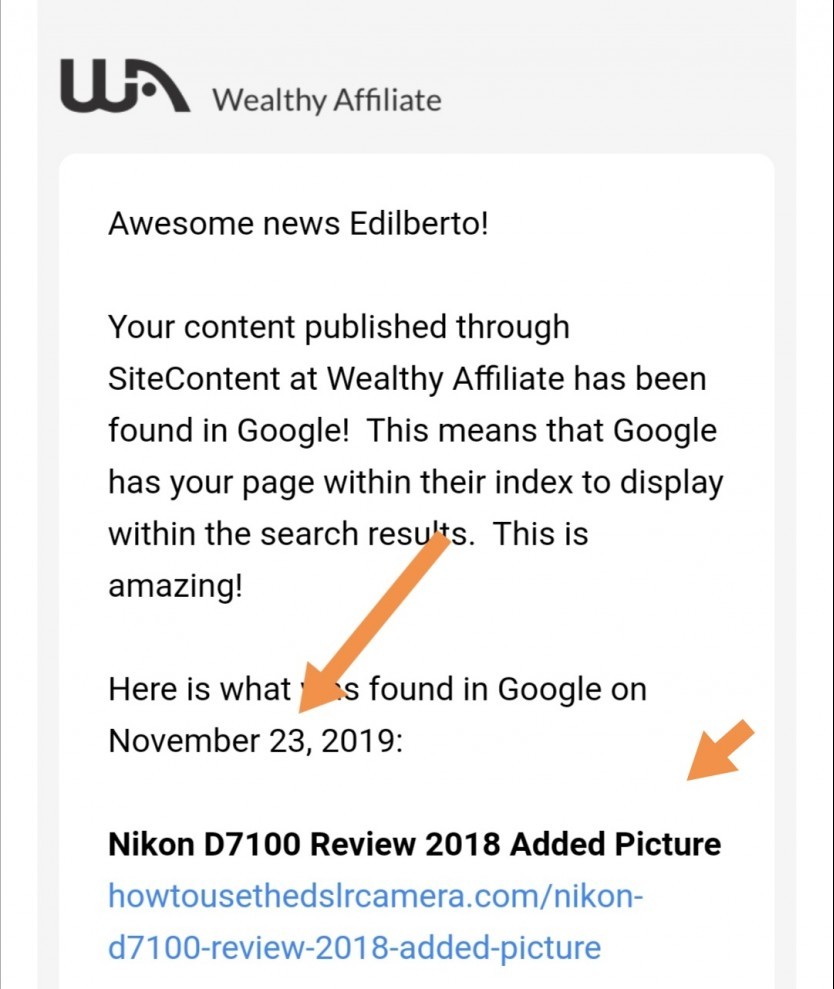 want that image to put there again but... Or
Unless I will go back to SiteContent platform and search the image again, on search bar to expect that It will save to my media gallery image, but I was wrong... It can't be possibly done because it is separate location between your WordPress media and SiteContent search bar Images, unless you have content created and submitted with images to your website on post or page and it automatically save into wp media.
-Seem like CTA I did. (call to action :) :) )
Without a good preparation I make a quick new save picture and paste, then I make the title in "Added Picture" for just the picture of camera model, I just make a new post and image only, with a few words that I have attached internal link so that when visitor see that only picture  they can see below the image a Few words saying... Click here to see more content, and I put interink that is towards another post which has the review content with 600 + words.
I've habbit to used the image every post because my Theme design needs image features. If I will not put image it appears blank square box, and only the title below will appear. Now it fills all the for image.
Have you thought? that your post could index by Google without content? 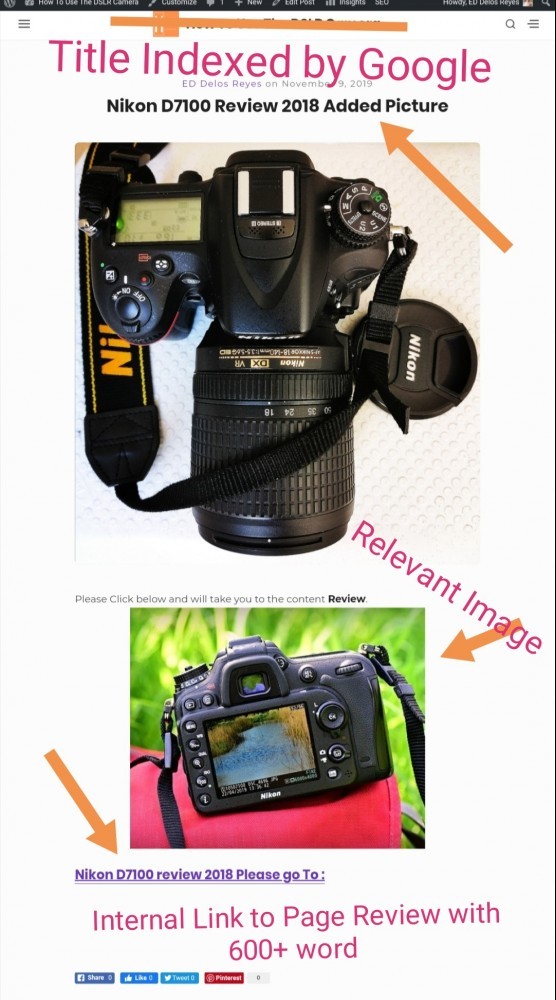
But you know even a post and several words that have internal link and relevant.. Google will indexed your content.
Thanks reading..
Till next time :)
Your friend,
Ed
Share this insight
This conversation is happening inside the community.
Join free to continue it.The Internet Changed. Now It Is Time to Build Differently.
If this article resonated, the next step is learning how to apply it. Inside Wealthy Affiliate, we break this down into practical steps you can use to build a real online business.
No credit card. Instant access.