Installing FREE Floating Social Media Icons (Ultimate Social Media Icons - Plugin)
Hi everybody,
I hope this finds you all well.
I thought I would create this blog post because a Wealthy Affiliate member (Danielle21) had asked for for some help on how to install the free Floating Social Media Icons that I had been using on my site.
Here are the steps I suggested she followed:
1. Login to your website
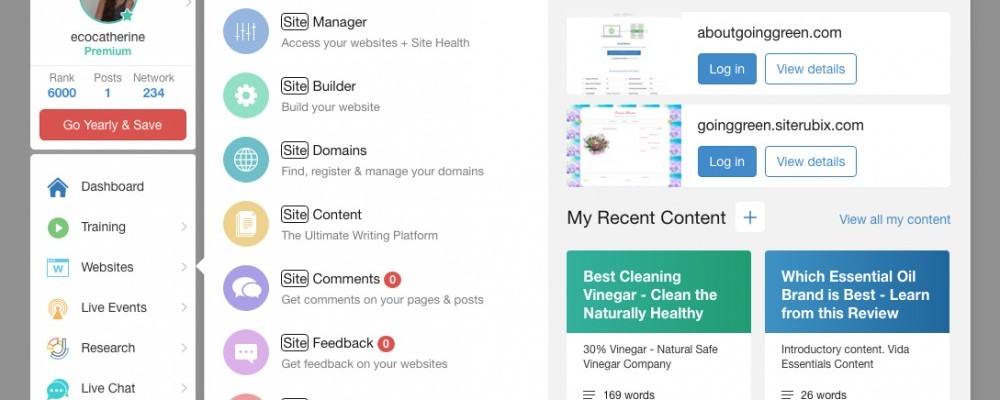
2. Go to its backpage
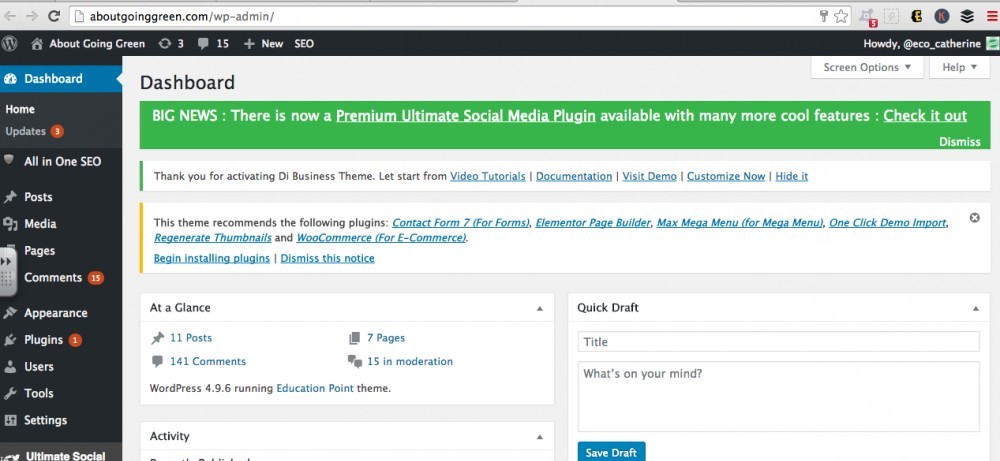
3. Hover over the 'plugins' tab on the left hand side
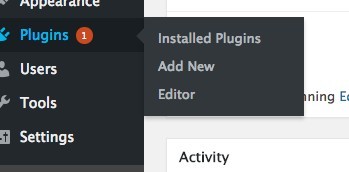
4. Click on 'add new'
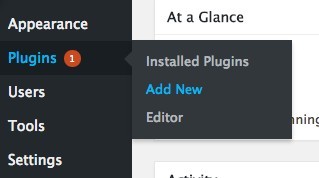
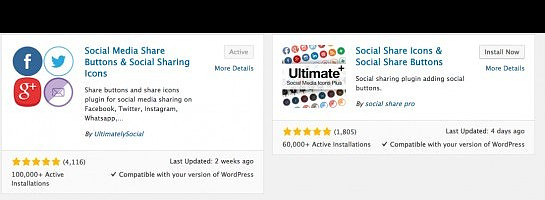
5. In the search bar (top right) type in 'social media share buttons & social sharing icons'
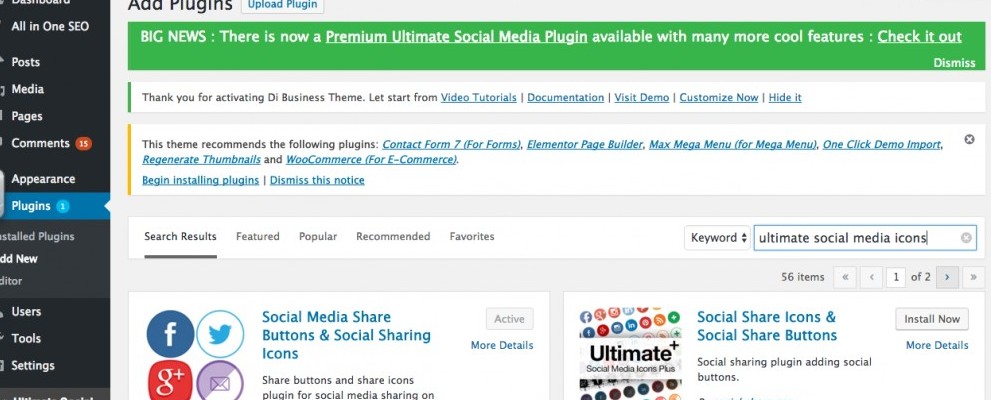
6. When it appears, click on 'install now'
(I cant send a picture of this as I have already done it)
7. Once installed click 'activate'
(I cant send a picture of this as I have already done it)
Then I think it will take you to the set up page. Just follow the steps to set up. Scroll down and there will be some drop down menus. Here you can select the style, links, actions etc.
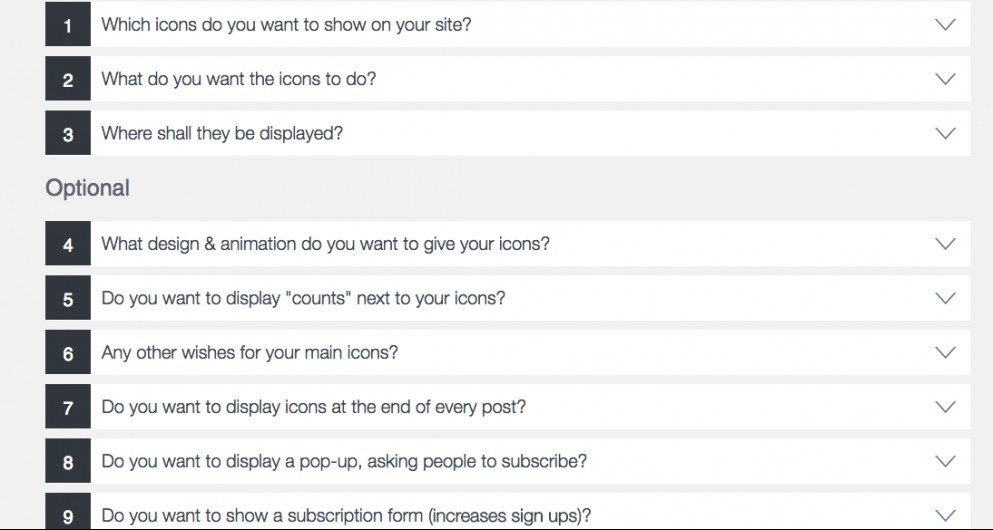
It is really important that you pay attention to these settings in the pluggin and I am going to explain why....
I did some tweeking in the settings and here is what they looked like on my page:
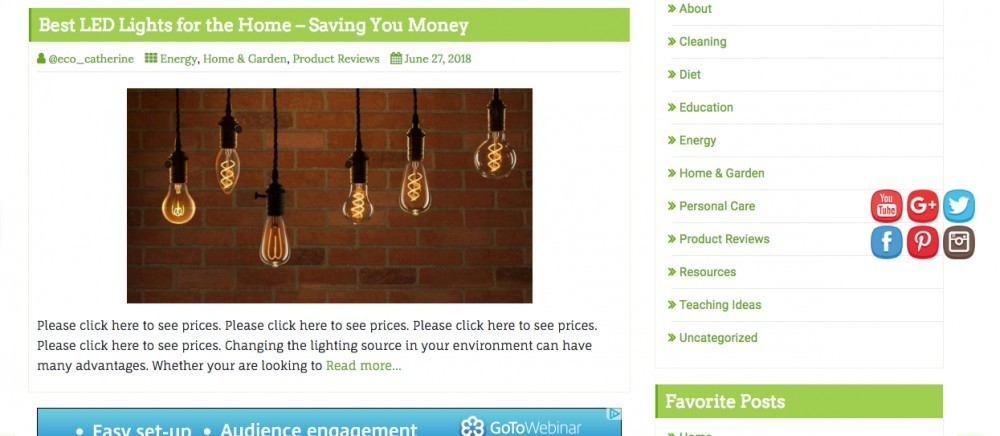
I thought they looked fairly decent. They are floating and they move up and down the page as people scroll. At first I liked them becasue if they are in a possition where people can see them, they are probably going to get used more often.
After I had replied to the post I had also recieved some feedback on my site from a very good friend of mine: 'Nice, looks good. But the icon (Facebook, Twitter etc) follows me down the page as I scroll and I can not read your content'
Alarm bells begain to ring... if people cant read my content, they are likely to leave and not return.
I wondered why she was having such issues, as they didnt get in my way when I was viewing the sute. I then realised that I had sent here the link via phone, and she had probably looked at it on here phone.
So I decided to take a look at it on my phone. It looked dreadful. I couldnt read a thing because the icons were in the way of everything all the time!!
I returned to the plugin to tweek the settings so that it would look great on a smaller screen and a full size screen. It is easy to forget that most people view sites from other mobile devices each day when we are working form laptops and pcs.
The plugin offers a premium package, where you can effect how it looks on phones and a few other things. But I wasnt ready to spend any money on this. I wanted to see if I could fix the problem for free first - and you can. Here is how:
Under drop down menu number 6, cange the icons per row to 1:
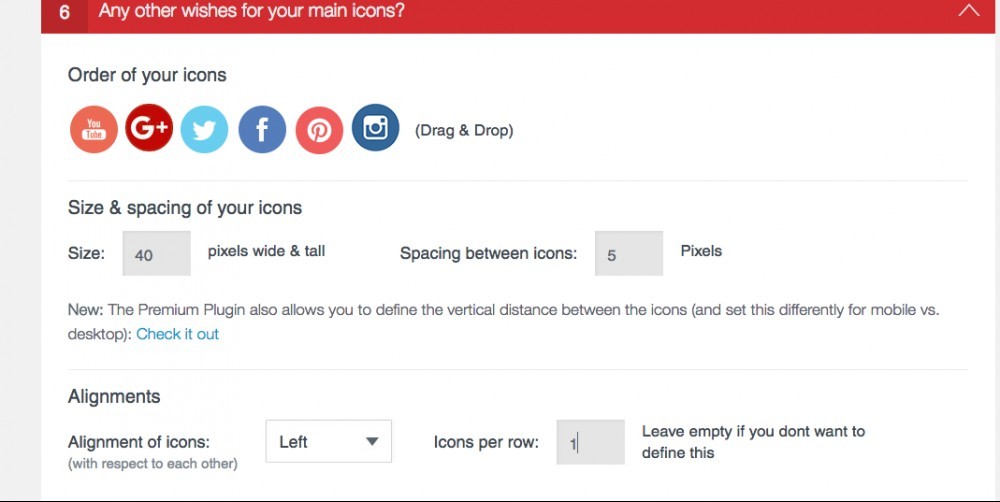
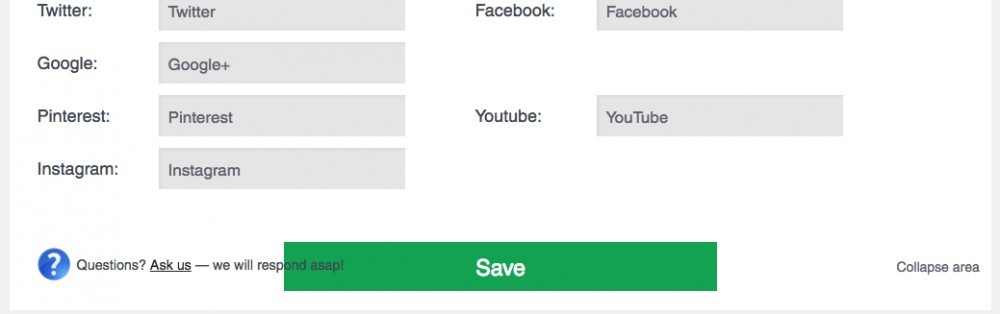
Clich save changes:
Refresh your page and it will look something like this:
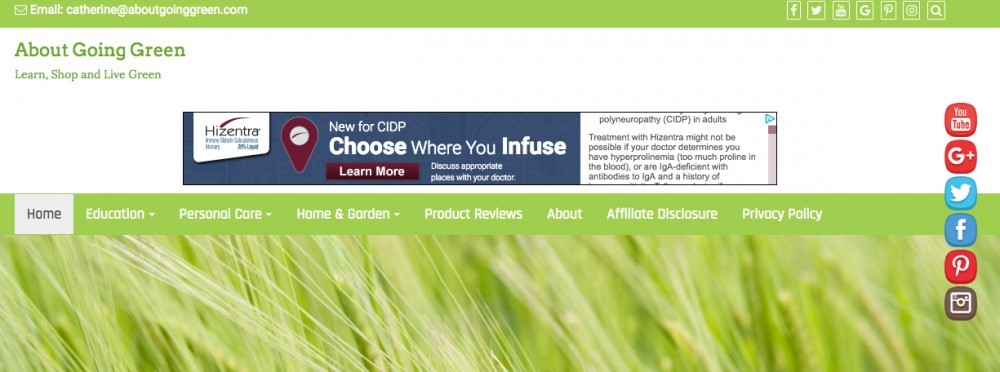
I havent got any screen shot of the phone view but it is much better now.
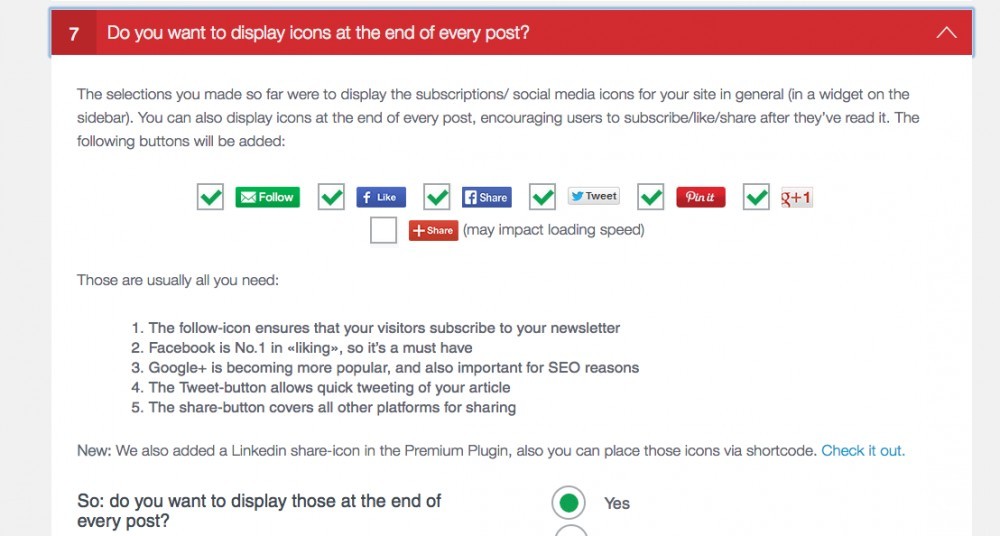
I have also ensured that ther are links at the bottom of each page. This can be done under the drop down menu number 7:
I have also added a subscription form to my sidebar. this can be done on drop down menu 9.
If you would like more info on this, please just request on the comments below. I will be happy to make a step by step blog like this for you.
I havent quite managed to get the pop up subscription sorted yet but I will update this when I figure it out.
I hope this post had helped you. If you have any questions, comments or know how to display the pop-up subscription window, please reach out to me below.
Thank you for reading and best of luck with your business!
Join FREE & Launch Your Business!
Exclusive Bonus - Offer Ends at Midnight Today
00
Hours
:
00
Minutes
:
00
Seconds
2,000 AI Credits Worth $10 USD
Build a Logo + Website That Attracts Customers
400 Credits
Discover Hot Niches with AI Market Research
100 Credits
Create SEO Content That Ranks & Converts
800 Credits
Find Affiliate Offers Up to $500/Sale
10 Credits
Access a Community of 2.9M+ Members
Recent Comments
26
Hi,
I follow the steps of the SM icons, but why is that on my facebook page it shows somebody else in the status, but you can see my profile on the very top.
I am confused.
I am confused by this message too. What do you mean by status? Are you new to facebook. Did you add the links of your personal facebook profile to the app? If you add another persons URL it will lead you to their page and not yours. I hope this helps.
Hi,
What I meant is that I can see my page and my profile and yes I am new to facebook, never used to use it for business purposes other than getting in touch with my relatives and friends, so when I open the Facebook page in my website I see someone in the home picture, but it is in my Facebook page, and it shows the name of this person, but if I look at my profile page it’s my profile and my personal page, I create a business page, but I know I did something wrong because it shows just my personal page wich I would like to stay private, I don’t know, I am all confused.
I am sorry for getting you confused too.
OK, I think I might understand what is happening here. When you go to FB and click on the 'home' tab at the top of the page and in the blue bar, it takes you to your news thread. This is where you can see the posts that your friends have made.
If you want to see your profile you need to click on your name and logo on the top of the page. From here you can find your business page on the left hand side.
Also, just be sure that you have used the correct URL in the widget. You should put the link to your business page if this is where you want people to be directed to.
You can also alter the privacy settings of your account in the drop down menu at the top right. Be sure to click on the privacy tab on the left hand side.
I hope this helps. All the best.
Thank you so much for your help, I will Change the privacy and I will make sure I have the correct URL on my widget.
I appreciate your help.
Raul.
Ive experienced these floating menu when adding feedback or a comment on other peoples sites and i have to say those floating menu's are not mobile friendly and block the left or right hand side of posts and content and gets annoying this is just my opinion as a viewer from a mobile perspective.
I agree. If you are going to use them I suggest you have them in a single vertical line so that this effect is reduced. Thanks for reading.
Focused on working through training and following posts that are relevant to where I’m at in the process.
Going well so far.
Heading north to the farm tomorrow to check on progress there and see family.
It’s a whirlwind, but I’m loving it.
Haven
Glad to hear that it is going well for you.
I got through lesson 4 (mastering social engagement) pretty quick because i already had accounts with the sites they recommended.
Taking a little pause on the training right now. Had some content ideas and want to get them up. Will try not to pause for too long because everybody keeps saying how important the training is.
Its great that you have a little farm. I grew up on a farm and miss it dearly. Would like to do that again one day.
Glad you are having a great time. Hope all your family is well.
Take care.
See more comments
Join FREE & Launch Your Business!
Exclusive Bonus - Offer Ends at Midnight Today
00
Hours
:
00
Minutes
:
00
Seconds
2,000 AI Credits Worth $10 USD
Build a Logo + Website That Attracts Customers
400 Credits
Discover Hot Niches with AI Market Research
100 Credits
Create SEO Content That Ranks & Converts
800 Credits
Find Affiliate Offers Up to $500/Sale
10 Credits
Access a Community of 2.9M+ Members

How to fix Social Media Icons without floating?
Dear Friends
Would you be so kind as to help me with Social Media Icons installation, please?
I have used the most popular plugin Ultimate Social Media.
I would like to set the on the right top of my post without floating and following the page during scrolling down.
Thank you very much, indeed.
Kind regards,
Andrey.
Following the page down is floating Andrey.
Here is Kyle's training for this plugin: Adding Social Media Buttons to Your Website Hope you find this helpful.
Dear Trish.
Thank you very much for your willing to help.
Unfortunately, Kyle doesn`t give the answer in the training.
Kind regards,
Andrey
Hey Andrey,
Google searching "Ultimate Social Media settings" (without the quotation marks, of course) will provide you with other's video training and posts showing you the settings.
Hope you find this helpful.
Dear Trish.
Thank you very much for your great help.
It is very kind of you.
Kind regards,
Andrey
Hi Andrey, did you get this sorted ok? If not I can be of assistance now. All the best.
Dear Catherine
Thank you very much for your reply. It is very kind of you.
Unfortunately, my icons are still floating. Your article shows how to set the icons in one vertical row but it doesn`t help to stop them floating. I have never seen any proper website with floating icons. It is important to stuck them at the top of the page especially nowadays because a lot of potential customers use mobile phones.
Thank very much, indeed.
Kind regards,
Andrey
Hey Andrey,
There is a do not float on mobile option available under option 3, just above the Save button the following appears "
Want to disable the floating icons on mobile?" with a "Yes' and "No" option for you to choose. (see screen print below)
If you do not want your social media icons to float using this plugin, please see screen print below... this appears just above the Save button under option 3.
if you do not wish to purchase their premium version so you can turn off the floating option, you could try another social media plugin.
You could try Google searching "social media wp plugin - no float icons" (without the quotation marks, of course).
Dear Trish.
Thank you very much for your great help.
It is very kind of you.
Kind regards,
Andrey