
Nice work on your progress thus far! Today we are going to be getting our "hands dirty" with some of our latest and greatest "tech" here at WA, through our Article Designer and Author platforms.
We are going to be building out our first, and very important posts on our websites. Our About ME.
One of the key articles you will ever add to your website is the post that explains WHO you are, and why you want to help your niche audience. This is also known as the About Me post, and it is typically one of the very first pages that you want to publish on your website.
Why, you may ask?
Because your 'About Me' post is the first glimpse visitors get into your brand's soul, and it helps establish immediate TRUST and transparency with your audience. Once you have trust, “selling” is easy...in fact, you can simply make product/service recommendations and your audience will trust your help (as they would a friend).
So remember that. If you have established TRUST with your audience, you no longer have to hard sell. You can simply recommend products/services that they typically want, and generate affiliate income.
Tasks for this Lesson:
- Drafting an engaging "About Me" post using the Article Designer to create outline
- Writing your About Me post using the Author platform
- Publishing Your Post
Drafting this post used to require a lot of work, but we have developed an AI Article Designer & Author platforms that are going to help you through the process, and save you hours of your time to craft the perfect About Me post that has finesse, authenticity, and a dash of creativity.
So, let's build this About Me together, using this platform.
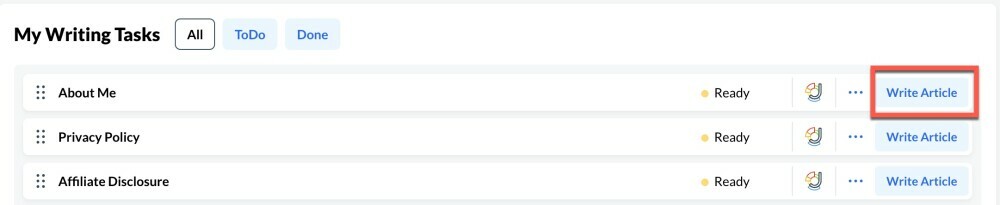
Step 1: Go to Your My Writing Tasks, and Write About Me
The first thing you are going to want to do is scroll down within your Affiliate Hubs platform down to your "My Writing Tasks" and find the About Me task. This is going to be the first thing we are doing here, creating the About me post for our content...which is one of the key foundational posts that you will be adding to your website initially.
Click on the "Write Article" button next to the About Me task. This is going to take you directly into the "Designer" where you will be building your outline.
Once within the Designer, you are going to go through and “customize” your About Me post, providing the Article Designer with some inputs. These include:
- Type of Content. You are going to choose “About Me”.
- Domain. This is the domain you are creating the About Me post for, you will be able to find all of your domains/websites hosted at Wealthy Affiliate within this drop down. You get 1 website as a Starter, 3 as a Premium member, and 10 with Premium Plus+.
- Niche. This is your “target audience”, this can be the same as the niche you chose upon building your website, or something different and more specific. Up to you, as this niche will be incorporated into your About Me outline.
- Brand. This is your brand. For example, if your website is ScoopGurus.com and the title is Scoop Gurus, your brand would be “Scoop Gurus”. The same as our brand here at Wealthy Affiliate, is “Wealthy Affiliate”.
- Say something about yourself and your website. Explain in as much detail as you can about who you are, your name if you wish, your hobbies, your intentions for your website, how you can help people with your site etc. The more information you provide, the better your content will be.
- Content Length. This is where you can choose the desired length of your content, your outline will be formatted to best suit the content length you desire. The longer the content length you choose, the more elaborate your article outline will be.
Upon adding these settings, you will want to Choose a 3 Section article (the ideal length for an About Me post.
Then you will be able to move forward by “Create Content Outline”, that will magically create an outline for the About Me post. It will only take a few seconds, and our Article Designer platform understands how to correctly structure and outline an article.
Within this outline phase, you can edit your content, before you choose the “Next: Author Settings”, where you will be deciding on who you are going to choose to author your content.
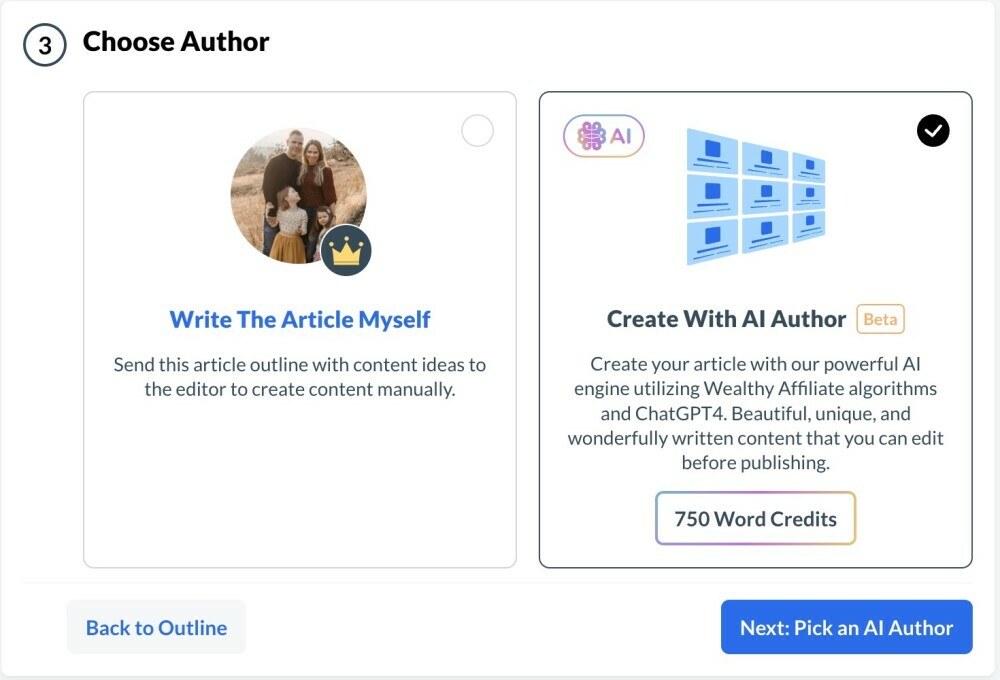
You can choose the “Write The Article Myself” option (which could take longer than an hour), but that is less than ideal. Our Author platform will do all the heavy lifting for you in terms of content creation, and will your About Me content written in less than TWO MINUTES!
So choose the "Create With AI Author" option. (as shown below)
Then, the next step will be choosing your Author you want to write. We have spent well over a 1.5 years fine-tuning these "Generative AI" Authors to not only be experts in your given niche (regardless of what it is), they have their own particular personality, and they are very much aware of all Search Engine Optimization strategies (how to rank your content search engines).
Expert, high quality, SEO ready content....in minutes!
Choose the Author that best fits you.
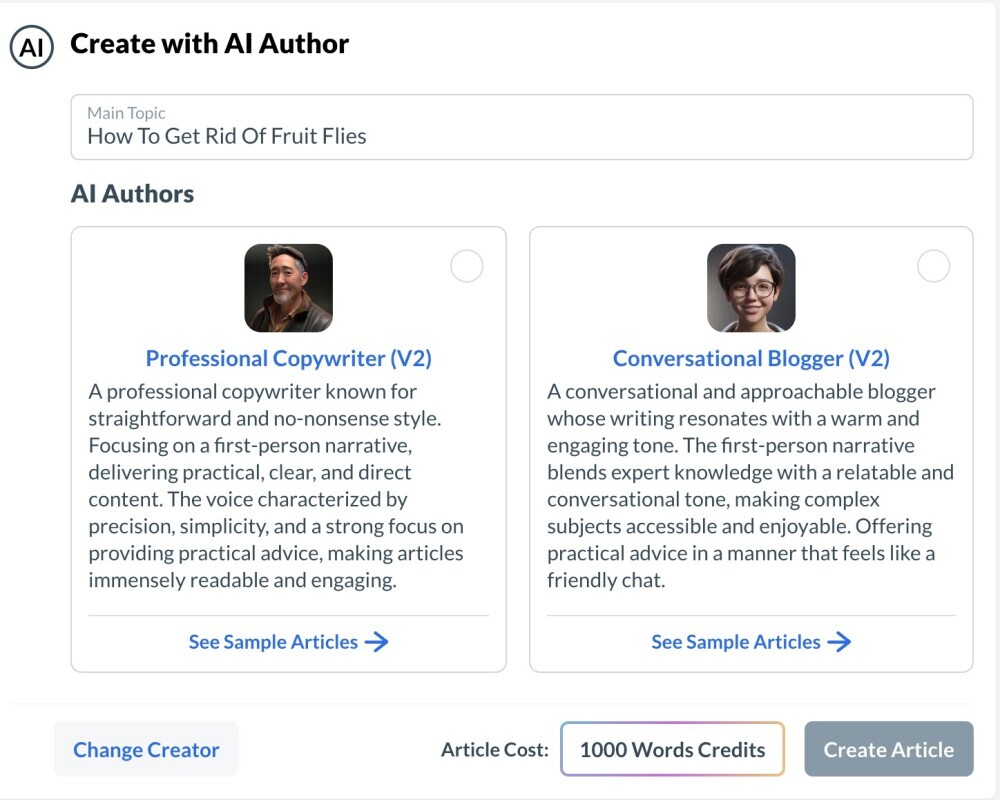 The Professional Copywriter is more formal, and the Conversational Blogger is a little more relaxed with their writing style. Choose the one that fits you best.
Upon "Create Article", your content will be built in a few minutes and it will take you into the editor where you can then edit, refine and polish your content.
You will also notice the Word Credits. You get 1,500 FREE Word Credits as a Starter member, which is about 1,500 words of free content. When you upgrade to Premium or Premium Plus+, you will get a monthly influx of Word Credits.
Premium = 10,000 Word Credits /Month (around 10 articles) + 5000 BONUS on Upgrade
Premium Plus+ = 30,000 Word Credits/Month (around 30 articles) + 10,000 BONUS on Upgrade
Every time a new visitor lands on your site, they are taking a leap of faith. Trust is not automatic, and has to be earned and this is something that we are going to be emphasizing and helping you with as you move through the training (and as you build out your content). The more help you offer your audience, and the more transparent you are, the greater the trust…and the greater the opportunity.
These initial posts reassure your visitors and can transform them into loyal audiences!
Nice work on your progress thus far, and if you have any questions about the creation of your About Me post, leave them below and we will be happy to help you out!
Next lesson, we are going to be focusing on establishing your brand, and taking your business to the next level.
Tasks for this Lesson:
- Drafting an engaging "About Me" post using the Article Designer to create outline
- Writing your About Me post using the Author platform
- Publishing Your Post
If you have any questions about anything discussed within this class, please leave it in the comments below and we will be happy to help you out! :)