How to Transfer Your Domain to WA from Namecheap


Published on October 11, 2014
Published on Wealthy Affiliate — a platform for building real online businesses with modern training and AI.
I have a couple of Namecheap domains here are step by step instructions on how to transfer your Namecheap domain to be hosted by WA. Other domains should follow a similar process.
You need to have a premium account to be able to host a paid domain at WA, so make sure you upgrade your account if you haven't done so already.
- Login to your account on the site you purchase your domain (eg. Namecheap.com)
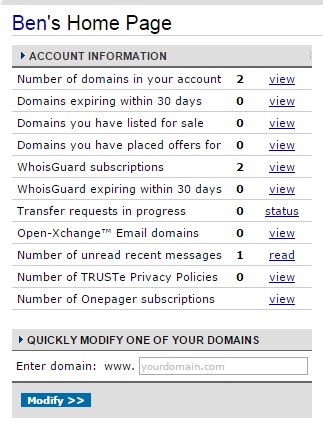
- On your homepage, you will see under account information, the says "Number of domains in your account", click the view link at the end of this line.
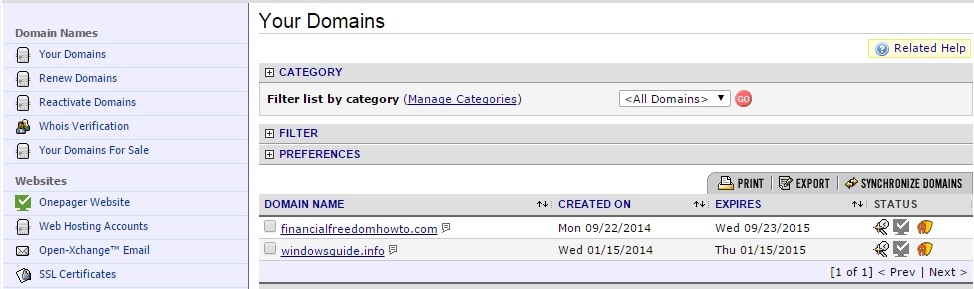
- On the right hand side under the title "Domains", you will see a list of the domains you own, click on the one you want to transfer to WA
Ready to put this into action?
Start your free journey today — no credit card required.
- On the left-hand side, click on domain name server setup or
‘Transfer DNS to Webhost’
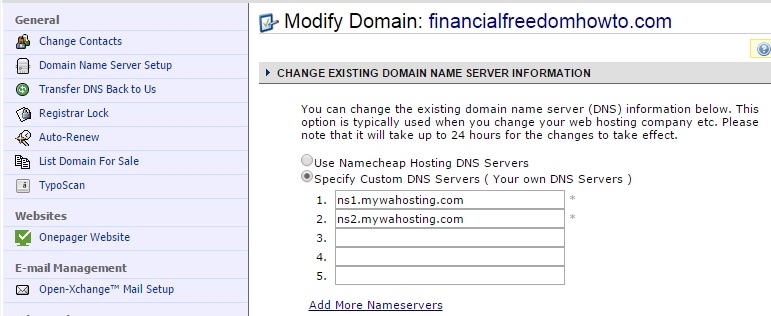
- On the right, select "Specify Custom DNS Servers ( Your own DNS Servers )"
- Enter "ns1.mywahosting.com" in line 1 and "ns2.mywahosting.com" in line 2
- Click save changes
Now you just need to setup your domain on your website here at WA
- Click on Build My Website
- If you have already created the site, click on move
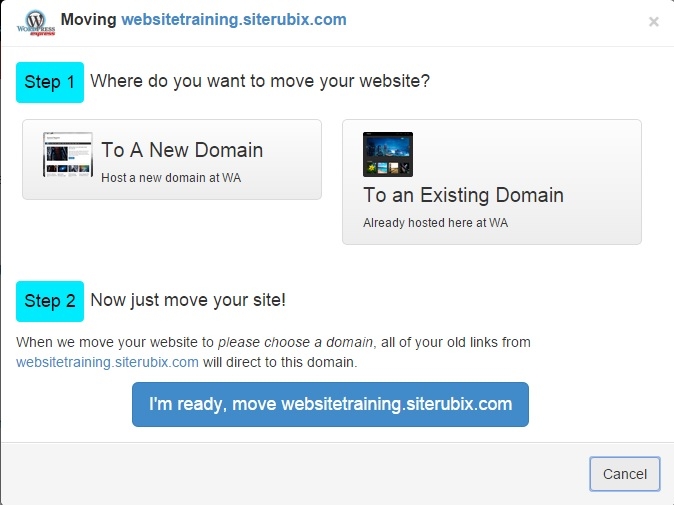
- Click on "To A NEW Domain" and enter your new domain name
- Click on "I'm ready, move myexistingsite.siterubix.com"
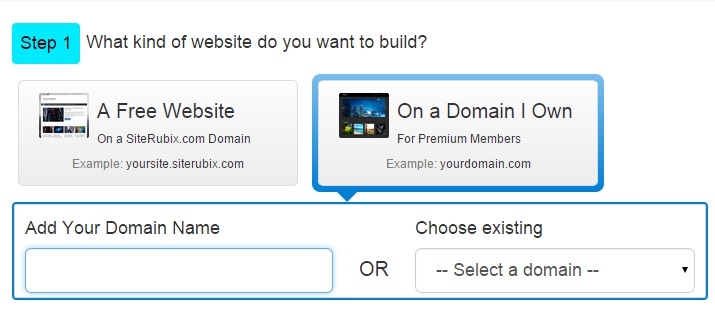
- If you are creating a new site, just click on the "On a Domain I Own" option and enter your domain name
That's it, well done, you did it!
I hope this was helpful, please leave comments/feedback/questions below
Share this insight
This conversation is happening inside the community.
Join free to continue it.The Internet Changed. Now It Is Time to Build Differently.
If this article resonated, the next step is learning how to apply it. Inside Wealthy Affiliate, we break this down into practical steps you can use to build a real online business.
No credit card. Instant access.