How to automate your posts with this simple plugin


Published on August 18, 2015
Published on Wealthy Affiliate — a platform for building real online businesses with modern training and AI.
Hi everyone! For all you WealthyAffiliate users with your website. Have you ever wanted to set a date for your post without having to login and publish every single day. Fear no more. With this plugin, you can create your own schedule for your posts without having to login.
Lets begin.
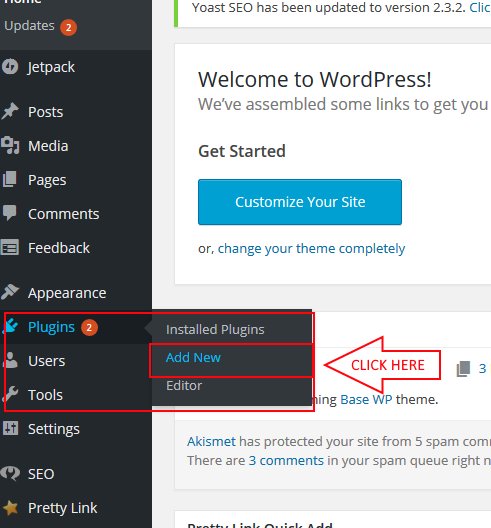
First off, login to your wordpress account. Click on Plugins, then click "Add new".
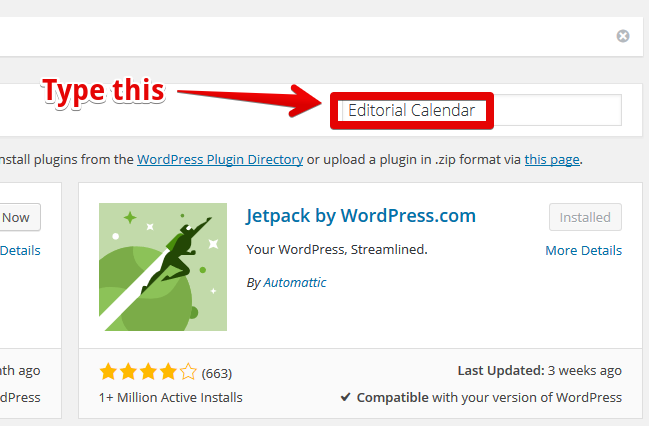
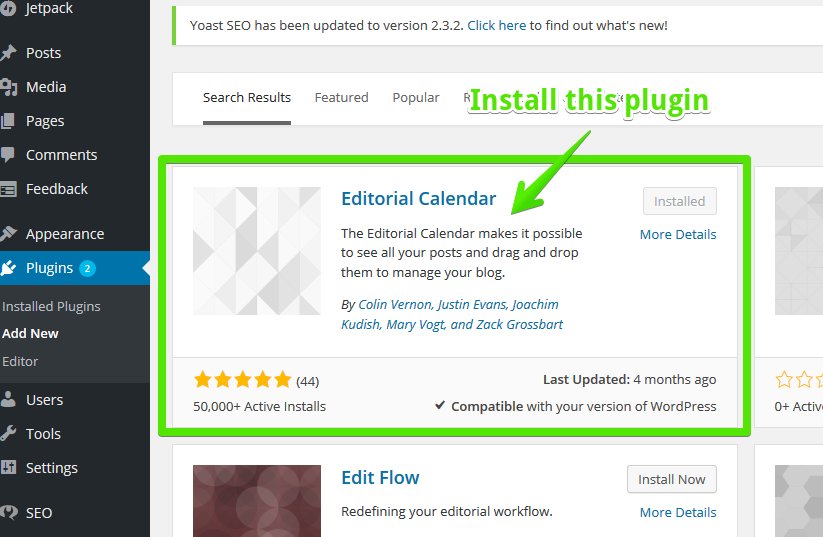
From there, go to the search box and type "Editorial Calendar". Editorial Calendar lets you see all your posts and allows you to drag and drop them to manage your blog.
Ready to put this into action?
Start your free journey today — no credit card required.
After that, create 5 to 10 posts. Make sure you put them all in draft.
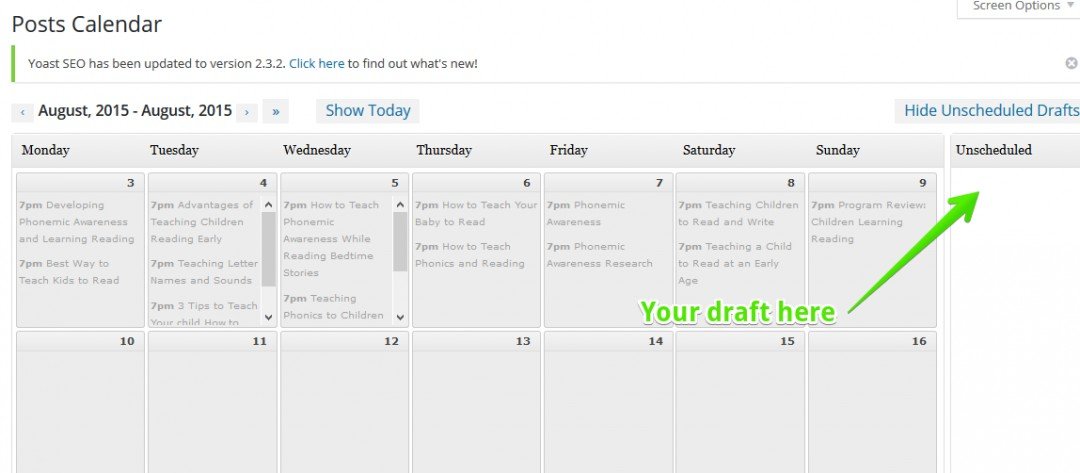
Simply drag your draft into any date in your posts calendar.
Now head over to "All Posts, and highlight all of your posts.
Click Bulk action, then click edit. Then click on Status, and set the change to "Published".
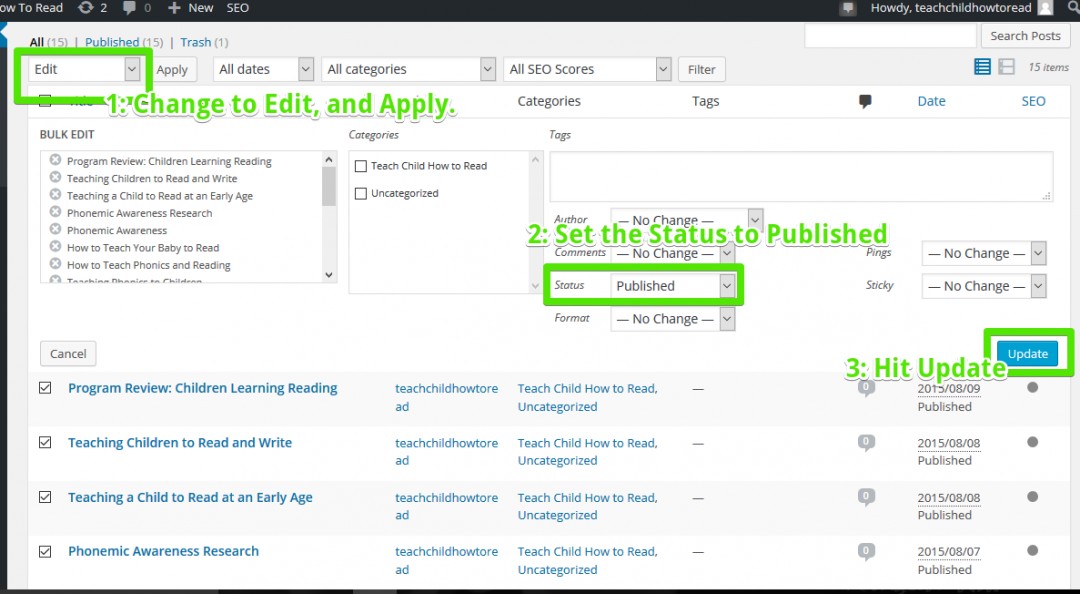
Ta da, your posts are now automated to go publish at certain date. Now you can just relax and let your website do the work.
Work hard for 1 day, relax for a whole week.
Enjoy!! Please leave a comment and like my post if this helped you alot. Thanks!!
Share this insight
This conversation is happening inside the community.
Join free to continue it.The Internet Changed. Now It Is Time to Build Differently.
If this article resonated, the next step is learning how to apply it. Inside Wealthy Affiliate, we break this down into practical steps you can use to build a real online business.
No credit card. Instant access.