INSIGHTS•1 MIN READ
Adding Comments Section to your Website


Antilena
Published on December 1, 2016
Published on Wealthy Affiliate — a platform for building real online businesses with modern training and AI.
I have seen so many people asking for comments in Bootcamp, but they do not have a comments section on their pages so I decided to write this post to give a helping hand.
To add comments section to your website.
- Go to your Dashboard
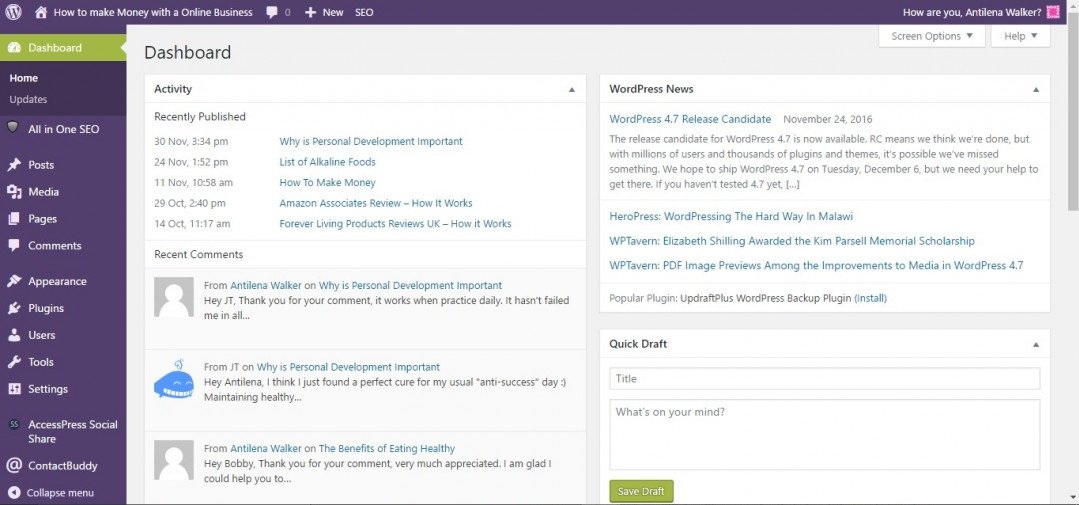
- Click pages/posts
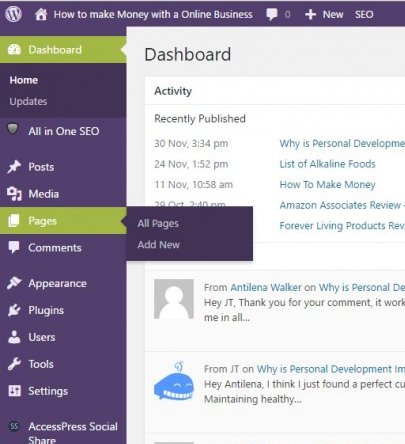
- A list of your Posts/Pages will appear on the right
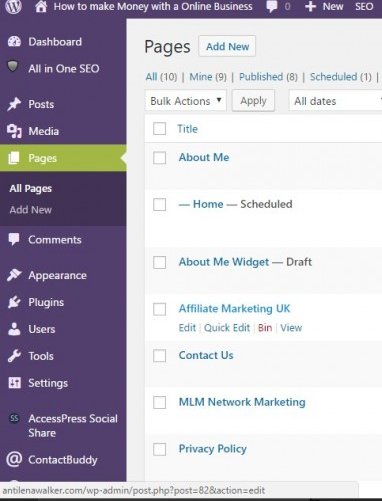
- Point to each post/page
- Below you will see Edit, Bin etc.
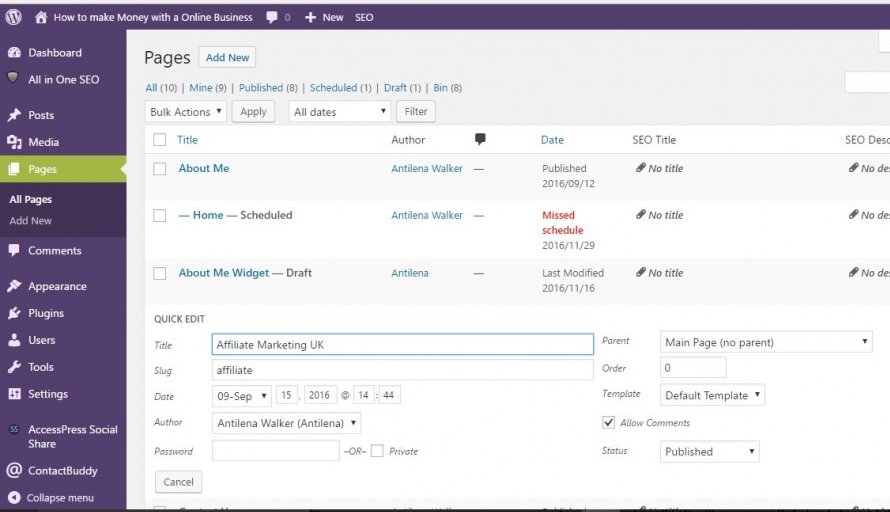
- Click Quick Edit
- Tick the Allow Comments Box
Ready to put this into action?
Start your free journey today — no credit card required.
To Your Success!
Antilena
Share this insight
This conversation is happening inside the community.
Join free to continue it.The Internet Changed. Now It Is Time to Build Differently.
If this article resonated, the next step is learning how to apply it. Inside Wealthy Affiliate, we break this down into practical steps you can use to build a real online business.
No credit card. Instant access.